


vscode.dev
15 likes
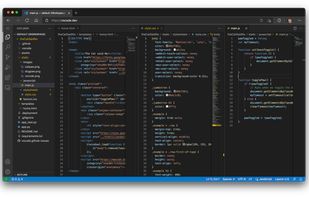
Online VScode editor.

Cost / License
- Free
- Open Source (MIT)
Application type
Platforms
- Online
- Self-Hosted

Features

Highlights All activities
vscode.dev News & Activities
Recent News
No news, maybe you know any news worth sharing?
Share a News Tip
Recent activities
- Jerry van Kranenburg liked vscode.dev
 Aerosol added vscode.dev as alternative to VSCodroid
 thesuperevil added vscode.dev as alternative to NitroIDE
 DheerajKumar76 added vscode.dev as alternative to CavalloCode
- DGN Tool liked vscode.dev
- Martin-Milan liked vscode.dev
- Sam Siroos liked vscode.dev
- Muhammad Usman liked vscode.dev
Perfect for emergency code fixes when you're away from your dev machine.


Developed by
 Microsoft
 Licensing
Open Source (MIT) and Free product.Alternatives
27 alternatives listedBadge
Get an embeddable badge for vscode.devSupported Languages
AlternativeTo Category
DevelopmentGitHub repository
- 4,740 Stars
- 1,359 Forks
- 216 Open Issues
- Updated (Archived)


PowerShell IDEs
A list of code editors or extensions/plugins that support PowerShell — exclusively or with other languages, whether Desktop, Core, or both. Also, a small number of noteworthy form-building modules.
The only real requirement is that the editors listed have, at minimum, PowerShell syntax highlighting & code folding out of the box. Anything further, debugging, some level of auto-complete (whether real-time and context sensitive or based on a predefined list of keywords), module and help creation, snippets, graphical tools, form designer, etc. are optional but preferred.
A great resource — albeit not updated often enough, and which has more than a couple dead links or outdated resources — is the Awesome PowerShell list @ https://github.com/janikvonrotz/awesome-powershell
The rough sorting is editors with 1st-class PowerShell support — i.e. editors that are either primarily built around PowerShell, or which support PowerShell with true IntelliSense-like code completion, whether natively or via an extension or plugin. Secondary is their depth and breadth of support. Third is their status — are they abandoned, or currently being developed and supported? For instance, I'd put Notepad++ above PowerGUI, even though the latter is fully meant for PowerShell, as despite Notepad++'s lack of true PowerShell support in any way beyond syntax highlighting and manual function definition lists for auto-complete, PowerGUI is far too outdated to be considered a viable option, and is more of a curiosity that you can still run... for now. Same goes for ISE, despite not being updated since TechNet was discontinued, but as it's a 1st-class product developed by Microsoft and despite many addons no longer working (at least without some searching and manual activation), it's a much more viable option in my opinion than Notepad++, unless you don't need features like IntelliSense, smart auto-completion, and the like.
Your mileage may vary.



quick-dev-online
A list with 22 apps by kaekazeh without a description.
Comments and Reviews
Perfect for emergency code fixes when you're away from your dev machine.
vscode.dev gives you the VS Code interface directly in your browser, with no installation. Most useful when you're on a machine you can't install software on, or when you just need a quick edit without opening a full IDE.
The GitHub integration is the standout feature — change the URL of any GitHub repo from github.com to github.dev and it opens instantly in vscode.dev. Great for reviewing pull requests, reading unfamiliar codebases, or making quick file edits and committing directly.
Limitations worth knowing: no integrated terminal, no debugger, and only a subset of extensions work in the browser runtime. For anything beyond editing and navigation, you still need the desktop app or a Codespace.
For what it is — a zero-install, browser-native editor — it's excellent. Especially on a Chromebook or a locked-down work machine.