





AutoDoc Guide
1 like
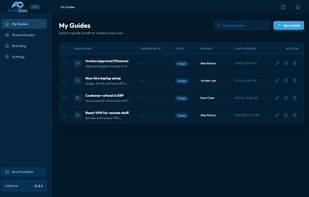
Capture Windows workflows as screenshot-backed SOPs using UI Automation control names, keyboard steps, and an always-on-top widget. Edit timelines, mask PII, move hotspots, and export to PDF, Word, HTML, or Markdown while keeping guides on your PC offline.

Cost / License
- Freemium (Subscription)
- Proprietary
Application typeApplication types
 EU
Since
- Since 2026


Features
Highlights All activities
AutoDoc Guide News & Activities
Recent activities
- Tom Ruesink added AutoDoc Guide
 Fla added AutoDoc Guide as alternative to Scribehow, Mimik, MagicHow, Trupeer.ai and 8 more
- Fla updated AutoDoc Guide
- Tom Ruesink liked AutoDoc Guide
- Tom Ruesink thinks Export to PDF is a important feature of AutoDoc Guide
- Tom Ruesink thinks Step-by-Step Guides is a important feature of AutoDoc Guide
- Tom Ruesink thinks Privacy focused is a important feature of AutoDoc Guide
- Tom Ruesink thinks Works Offline is a important feature of AutoDoc Guide
- Tom Ruesink added AutoDoc Guide as alternative to Scribehow and Folge

Developed by
 AutoDoc Guide
Licensing
Proprietary and Freemium product.Pricing
Subscription ranging between $11 and $18 per month + free version with limited functionality.Alternatives
13 alternatives listedBadge
Get an embeddable badge for AutoDoc GuideSupported Languages



No comments or reviews, maybe you want to be first?