Lattice is a minimalist, local-first research manager designed exclusively for macOS.
Whether you are a researcher, academic, or student, Lattice helps you break free from the bloat of traditional tools, managing your papers and e-books in the most efficient and elegant way possible.
Built with a native-first philosophy and zero third-party dependencies, Lattice is exceptionally lightweight and fast. Unlike other software that forces your files into a "black box" database, Lattice respects your local file system, ensuring you remain in full control of your data.
Pure Local Experience
• Zero Dependencies: Built entirely in Swift with no redundant code. Experience lightning-fast cold starts and peak performance.
• No Data Lock-in: Reference your existing PDFs wherever they are without creating forced copies. You can also set rules to let Lattice transparently "move or copy" files to your designated archive, returning full control to you.
Minimalist & Elegant Design
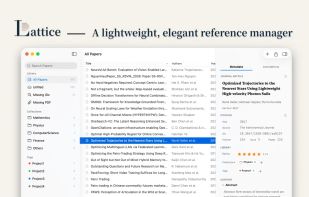
• Modern macOS Interface: A beautiful, adaptive three-pane layout that blends perfectly with Dark Mode.
• Typography that Breathes: Custom font hierarchies (serif titles with sans-serif details) make browsing abstracts and metadata as enjoyable as reading a premium magazine.
Instant Import & Smart Metadata
• One-Click Migration: Drag and drop entire folders with complex subdirectories. Lattice recursively scans and bulk-imports all PDFs, making "old library" transitions frictionless.
• Zotero Integration: Import your entire Zotero database—entries, metadata, and collections—in one click to pick up exactly where you left off.
• Powerful PDF Parsing: Simply drop a PDF, and Lattice intelligently extracts titles, authors, DOIs, or ISBNs locally.
• Automated Web Scraping: Seamlessly complete missing metadata by connecting to major academic databases for journal names, years, and abstracts.
Your Automated PDF Organizer
• Auto-Renaming: Say goodbye to cryptic filenames. Use custom templates (e.g., {year} - {author} - {title}) to keep your library organized instantly.
• Smart Archiving: Beyond management, Lattice helps you move or copy files to specific directories, even creating subdirectory structures based on years or collections.
Annotation Extraction & Ecosystem
• Powerful Insight Extraction: Automatically pull highlights, underlines, text notes, and even shapes from your PDFs.
• Open Export: Quickly export paper details and annotations to highly customizable Markdown or TextBundle formats—perfect for Obsidian or Notion workflows.
• Native BibTeX & RIS Support: Customize Citekey formats and export .bib or .ris files with ease—perfect for LaTeX, EndNote, and other major research tools.
• Apple Shortcuts & Local API: Deep integration with Shortcuts allows you to copy metadata to your clipboard or trigger personal automations with one click.






 Noskar added Lattice: Reference Manager as alternative to SafeRender
 Scholar Sidekick added Lattice: Reference Manager as alternative to Scholar Sidekick
 Paul added Lattice: Reference Manager as alternative to Zotero, Mendeley, Qiqqa, DEVONthink and 47 more

 Yi Fan


No comments or reviews, maybe you want to be first?