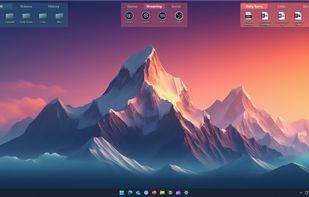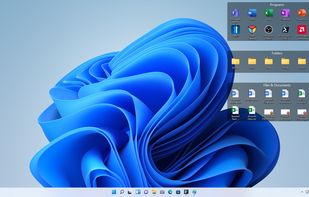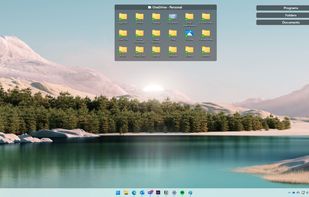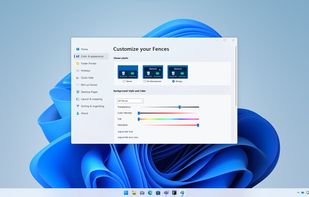
Desktop organizer for Windows 10/11, arranging files in customizable shaded areas. Features include quick access, snapshot layouts, and enterprise tools.


Desktop organizer for Windows 10/11, arranging files in customizable shaded areas. Features include quick access, snapshot layouts, and enterprise tools.


Create containers (aka Portals) on your desktop which show the contents of a specified folder. Divide your desktop into folders then use Portals to display the contents of the folders in an organized fashion - you can even hide the folders away somewhere else.


AI-powered Mac file organizer with smart renaming. Automatically sorts files by content and suggests intelligent filenames. Supports 50+ languages. 100% private, offline, no subscriptions.

Improve desktop organization with snapping, docking, and customizable shortcuts for high-resolution and multi-monitor setups.


Automates organization of apps, files, and folders on Windows desktops, featuring grouping into boxes, customizable appearance, hotkey shortcuts, and quick search.


Organizes desktop into customizable containers showing folder contents as icons/thumbnails on a scrollable surface. Has lots of management features: e.g. labelling; sort by category; time & location based settings. Thumbnails are displayed for supported Open Documents, PSD images & PDFs.


Boost your productivity by eliminating clutter—DeskSweep automatically organizes your desktop by moving files to a designated folder, ensuring a clean and distraction-free workspace.


Label folders with customizable color or image-coded icons to identify status, priority, or content type, enabling rapid visual organization and quick folder access.


Provides multi-engine antivirus and anti-malware, real-time threat monitoring, ransomware and web protection, system optimization, and privacy tools.


WinLaunch is a Windows program that resembles a Mac OS X Lion Launchpad.
Features:
Instant access to all your important applications and documents from everywhere! Perfect Mac OS X look and feel Tons of customization options Optimized controls for touchscreens and tablets! Win.


It records the layout and positions of icons and programs on the Windows Desktop, and permits restoration of the layout. It appears to operate correctly under Windows 98, Windows ME, Windows 2000 and Windows XP.


Organize Mac desktop with customizable areas, group icons, files, and folders, add photo slideshows or static images, and tailor view settings for a clean workspace.


menuApp is an application which allows you to configure menus and use them to launch your favourite programs, music files, documents, websites, etc.


Nerdtool allows you to display many things directly on top of your desktop; weather reports, headline news, and system vitals are just a few uses.


WindowSpace is a powerful desktop enhancement utility for large monitors, widescreens and multi-monitor systems. Once installed, it allows you to manipulate windows in many new amazing ways – snap windows to the screen edges and other windows, move and resize them with keyboard...


Desktop utilities and tools for PC and Mac power users, frequent writers and programmers. Includes ten+ apps like a notepad texteditor, calendar, unit conversion tool, password manager, stop watch, smart clipboard and much more.


A lightweight utility for allowing you to quickly snap windows to a tiling grid under your existing Linux window manager. Can be triggered via keyboard shortcuts, the command line, or D-Bus calls.


A Central Hub for User-Categorized Shortcuts to Apps, Files & Folders, Quick Access to Drives & System Folders with PC Info & Resource Monitoring Dashboards and One-Click Access to Common Windows Operations.


Delete, Rearrange, Group or Ungroup any of your Launchpad Icons, or simply put them into alphabetical order!.


MultiDesk is a lightweight and practical Windows utility designed to boost productivity by organizing your desktop into customized, swappable workspaces.


Useful window arrangement ("snap-to-edge") utility that works well with multiple screens.


Workspace Manager is a great tool for organizing workspaces by launching Groups of Apps and Websites by pressing a Shortcut or by clicking the button in the Menu for each workspace.