





Bartender
64 likes
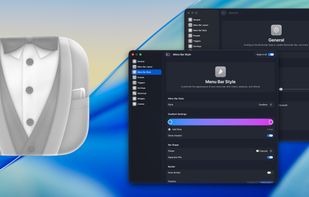
Lets users organize, hide, and rearrange menu bar items with custom actions and presets based on environment, supports grouping, custom appearance, and a dedicated bar for hidden items, while offering keyboard search and widgets for creating custom shortcuts.

Cost / License
- Pay once or Subscription
- Proprietary
Platforms
- Mac


Features
Highlights All activities
Bartender News & Activities
Recent News
- Fla published news article about Bartender
- Paul published news article about Bartender
- Paul published news article about Bartender


Recent activities
 SnowDrit added Bartender as alternative to Cornice App
- Mauricio B. Holguin updated Bartender
- Mauricio B. Holguin updated Bartender
It used to be great. Now it barely works half the time and drains my battery in the background besides. Instead of optimizing the app, it seems like the devs are more interested in their new pro version. So on top of buying pro, they want you to get a pro subscription. Just get Ice/Thaw or Hidden Bar instead.


Mac apps
List of all Mac apps


The Best Mac Apps
A list with 49 apps by hercut without a description.


Stuff I Use At Home
Just a list of some of the apps I use at home
Developed by
 Surtees Studios
 Licensing
Proprietary and Commercial product.Pricing
One time purchase ranging between $17 and $70, and / or subscription that costs $1 per month.Rating
Average rating of 3.1Alternatives
21 alternatives listedNews
4 news article related to BartenderBadge
Get an embeddable badge for BartenderSupported Languages


Comments and Reviews
Without Bartender, my menu bar would be an absolute mess!
It used to be great. Now it barely works half the time and drains my battery in the background besides. Instead of optimizing the app, it seems like the devs are more interested in their new pro version. So on top of buying pro, they want you to get a pro subscription. Just get Ice/Thaw or Hidden Bar instead.
I used to love bartender and install it on every mac. However it was sold under some shady circumstances to a company that buys macOS apps from indie devs. There was no communication until they were caught red handed when the signing cert changed on a recent update. It has been speculated that mac apps that require a lot of permissions are getting scooped up by malicious actors. I don't know if that's the case here, but due to the lack of communication around this, I've uninstalled the app and moved to a free and open source solution (Ice).
Bartender used to be good. But now they changed owner secretly, without any communication at all. The app requires system permissions, which you might not want to give to someone who keeps their identity a secret.
Best features include: alltogether hide some apps, give a second submenu, and give updates for several apps so they appear only when cirtain conditions are met.
If you are new to the Mac you probably only have a few menu bar icons, and they are all from Apple. But if you have been a Mac user for awhile, icons may extend across your menu bar and collide with the application's menu. Bartender is a GREAT program that creates a pop-up menu bar extension. Move the menu bar icons that you don't need there and you menu bar is instantly cleaned up. I could not live without it.