Mouzi icon
Mouzi icon

Mouzi

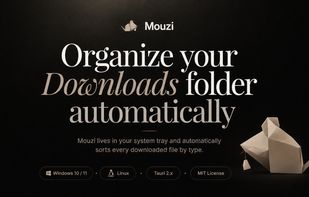
Automatic file organizer operates silently in the system tray, sorting downloads and any folder by extension or pattern with customizable rules, local undo, and history. Runs fully offline for privacy, supports dynamic placeholders, notifications, and multi-language interface.
Mouzi

Cost / License

  • Free
  • Open Source (MIT)

Platforms

  • Windows
1like
0comments
0articles

Features

Properties

  1.  Privacy focused
  2.  Lightweight
  3.  Customizable

Features

  1.  Dark Mode
  2.  Ad-free
  3.  No registration required
  4.  No Tracking
  5.  Portable
  6.  Works Offline
  7.  Automate File Organization
  8.  Low resource footprint
  9.  Multiple languages
  10.  Task Automation
  11.  File Organizer
  12.  No Telemetry
  13.  Sits in the System Tray

Mouzi News & Activities

Highlights All activities

Recent activities

Mouzi information

  • Developed by

    PL flagKrystian Welcel
  • Licensing

    Open Source (MIT) and Free product.
  • Written in

  • Alternatives

    34 alternatives listed
  • Supported Languages

    • English
    • Polish
    • Italian
    • German
    • French

AlternativeTo Category

File Management

GitHub repository

  •  40 Stars
  •  3 Forks
  •  1 Open Issues
  •   Updated  
View on GitHub

Popular alternatives

View all
Mouzi was added to AlternativeTo by hsr88 on and this page was last updated .
No comments or reviews, maybe you want to be first?

What is Mouzi?

Mouzi is a silent, elegant file organizer that lives in your system tray and keeps your Downloads folder (and any other folder) automatically tidy. It runs quietly in the background, monitors selected folders, and moves, renames, or sorts files based on customizable rules.

🔇 Silent by Default Runs 24/7 in the background with minimal resource usage (~5 MB RAM) Automatically organizes new files as they arrive Shows a subtle Windows toast notification with the count of organized files

📁 Smart Rules Engine Images (.jpg, .png, .gif, .webp...) ? Downloads/Images/ Documents (.pdf, .docx, .xlsx...) ? Downloads/Documents/ Archives (.zip, .rar, .7z...) ? Downloads/Archives/ Installers (.exe, .msi...) ? Downloads/Installers/ Music / Video ? dedicated folders Catch-all rule for everything else 🛠? Fully Customizable Create your own rules with extensions, regex patterns, and destination folders Use dynamic placeholders in paths: {year}, {month}, {day}, {extension}, {filename} Reorder rules by priority - first match wins 📜 History & Undo Every action is logged locally in SQLite Undo any single move with one click Clear history anytime

🌍 Multi-language Auto-detects your Windows system language. Supported:

🇬🇧 English 🇵🇱 Polish 🇮🇹 Italian 🇩🇪 German 🇫🇷 French (Falls back to English if system language is not supported)

🕶? Dark Mode Follows system theme, or force Light / Dark mode from settings 🔒 Privacy First 100% offline - zero cloud, zero file name uploads No telemetry by default System files ignored - desktop.ini, Thumbs.db, .DS_Store, and other OS hidden files are never touched All data stored locally in your user profile folder

Official Links

