

Deskepty
Clean up your desktop. Launch apps, games, and folders instantly from a hidden panel that appears when you need it.
Cost / License
- Pay once
- Proprietary
Application types
Platforms
- Windows
Features
Properties
- Support for Themes
- Lightweight
- Privacy focused
Features
- Works Offline
- Ad-free
- No Tracking
- Support for Multiple Monitors
- Dark Mode
- No registration required
- Desktop Application
- Application Launchers
Deskepty News & Activities
Recent activities
pidock added Deskepty as alternative to piDock Desktop Organizer- POX updated Deskepty
- Ghazi_D updated Deskepty
the_Libre_one added Deskepty as alternative to Shortcutty
the_Libre_one added Deskepty as alternative to Milee Grida
the_Libre_one added Deskepty as alternative to Desktop Groups
Ghazi_D added Deskepty as alternative to RocketDock
Deskepty information
What is Deskepty?
The hidden workspace organizer for Windows.
Keep your desktop clean without sacrificing instant access to your tools.
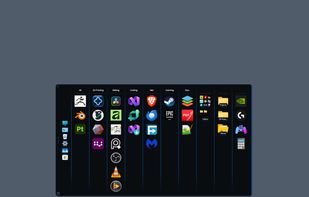
Deskepty is a lightweight launcher panel that stays hidden until you need it. Organize apps, folders, games, and system tools into customizable groups and launch everything from a clean, distraction-free workspace.
Built for power users, developers, creators, and anyone who wants a more organized desktop.
Why Deskepty?
• Native Windows performance with minimal resource usage • Global hotkeys and taskbar integration • JSON backup and restore • Fully offline — no accounts, no telemetry, no cloud services • One-time purchase. No subscriptions. No ads.
System Requirements:
Windows 10 or Windows 11 (64-bit)
What's new in version 3.1:
Group export now includes nested folders.
Appearance Tab, New dedicated section for visual preferences: • Choose your panel animation style. • Set your main panel position (Top or Bottom). • Set your Toggle Button Position (Top or Bottom). • Move to Monitor: Right-click the panel logo or toggle button to instantly move Deskepty to any connected monitor, perfect for multi-display and stacked monitor configurations. • Settings Window Redesign: Left-side tab navigation replaces the old top tabs. • Visual Polish, Bug Fixes & Stability Improvements. • Floating folders with theme-aware popup windows • Drag-and-drop organization with no editing modes • Expanded visual customization and theme-aware folders • 36 built-in themes