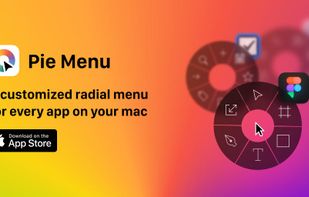
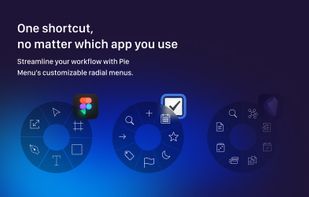
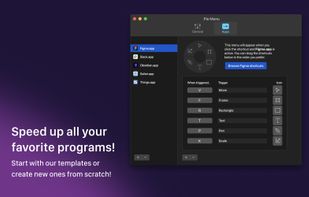
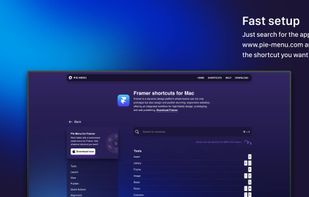
Introducing the all-new radial menu app that revolutionizes the way you work on your device! With Pie Menu, you can customize shortcuts for every app, making your life easier and more organized.
Cost / License
- Freemium
- Proprietary
Platforms
- Mac



Introducing the all-new radial menu app that revolutionizes the way you work on your device! With Pie Menu, you can customize shortcuts for every app, making your life easier and more organized.


Elevate macOS multitasking with bespoke hotkeys to switch between apps and focus on windows, all in a sleek user interface.


Simple and handy overview of applications shortcuts. Easy to use, just press Command twice and hold to see the list.


Context switching is poison for productivity. When you get that brilliant idea or see something inspiring, you should be able to take smart notes without switching app or tabs. That’s Lazy. One ? shortcut to capture anywhere.


xStarter will help you to automate each and every process in your computer. Automate your everyday tasks without any programming knowledge.


Spark is a powerful and easy shortcuts manager. With Spark you can create Hot Keys to launch applications and documents, execute AppleScripts, command iTunes, and more...


Instantly apply display resolution, bit depth, refresh rate, scaling mode, and DPI scale percentage with user-defined hot keys.

Hotkeycontrol is the award winning and easy to use solution for creating keyboard shortcuts for routine tasks like opening files, changing system volume, controlling display brightness, typing frequently used text, controlling active windows and recording macros.

keyconfig allows you to change keyboard shortcuts. [Firefox, Thunderbird, SeaMonkey, and any other XULRunner Application]
Keyboard Cowboy is a hotkey shortcut manager that is both powerful and easy to use. It can launch applications, switch between them, open url schemes and open both files and folders.


WrapKey is a lightweight yet powerful macOS utility. Create simple, memorable, or complex keyboard shortcuts to launch, switch, or run anything on your Mac. It's designed to be blazing-fast and intuitive.


Kommand shows you all keyboard shortcuts for your current app in a beautiful overlay, organized by category and ready to use. No more googling shortcuts or digging through menus. Just instant access to the commands you need.