Apps tagged with 'annotation'

All apps in Apps tagged with 'annotation' category. Use the filters below to narrow down your search. 
Copy a direct link to this comment to your clipboard
  1. Teable icon
     47 likes

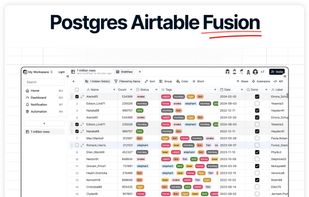
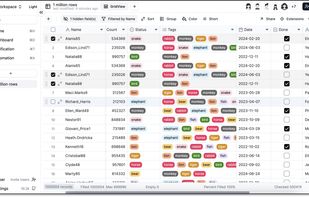
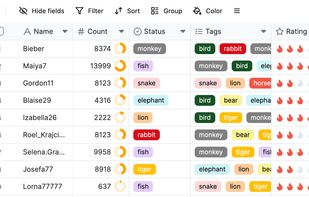
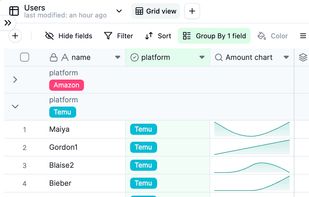
    Teable is a super fast, real-time, professional, developer friendly, no-code database built on Postgres. It uses a simple, spreadsheet-like interface to create complex enterprise-level database applications.

    Cost / License

    • Free Personal
    • Open Source

    Platforms

    • Online
    • Self-Hosted
    • Software as a Service (SaaS)
    • Docker
    Teable screenshot 1
    Teable screenshot 1
    Teable screenshot 2
    +4
    Teable screenshot 3
    76 alternatives
  2. Ksnip icon
     67 likes

    Ksnip is a Qt based cross-platform screenshot tool that provides many annotation features for your screenshots.

    Cost / License

    Application type

    Platforms

    • Mac
    • Windows
    • Linux
    • Snapcraft
    • Flathub
    Annotations
    Snipping area with magnifying glass
    Snipping area
    +6
    Ksnip screenshot 3
    65 alternatives
    4.5
    Excellent17 reviews
  3. Memex icon
     112 likes

    A reading app that keeps you in the flow of your online reading & research. Save, annotate, share & collaborate without leaving your tab.

    Cost / License

    • Freemium
    • Proprietary (MIT)

    Platforms

    • Android
    • iPhone
    • Android Tablet
    • iPad
    • Vivaldi Browser
    • Google Chrome
    • Brave
    • Firefox
    Memex screenshot 1
    Memex screenshot 1
    Memex screenshot 2
    +2
    Memex screenshot 3
    85 alternatives
    3.0
    Fair9 reviews
  4. Handy Reader icon
     9 likes

    Customizable ebook reader supporting EPUB, MOBI, AZW, PDF, FB2, and TXT formats, with highlighting, notes, TTS, four color themes, and quick access features.

    Cost / License

    • Free
    • Proprietary

    Application types

    Platforms

    • Android
    • Android Tablet
    Handy Reader screenshot 1
    Handy Reader screenshot 1
    Handy Reader screenshot 2
    +3
    Handy Reader screenshot 3
    56 alternatives
  5. Hypothes.is icon
     65 likes

    Annotate with anyone, anywhere Our mission is to bring a new layer to the web. Use Hypothes.is to discuss, collaborate, organize your research, or take personal notes.

    Cost / License

    • Free
    • Open Source

    Platforms

    • Online
    • Google Chrome
    • Mozilla Firefox
    Hypothes.is screenshot 1
    Highlight
    Annotate
    +1
    Reply
    22 alternatives
  6. Genius is an online knowledge focused on music. The site allows users to provide annotations and interpretation of song lyrics, news stories, primary source documents, poetry, and other forms of text.

    Cost / License

    • Free
    • Proprietary

    Platforms

    • Online
    • Android
    • iPhone
    • iPad
    Click part of click to view meaning
    17 alternatives
  7. uMap icon
     35 likes

    uMap let you create maps with OpenStreetMap layers in a minute and embed them in your site. Add custom annotations, lines, shapes, import and add custom layers (KML, CSV, GPS, ...) and other data.

    Cost / License

    • Free
    • Open Source

    Application type

    Platforms

    • Self-Hosted
    • OpenStreetMap
    • Python
    • Django
    • Leaflet
    • Online
    uMap screenshot 1
    advanced editing features and right-click menu
    56 alternatives
  8. Cubox icon
     15 likes

    Cubox is the app for collecting, reading and researching your daily information. With Cubox, you can effortlessly organize everything you've read without professional skills.

    Cost / License

    • Freemium
    • Proprietary

    Platforms

    • Mac
    • Windows
    • Online
    • Android
    • iPhone
    • iPad
    • Google Chrome
    Cubox screenshot 1
    Cubox screenshot 1
    Cubox screenshot 2
    +3
    Cubox screenshot 3
    40 alternatives
  9. Liner icon
     29 likes

    LINER AI Copilot, powered by ChatGPT/GPT-4 and Google Search, provides high-quality information to make your web browsing experience as enriching as possible. It's designed to help you get more done with less time and energy, offering features such as translation, sentence...

    Cost / License

    • Freemium
    • Proprietary

    Platforms

    • Mac
    • Windows
    • Online
    • Android
    • iPhone
    • Chrome OS
    • Android Tablet
    • iPad
    • Microsoft Edge
    • Google Chrome
    • Safari
    • Opera
    Liner screenshot 1
    23 alternatives
  10. Epic Pen icon
     20 likes

    Enhance your workspace with epic Pen's screen writing features. Offering annotation tools, hotkey support, and offline access for Windows to mark up anything on your desktop.

    Cost / License

    • Freemium
    • Proprietary

    Application type

    Platforms

    • Windows
    Epic Pen screenshot 1
    Epic Pen screenshot 1
    Epic Pen screenshot 2
    27 alternatives
  11. ZoomIt icon
     29 likes

    ZoomIt is screen zoom and annotation tool for technical presentations that include application demonstrations. ZoomIt runs unobtrusively in the tray and activates with customizable hotkeys to zoom in on an area of the screen, move around while zoomed, and draw on the zoomed...

    Cost / License

    • Free
    • Proprietary

    Application type

    Platforms

    • Windows
    • PortableApps.com
    ZoomIt screenshot 1
    33 alternatives
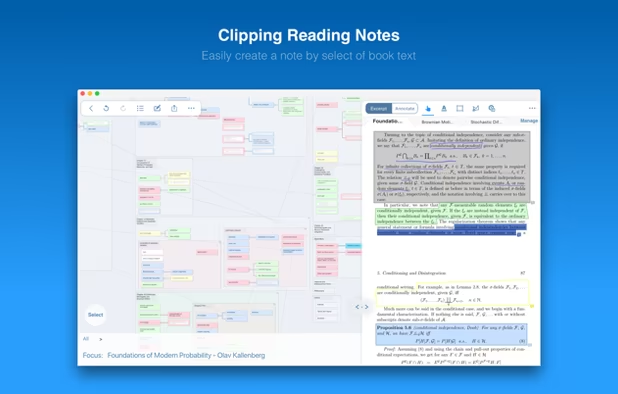
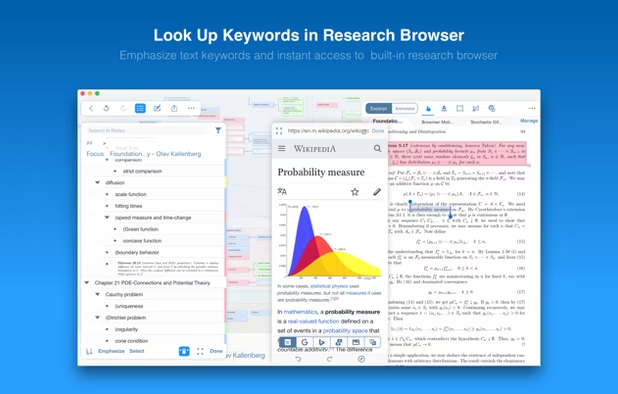
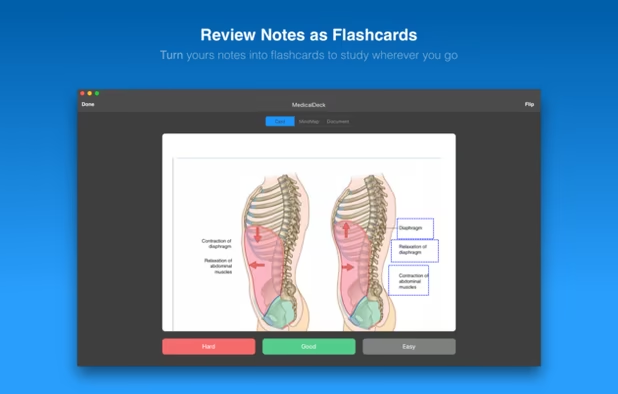
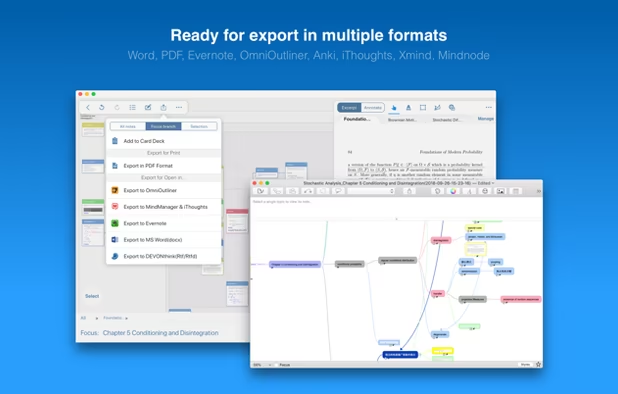
  12. LiquidText icon
     12 likes

    LiquidText offers a fast, natural way to review, gather, and organize information across all your docs: then apply the results to writing reports or simply studying. Pull out key facts and connect them together

    Cost / License

    • Freemium
    • Proprietary

    Application types

    Platforms

    • Mac
    • Windows
    • iPad
    LiquidText screenshot 1
    LiquidText screenshot 1
    LiquidText screenshot 2
    +1
    LiquidText screenshot 3
    15 alternatives
  13. This app allows you live drawing and taking notes over desktop applications. There are also tools for screen recording and making screenshots. It is great tool for creating presentations, tutorials, manuals, animations, video or streaming.

    Cost / License

    • Free
    • Proprietary

    Application type

    Platforms

    • Windows
    Screen Marker and Recorder screenshot 1
    Screen Marker and Recorder screenshot 1
    Screen Marker and Recorder screenshot 2
    +4
    Screen Marker and Recorder screenshot 3
    27 alternatives
  14. scrible icon
     19 likes

    scrible lets you highlight and annotate web pages and easily save, share and collaborate on your web research with others.

    Cost / License

    • Freemium
    • Proprietary

    Platforms

    • Mac
    • Windows
    • Linux
    • Online
    • iPad
    • Google Chrome
    scrible screenshot 1
    scrible screenshot 1
    scrible screenshot 2
    +1
    scrible screenshot 3
    33 alternatives
  15. Clapshot icon
     5 likes

    Self-hosted browser based collaborative video/audio/image review and annotation tool. Allows users to upload, comment and draw on clips. Also support subtitles.

    Cost / License

    Application type

    Platforms

    • Online
    Media playback view
    File browser
    10 alternatives
  16. Kipwise icon
     18 likes

    Kipwise is a smart knowledge management tool that integrates seamlessly with other tools you use every day, so you can save and retrieve team knowledge easily, wherever you need them.

    Cost / License

    • Paid
    • Proprietary

    Platforms

    • Online
    • Google Chrome
    • Google Drive
    • Slack
    Turn important Slack messages into wiki docs easily using Slack Action. Handy search command to search for Kipwise Pages, and information from other integrated sources directly in Slack. Got questions with existing answers already? Provide a quick answer to your teammates with just a few clicks.
    Instantly connect existing knowledge and tools so you can access important info in one place, both on Slack via our Kipwise search command or on the Kipwise web portal.
    Couldn’t find something via Kipwise? Assign the question to a teammate, the Q&A will be saved to Kipwise automatically when your teammate answered. Your knowledge base grows automatically when your team is doing their daily job.
    +3
    So your team can edit the same page at the same time and see the changes immediately. Embed images, videos or content from integrated sources to create media-rich and visually appealing content.
    50 alternatives
  17. Kontxt icon
     9 likes

    Kontxt is an inline communication and engagement tool that adds live collaboration and interactivity to digital content. Enterprise productivity. Remote education. Site owner revenue. Personal social news aggregation, rating, sharing, and discussion.

    Cost / License

    • Free Personal
    • Proprietary

    Application type

    Platforms

    • Online
    • Self-Hosted
    • Google Chrome
    • Software as a Service (SaaS)
    • Wordpress
    Kontxt screenshot 1
    Kontxt screenshot 1
    Kontxt screenshot 2
    +4
    Kontxt screenshot 3
    46 alternatives
  18. Peerlibrary icon
     9 likes

    PeerLibrary is an open source project developing a collaborative online community where scholars and researchers can discover, read, and discuss scholarly literature all within one site. This project focuses on expediting access to publications, enabling public recordings of...

    Cost / License

    • Free
    • Open Source

    Application type

    Platforms

    • Online
    31 alternatives
  19. AnnotateUp icon
     1 like

    AnnotateUp is built for fast, structured image annotation. Whether you’re labeling equipment, marking objects, documenting inspections, or adding quick reference notes, it gives you a simple workflow designed for clarity and speed — no formatting, no styling decisions, no...

    Cost / License

    • Freemium
    • Proprietary

    Platforms

    • Mac
    • iPhone
    • iPad
    AnnotateUp screenshot 1
    AnnotateUp screenshot 1
    AnnotateUp screenshot 2
    +2
    AnnotateUp screenshot 3
  20. SnapNDrag Pro icon
     5 likes

    SnapNDrag makes taking screenshots super easy. Click, select and the screenshot is added to your library. SnapNDrag maintains a library of all the screenshots you have ever taken. Think of it as iPhoto for screenshots.

    Cost / License

    • Paid
    • Proprietary

    Platforms

    • Mac
    SnapNDrag Pro screenshot 1
    SnapNDrag Pro screenshot 1
    SnapNDrag Pro screenshot 2
    +7
    SnapNDrag Pro screenshot 3
    57 alternatives