


OpenScreen
60 likes
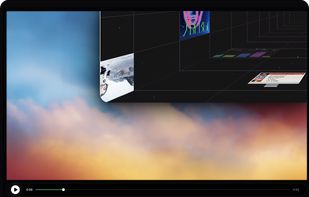
Open-source, no-cost screen recorder with no watermarks, supporting entire screen or app capture, manual zoom, smooth pan, custom backgrounds, cropping, motion blur, and direct use in browser for product demos, tutorials, and commercial purposes.

Cost / License
- Free
- Open Source (MIT)
Application type
Platforms
- Mac
- Windows
- Linux


Features
OpenScreen News & Activities
Highlights All activities
Recent News
No news, maybe you know any news worth sharing?
Share a News Tip
Recent activities
- cednonez7367 liked OpenScreen
 MJ Web added OpenScreen as alternative to Maxisnap
- Di Li liked OpenScreen
 nimati added OpenScreen as alternative to CueClip
 Paul added OpenScreen as alternative to Lumae
 Privately-Built added OpenScreen as alternative to Scrollify
 Mustafa Özel added OpenScreen as alternative to VidShrink
 wilbertkramer added OpenScreen as alternative to Giflane
- Robin_P liked OpenScreen
 Marian-Nae added OpenScreen as alternative to Simple Screen Recorder by NaeTech


What is OpenScreen?
OpenScreen information
Developed by
GetOpenScreenLicensing
Open Source (MIT) and Free product.Written in
Rating
Average rating of 4.7Alternatives
93 alternatives listedBadge
Get an embeddable badge for OpenScreenSupported Languages

AlternativeTo Category
Video & MoviesGitHub repository
- 3,463 Stars
- 221 Forks
- 47 Open Issues
- Updated



Comments and Reviews
Updated: Looks promising, and now it has new (but still basic) functions. I’m really curious to see where it goes, and once new features start rolling in, I’ll happily bump up the rating 1 star once again.
Excellent UI/UX with almost feature parity to macOS's Screen Studio. Another active fork with slightly different UI at https://github.com/getopenscreen/openscreen
I think it have same developer team with https://recordly.dev/ and both of them are pretty usefull and very similar interface both the software and their websites.