





SHARA
5 likes
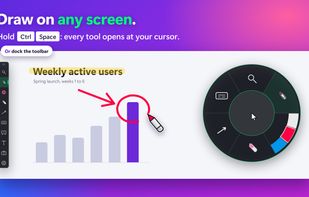
Provides mouse pointer highlighting with animated glow and 3D tilt, lag-free click-through magnification with customizable zoom modes, and a sleek keystroke visualization overlay. Fully local, privacy-first utility for presentations, coding, streaming, and more on Windows.

Cost / License
- Freemium (Pay once)
- Proprietary
Application typeApplication types
Platforms
- Windows


Features
Highlights All activities
SHARA News & Activities
Recent News
No news, maybe you know any news worth sharing?
Share a News Tip
Recent activities
- mashyo updated SHARA
- mashyo updated SHARA
- <ArT3mi$> liked SHARA
- mashyo updated SHARA
 mashyo added SHARA as alternative to Crealesson, Pylote and DemoPro
- mashyo updated SHARA
 mashyo added SHARA as alternative to ScreenPen, Screen Marker and Recorder, Presentify and ScreenBrush
 miino added SHARA as alternative to Pointer Cue
- mashyo updated SHARA


Developed by
 Mashyo
 Licensing
Proprietary and Freemium product.Pricing
One time purchase (perpetual license) ranging between $20 and $25 + free version with limited functionality.Alternatives
41 alternatives listedBadge
Get an embeddable badge for SHARASupported Languages


No comments or reviews, maybe you want to be first?