Enhance your workspace with epic Pen's screen writing features. Offering annotation tools, hotkey support, and offline access for Windows to mark up anything on your desktop.


Enhance your workspace with epic Pen's screen writing features. Offering annotation tools, hotkey support, and offline access for Windows to mark up anything on your desktop.


ZoomIt is screen zoom and annotation tool for technical presentations that include application demonstrations. ZoomIt runs unobtrusively in the tray and activates with customizable hotkeys to zoom in on an area of the screen, move around while zoomed, and draw on the zoomed...

This app allows you live drawing and taking notes over desktop applications. There are also tools for screen recording and making screenshots. It is great tool for creating presentations, tutorials, manuals, animations, video or streaming.


Ultimate screen recorder software for game recording, video tutorials, product demos, YouTube videos and more. Screenbits allows you to capture screen content, system sound, microphone and camera into HD/4K quality video files.


Every screen content can be made available as a digital drawing area so that you can mark and highlight important things. Thus Pointofix is ideal for you as a teacher or IT trainer to support your lectures, training courses and presentations.

Front Sketch simulates a glass sketchpad above your computer desktop. You can virtually draw, write, mark, capture on your desktop during run-time. The flexible floating toolbar is in a vertical position.


Zen Brush is an app that allows you to easily enjoy the feeling of using an ink brush to write or to paint. It allows anyone to easily perform fluent strokes while not compromising on the fascinating texture of a real ink brush.


DrawPad Graphic Design and Drawing software is an easy-to-use image composition and manipulation program, an essential tool for all types of graphic design projects. Easily draw and create graphic images.


Ultimate Pen is a software only solution which creates a full screen, transparent window, allowing you to draw on top of most applications. Think of Ultimate Pen as an incredibly easy way to doodle on your computer screen.


MyBrushes Paint for Mac app allows you to paint on infinite canvas and PLAYBACK whole drawing.


This is a very lightweight application to make temporal annotations directly on your screen.

Use CheckItOut HD to capture the webpage into an image. Make markups DIRECTLY on the webpage to make your point clearer and include both the image and the markups automatically into email ready to be sent along with the url for easy access.


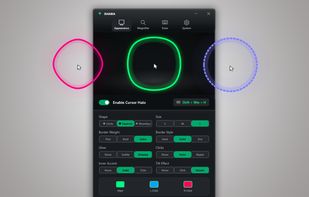
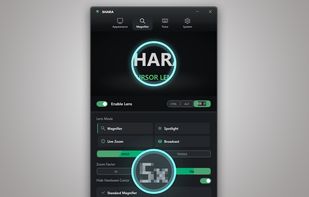
Crop and share specific screen areas, use dynamic spotlight and cursor halo to focus attention, draw annotations live, and switch to a whiteboard canvas for ideas in any meeting app.

DemoPro is a simple and unobtrusive screen annotation tool for the Mac ideal for live demonstrations. Just press a customizable hotkey to draw on the screen. Release it to continue your demonstration. DemoPro also includes a countdown timer.


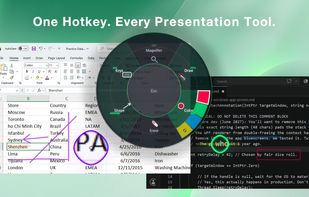
Draw Over It gives presenters, trainers, and any professional an always-ready overlay for live markups. Open it with a hotkey, sketch directly on top of any app, and jump back to work without leaving a trace.


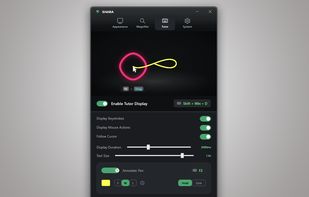
Keystrokes on screen, keyboard, mouse, draw on screen. Designed specifically for creating screencasts and tutorials. CSS Based keystroke on screen. Lots of predefined keystroke CSS themes. It's easy to create a theme yourself.