Apps tagged with 'Screen Magnifier'

All apps in Apps tagged with 'Screen Magnifier' category. Use the filters below to narrow down your search. 
Copy a direct link to this comment to your clipboard
  1. CapyCursor icon
     7 likes

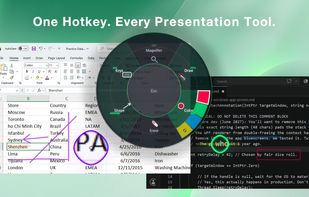
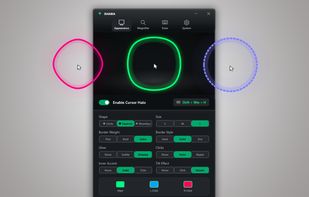
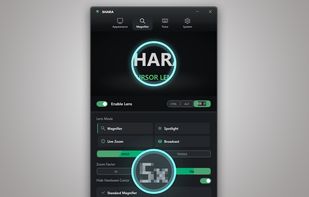
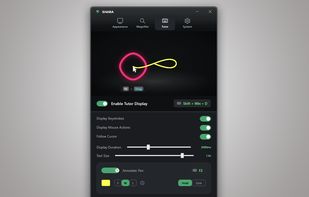
    Lightweight tool enabling real-time screen annotation, drawing, highlighting, zoom, and spotlight features, ideal for presenters, teaching, or tutorials.

    Cost / License

    • Free
    • Proprietary

    Application type

    Alerts

    • Discontinued

    Platforms

    • Windows
    CapyCursor screenshot 1
    CapyCursor screenshot 1
    CapyCursor screenshot 2
    +1
    CapyCursor screenshot 3
    58 alternatives
  2. ZoomIt icon
     30 likes

    ZoomIt is screen zoom and annotation tool for technical presentations that include application demonstrations. ZoomIt runs unobtrusively in the tray and activates with customizable hotkeys to zoom in on an area of the screen, move around while zoomed, and draw on the zoomed...

    Cost / License

    • Free
    • Proprietary

    Application type

    Platforms

    • Windows
    • PortableApps.com
    ZoomIt screenshot 1
    42 alternatives
  3. Magnifixer icon
     20 likes

    Magnifixer is a screen magnifier utility. You can place it anywhere on your screen, make it any size you want and select a zoom level. Magnifixer will always show the area of your screen where the mouse cursor resides.

    Cost / License

    • Free
    • Proprietary

    Application type

    Platforms

    • Windows
    Magnifixer screenshot
    37 alternatives
  4. KMag icon
     3 likes

    KMag is a small utility for Linux to magnify a part of the screen. KMag is very useful for people with visual disabilities and for those working in the fields of image analysis, web development etc.

    Cost / License

    Application type

    Platforms

    • Linux
    • Snapcraft
    • KDE Plasma
    KMag screenshot 1
    17 alternatives
  5. OneLoupe icon
     7 likes

    OneLoupe is a customizable screen magnification tool. It runs in the system tray and can be activated by clicking on the icon or setting a HotKey.

    Cost / License

    • Free
    • Proprietary

    Application type

    Platforms

    • Windows
    Magnifier
    Help Window
    23 alternatives
  6. Markwright icon
     1 like

    Markwright is a powerful yet lightweight (under 2 Mb .exe, around 6 Mb RAM) screen annotation tool for technical presenters and content creators, that’s modern, has zero dependencies, does not require registration, has no tracking or telemetry, works completely offline, and...

    Cost / License

    • Free
    • Proprietary

    Platforms

    • Windows
    Markwright screenshot 1
    9 alternatives
  7. Virtual Magnifying Glass, a free, open source, screen magnification program for Windows, Linux, FreeBSD and Mac OS X. Free full version download and instructions for use.

    Cost / License

    • Free
    • Open Source

    Application type

    Alerts

    • Discontinued

    Platforms

    • Mac
    • Windows
    • Linux
    • BSD
    • PortableApps.com
    Virtual Magnifying Glass screenshot 1
    Virtual Magnifying Glass screenshot 1
    23 alternatives
  8. Glassbrick icon
     11 likes

    Glassbrick is a screen magnifier that makes zooming your screen quick and easy. It allows you to change the colours of your screen to enhance readability. It’s also customisable, lightweight, fast and efficient.

    Cost / License

    • Free
    • Proprietary

    Application type

    Platforms

    • Windows
    Glassbrick screenshot 1
    17 alternatives
  9. AKVIS Magnifier is an efficient tool for increasing image resolution.

    AKVIS Magnifier allows resizing images without noticeable loss in quality. If you attempt to blow up a picture (increase its resolution) using the standard Resize command of a photo editor, you will notice tha.

    Cost / License

    • Paid
    • Proprietary

    Application type

    Platforms

    • Mac
    • Windows
    AKVIS Magnifier screenshot 1
    4 alternatives
  10. iZoom icon
     1 like

    iZoom Screen Magnifier & Reader represents a leap in screen magnification technology. iZooms patent-pending ClearPoint font smoothing maintains crystal clear text quality regardless of zoom level. iZoom makes viewing web pages and emails easier than ever with SmartAlign, our...

    Cost / License

    • Paid
    • Proprietary

    Application type

    Platforms

    • Windows
    17 alternatives
  11. Zoomtext icon
     2 likes

    Screen magnification and enhancement software for vision impairment, offering variable magnification levels, clear text with xFont, color, and pointer customization.

    Cost / License

    • Paid
    • Proprietary

    Application type

    Platforms

    • Windows
    Zoomtext screenshot 1
    20 alternatives
  12. Developed for blind computer users, SuperNova Screen Reader is a software screen reader that works by reading the screen interactively and communicating through a speech synthesiser or a refreshable Braille display.

    Cost / License

    • Paid
    • Proprietary

    Platforms

    • Windows
    8 alternatives
  13. ClickZoom icon
     Like

    Screen recorder that auto-zooms to your clicks. Record your screen, and ClickZoom adds smooth zoom animations to each click point. Webcam PiP, mic audio, timeline editor included. Free trial, €8.50 one-time.

    Cost / License

    • Freemium
    • Proprietary

    Application type

    Platforms

    • Windows
    ClickZoom recording a website demo with webcam overlay. The timeline shows 3 auto-detected click points with zoom markers. Webcam preview visible in sidebar with position controls.
    15 alternatives
  14. Low Vision Zoom is a screen magnifier for Windows 10 and 11, designed for people with low vision. Hold Ctrl and scroll to zoom anywhere in Windows; the view eases in smoothly and pivots around the mouse pointer so you never lose your place. Works offline and collects no data.

    Cost / License

    • Paid
    • Proprietary

    Application type

    Platforms

    • Windows
    Smooth screen zoom for Windows. Just hold CTRL and scroll your mouse wheel.
    Works on desktops and laptops.
    Lightweight app loads in the system tray.
    +3
    Privacy focused - only checks for new versions.
    5 alternatives