


gpick
44 likes
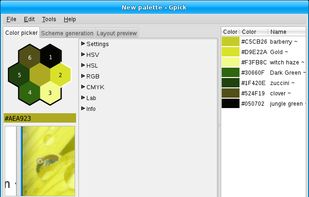
A color picker and color scheme creation tool.

Cost / License
- Free
- Open Source (BSD-3-Clause)
Application type
 EU
EUPlatforms
- Linux


Features
gpick News & Activities
Highlights All activities
Recent News
No news, maybe you know any news worth sharing?
Share a News Tip
Recent activities
 div108 added gpick as alternative to color-space
 palettecss added gpick as alternative to PaletteCSS
 StasX-Official added gpick as alternative to Color Picker by Avmira
 Auituo added gpick as alternative to Theme Palette
 deminimis added gpick as alternative to Minimal Color Picker
 niconiconi added gpick as alternative to Frontend Hero
 Paul added gpick as alternative to ColorSmith
 opzozi added gpick as alternative to Tailwind Color Picker


gpick information
Developed by
 Albertas Vyšniauskas
 Licensing
Open Source (BSD-3-Clause) and Free product.Written in
Alternatives
103 alternatives listedBadge
Get an embeddable badge for gpickSupported Languages

AlternativeTo Category
Photos & GraphicsGitHub repository
- 430 Stars
- 40 Forks
- 81 Open Issues
- Updated


Featured in Lists


Academia & Skills
A list with 422 apps by AmileyaRyver without a description.



SAY GOODBYE TO BIG COMPANIES WITH THESE ALTERNATIVES
Throughout the years, we have been relying on big companies like Google, Microsoft, Meta and others to give us access to their products to use our computers and phones, communicate on the online web, and store our files. However, as things have gotten worse with the years and the rise of gen-AI only making things worse, people are starting to question if they can even move to new services. However, the journey can be hard and there are so many options that non-tech savvy people are going lose patience and give up.
That is why I made this long and comprehensive list of mostly open-source alternatives to different things from computer OS, social media, to even TV. Many things are easy to move to, others are for more tech-savvy people, and this list doesn't even have all of the available options in any category! However, this is a great first step into trying new things and to slowly move away from big tech. You don't need to do it all at once, go step by step, decide if there are some services you can't stop using and which ones could use a switch and have fun!


webdev
A list with 9 apps by Gaspartame without a description.
Comments and Reviews
Just look for the picker icon in the bottom right corner, and it will do the work, I do agree it could be improved with a helper dialog when starting the app the first time, but it gets the job done pretty well, I'm using it in Ubuntu 22.04
Horrible. Its like the devs went ahead and designed this intricate interface/system without ever testing it in real world conditions with real life users.
Its a color-picker: this should be a simple thing anyone can sit down and just use. The functionality is uncomplicated: pick a color. Copy the code if necessary.
Apparently its rocket science to do that with this app. Ive used a lot of color pickers over the years. Never have I needed to look at a help file to figure out how to use one. And even then, after reading and using the keyboard shortcuts... its just so awkward, in a situation where click/right click should be all thats needed.
Give Chroma.dev a try! Chroma.dev