Create enhanced macOS screen recordings with mouse smoothing, zoom on clicks, cinematic motion blur, editable backgrounds, and support for webcam, mic, and sound.


Create enhanced macOS screen recordings with mouse smoothing, zoom on clicks, cinematic motion blur, editable backgrounds, and support for webcam, mic, and sound.


Motionik is a cross-platform screen recorder and editor for macOS (12.3+) and Windows 10+. It combines recording, zoom, cursor effects, and lightweight editing to help you create polished product demos, tutorials, and promo videos in minutes—no complex timeline editing required.


Animated eyes appear in your menu bar, following your cursor and blinking with mouse clicks for visual amusement. Designed for macOS primary display, low resource usage.

Confused viewers click away. SHARA keeps them — an always-on cursor halo, on-screen ink, four magnifier modes, and every tool a tap away on the SHARA Wheel. One hotkey. Zero confusion.


High-quality macOS app for screen recording and advanced video editing, with customizable cursor effects, camera overlay, audio capture, and simple sharing tools.


ScreenTune is a macOS app for capturing, editing, and exporting screenshots and screen recordings. It lets users record a screen, window, or selected area, then adjust the result with backgrounds, padding, frames, rounded corners, shadows, cursor styling, annotations, text...


Pointer Cue is a lightweight cursor-highlighting utility for macOS and Windows. It helps audiences follow on-screen actions during presentations, software demos, training sessions, tutorials, online meetings, and screen sharing.


KeyFX is a screencast and presentation utility that allows you to highlight the mouse cursor and visualize your keystrokes.


A screen recorder comes with automated editing. Automatically track cursor movement, apply dynamic zoom and click effects, add a pleasant background, and generate a professional-looking video/gif that is ready to use.
Highlights the mouse pointer with a ring, animates clicks, dims background for focus, allows screen drawing, and is ideal for teaching, demos, or tutorials.


AI-powered tool for screen recording, editing, and exporting in MP4/GIF with features like zoom effects, voice enhancement, and auto captions.


Visualizes mouse clicks, pointer movement, and keyboard actions with customizable halo, crosshair, and indicator settings for enhanced clarity.


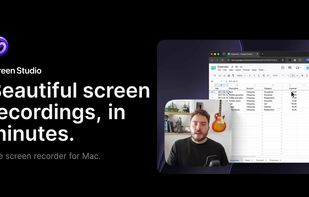
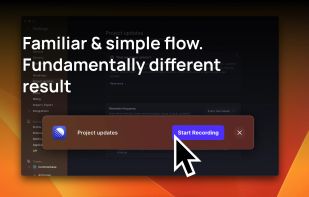
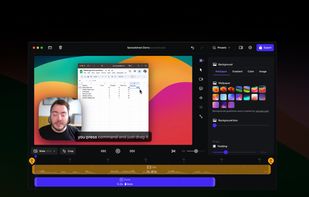
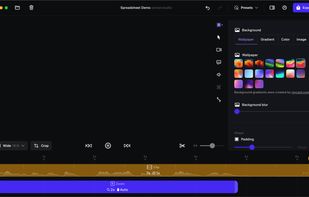
Screen Story is a video creation tool for MacOS that doesn't require advanced editing skills. It includes features such as Smooth Cursor for quality animation, AutoZoom and AutoFollow for automatic zoom animations, and Motion Blur for smoother videos.


A macOS menu bar app that helps you give better presentations, online classes, or video tutorials by letting you annotate any screen, highlight your cursor, and more.


Kokomite is a software that draws semi-transparent circles (or rings) around the mouse cursor to make the focus easier to understand in a presentation.


Displays a highlight, pencil, or pointer at pen location on Windows devices for presentations, enhancing visibility of pen input with customizable styles.

The highlight feature creates a spotlight-effect on your screen, so you can point, click, and rest assured that your audience is following along.


Customizable widget displays keystrokes and highlights your cursor with adjustable styles, themes, and placement, while realistic mechanical keyboard sounds enhance recordings on Windows and macOS.


Highlights your mouse pointer, visualizes clicks and magnifies certain areas of your screen.


Allows you to highlight the cursor using either the toolbar or hotkeys. Options include spotlight, highlight, drawing on the screen, magnifier or show keystrokes.


Projecteur is a virtual laser pointer for use with inertial pointers such as the Logitech Spotlight. Projecteur can show a colored dot, a highlighted circle or a zoom effect to act as a pointer.


SketchMouse turns your Mac screen into a live annotation canvas for presentations, demos, and teaching. Spotlight dims your entire screen except where your cursor is — so your audience can only look where you're pointing.


Highlight mouse pointer/cursor using a dot - useful for presentations, screen sharing, .

A menu bar utility that lets you highlight your cursor, point at stuff with a laser or a spotlight effect, and annotate your screen. Useful when presenting content while you are sharing your screen or recording a video.