





Googly Eyes
6 likes
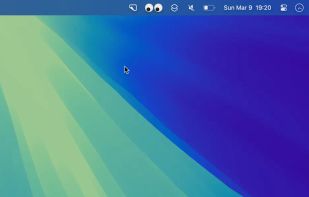
Animated eyes are added to your macOS menu bar, following every mouse movement on the primary display and blinking when you click, offering whimsical, purely visual amusement with minimal CPU use. No impact on workflow or notifications, and smooth animation across M1 and Intel Macs.

Cost / License
- Free
- Proprietary
Application type
Platforms
- Mac

Features
Highlights All activities
Googly Eyes News & Activities
Recent News
No news, maybe you know any news worth sharing?
Share a News Tip
Recent activities
- Danilo Venom added Lightweight as a feature to Googly Eyes
- Danilo Venom updated Googly Eyes
 Paul added Googly Eyes as alternative to NotiSprite

Developed by
 Sindre Sorhus
 Licensing
Proprietary and Free product.Alternatives
16 alternatives listedBadge
Get an embeddable badge for Googly EyesSupported Languages


Comments and Reviews
It's the only application that allows the use of two-factor authentication on almost all available platforms. Its open source nature reassures me, but I don't understand its privacy policy on iOS, and probably on other systems. That's why, today, I'm choosing not to use it or recommend it.
Petit logiciel sympa.
J’utilise une alternative appelée Eyeballs, que j’adore. Ce logparamétrageeaucoup plus simple et accomplit parfaitement sa fonction pour laquelle on l’a téléchargé !
Je trouve dommage qu'il n'y ait pas plus de possibilités de paramétrage, car il n’y en a aucune...