





Pointerly
Like
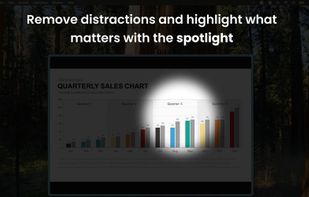
A menu bar utility that lets you highlight your cursor, point at stuff with a laser or a spotlight effect, and annotate your screen. Useful when presenting content while you are sharing your screen or recording a video.

Cost / License
- Pay once
- Proprietary
Application type
 EU
EUPlatforms
- Mac


Features
Pointerly News & Activities
Highlights All activities
Recent activities
- dimuz updated Pointerly
- dimuz updated Pointerly
- dimuz added Pointerly
 dimuz added Pointerly as alternative to Presentify, FocusCursor, ScreenBrush, Cursor Pro and 2 more

Pointerly information
Developed by
 Luigi Di Muzio
 Licensing
Proprietary and Commercial product.Pricing
One time purchase (perpetual license) ranging between $3 and $7.Alternatives
6 alternatives listedBadge
Get an embeddable badge for PointerlySupported Languages


No comments or reviews, maybe you want to be first?