

ClickLight
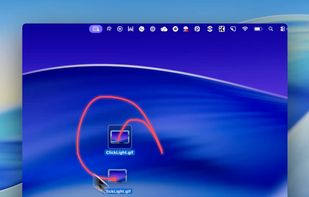
ClickLight is a macOS menu bar app that highlights clicks during live demos, screen sharing, UX reviews, and other instances where viewers need to track your actions. Unlike screen recorders that add click effects post-recording, ClickLight allows viewers to see when you clicked...
Cost / License
- Free
- Open Source (MIT)
Platforms
- Mac
- Homebrew


ClickLight
Features
- Swift App
- Sits in the MenuBar
ClickLight News & Activities
Recent activities
justarandom added ClickLight as alternative to FlowInk, DemoPro, ScreenPen and Cursaura
justarandom added ClickLight as alternative to iScribby, ZoomShot, Draw on my screen and Pensela
justarandom added ClickLight as alternative to FocusCursor, ScreenPointer, Mouseposé and Cursor Pro- Maoholguin updated ClickLight
- justarandom added ClickLight
ClickLight information
What is ClickLight?
ClickLight is a macOS menu bar app that highlights clicks during live demos, screen sharing, UX reviews, and other instances where viewers need to track your actions. Unlike screen recorders that add click effects post-recording, ClickLight allows viewers to see when you clicked in real-time.
Use cases include live product demos, UX reviews, bug reports, tutorials, workshops, and conference talks. It can also be paired with a larger macOS pointer for better visibility during live demos and recordings.
To install, use Homebrew commands or download ClickLight.zip from GitHub Releases. If you prefer to build from source or iterate locally, use Manual Install.
Features include click highlights across macOS apps, different visuals for various click actions, optional laser pointer mode, live keyboard shortcut display, daily click activity chart, optional daily click count in the menu bar, dedicated settings window, custom color picker, menu-bar quick presets, customizable status-bar menu sections, default ClickLight toggle shortcut, optional compact menu-bar icon, test pulse, and no Xcode project required.
ClickLight also includes one default global shortcut for quick toggles during demos. Additional actions can be assigned shortcuts in Settings.

