


ScreenTune
5 likes
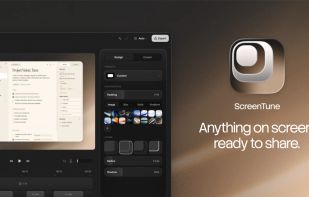
ScreenTune is a macOS app for capturing, editing, and exporting screenshots and screen recordings. It lets users record a screen, window, or selected area, then adjust the result with backgrounds, padding, frames, rounded corners, shadows, cursor styling, annotations, text...

Cost / License
- Pay once
- Proprietary
Application typeApplication types
Platforms
- Mac


Features
ScreenTune News & Activities
Highlights All activities
Recent News
No news, maybe you know any news worth sharing?
Share a News Tip
Recent activities
 Paul added ScreenTune as alternative to Lumae
 wilbertkramer added ScreenTune as alternative to Giflane
 Abdessamad idboussadel added ScreenTune as alternative to capptivo
- dpmtuan liked ScreenTune
 gesidner added ScreenTune as alternative to SlimSnap
 Willie_dev added ScreenTune as alternative to Limelight Mac
- e-braun liked ScreenTune
- nyayashiva liked ScreenTune
- Dirck Mulder liked ScreenTune
- Ivan Labasok liked ScreenTune


ScreenTune information
Developed by
 Saki Tomiura
 Licensing
Proprietary and Commercial product.Pricing
One time purchase (perpetual license) that costs up to $29.Alternatives
33 alternatives listedBadge
Get an embeddable badge for ScreenTuneSupported Languages


No comments or reviews, maybe you want to be first?