


ScreenArc
25 likes
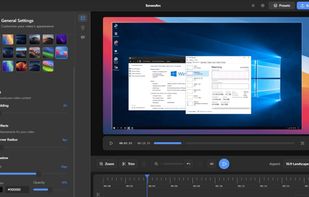
Cross-platform screen recording and editing tool featuring automated cinematic pan-and-zoom on mouse actions, webcam overlay, customizable visuals, timeline editor, multi-monitor support, instant aspect ratio switching, style presets, and 2K output in MP4 or GIF.

Cost / License
- Free
- Open Source (GPL-3.0)
Application typeApplication types
Platforms
- Mac
- Windows
- Linux


Features
Highlights All activities
ScreenArc News & Activities
Recent News
No news, maybe you know any news worth sharing?
Share a News Tip
Recent activities
It's reported as malware by MacOS. Probablöy isn't really malware bust just something went wrong with notarization...
- Oklonsica liked ScreenArc
- Abdullah-3468 liked ScreenArc
 extons added ScreenArc as alternative to KlipKap Pro
I've not extensively tested it yet, but it looks like a really user friendly screen recorder that gives excellent results right from the start. A must have !
- Ollie added Lightweight as a feature to ScreenArc




Developed by
 Tam Nguyen
 Licensing
Open Source (GPL-3.0) and Free product.Written in
Alternatives
60 alternatives listedBadge
Get an embeddable badge for ScreenArcSupported Languages

AlternativeTo Category
Video & MoviesGitHub repository
- 729 Stars
- 58 Forks
- 7 Open Issues
- Updated


Comments and Reviews
Very impressive FOSS app. Confirmed the AppImage works perfectly on CachyOS.
It's reported as malware by MacOS. Probablöy isn't really malware bust just something went wrong with notarization...
I've not extensively tested it yet, but it looks like a really user friendly screen recorder that gives excellent results right from the start. A must have !