ScreenArc AlternativesScreen Recorders & Video Editors like ScreenArc

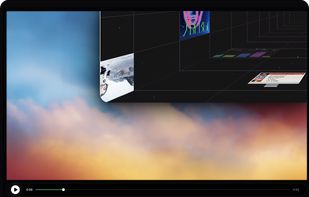
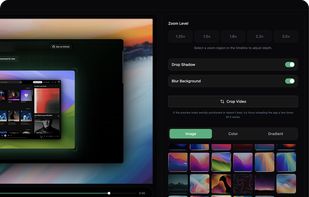
ScreenArc is described as 'Cross-platform tool for screen recording and editing with automated cinematic zooms, intelligent mouse tracking, webcam overlay, and multi-aspect output' and is a Screen Recorder in the video & movies category. There are more than 25 alternatives to ScreenArc for a variety of platforms, including Mac, Windows, Web-based, Google Chrome and Linux apps. The best ScreenArc alternative is OpenScreen, which is both free and Open Source. Other great apps like ScreenArc are Screenity, Recordly, Cap and Screen Studio.

Copy a direct link to this comment to your clipboard
ScreenArc alternatives page was last updated

Alternatives list

  1. OpenScreen icon
     46 likes

    Open-source, no-cost screen recorder with no watermarks, supporting entire screen or app capture, manual zoom, smooth pan, custom backgrounds, cropping, motion blur, and direct use in browser for product demos, tutorials, and commercial purposes.

    71 OpenScreen alternatives

    Cost / License

    • Free
    • Open Source (MIT)

    Application type

    Platforms

    • Mac
    • Windows
    • Linux
     
  2. Screenity icon
     42 likes

    Open source screen recorder and annotation tool for Chromium browsers supporting local and offline storage, screen, tab, or camera capture, audio recording, cursor and click highlights, blur, zoom, countdowns, and UI controls. Source code available on GitHub.

    25 Screenity alternatives

    Cost / License

    Platforms

    • Microsoft Edge
    • Google Chrome
    • Brave
    • Chromium
     
  3. Recordly icon
     13 likes

    A free, open-source Screen Studio alternative that adds auto-zoom, cursor animations and more to your screen recordings. Substantially modifies the OpenScreen foundation.

    52 Recordly alternatives

    Cost / License

    • Free
    • Open Source

    Application type

    Platforms

    • Windows
    • Mac
    • Linux
     
  4. Cap icon
     24 likes

    Open-source tool for screen and camera capture with 4K recording, timeline editor, instant sharing via links, privacy controls, no signup, multiple layouts, custom branding, cursor options, threaded comments, self-hosting, and paid AI-powered features available.

    107 Cap alternatives

    Cost / License

    • Freemium
    • Open Source

    Platforms

    • Mac
    • Windows
     
  5. Screen Studio icon
     16 likes

    Record macOS screens with smoothed mouse movement, zoomed click highlights, cinematic motion blur, and customizable backgrounds while integrating webcam, microphone, system sound, and easy video editing. Output in HD for instructional and promotional videos.

    115 Screen Studio alternatives

    Cost / License

    • Paid
    • Proprietary

    Platforms

    • Mac
     
  6. Motionik icon
     11 likes

    Motionik is a cross-platform screen recorder and editor for macOS (12.3+) and Windows 10+. It combines recording, zoom, cursor effects, and lightweight editing to help you create polished product demos, tutorials, and promo videos in minutes—no complex timeline editing required.

    Cost / License

    • Freemium
    • Proprietary

    Application type

    Platforms

    • Mac
    • Windows
     
  7. CleanShot X icon
     22 likes

    Capture and record screens on Mac with CleanShot X, featuring seamless recording, custom keyboard shortcuts, customizable wallpapers, Quick Access Overlay, and Desktop icon toggle for a tidy user interface.

    208 CleanShot X alternatives

    Cost / License

    • Paid
    • Proprietary

    Platforms

    • Mac
     
  8. Loom icon
     34 likes

    Easy and free screen recorder for Mac, Windows, and Chromebooks. Record your camera and screen with audio directly from your Chrome browser and share the video with your team, friends, and family.

    241 Loom alternatives

    Cost / License

    • Freemium
    • Proprietary

    Platforms

    • Mac
    • Windows
    • Online
    • iPhone
    • Google Chrome
    • Android
    • Android Tablet
     
  9. ScreenFlow icon
     71 likes

    Capture the contents of your entire desktop at the same time as your video camera, microphone and computer's audio. Sophisticated editing tools allow you to create incredible screencasts in no time.

    Cost / License

    • Paid
    • Proprietary

    Platforms

    • Mac
     
  10. AutoZoom icon
     4 likes

    Screen recording app providing native Windows and macOS support, adds AI-driven auto-zoom following actions, motion blur, 3D effects, animated backgrounds, captions, keystroke and click highlights, webcam overlays, and fast 4K or GIF exporting without watermark.

    Cost / License

    • Paid
    • Proprietary

    Application type

    Platforms

    • Mac
    • Windows
     
  11. Phia icon
     7 likes

    Screen recorder featuring fluid mouse motion, intelligent zoom, motion blur, customizable backgrounds, dynamic title animations, and mesmerizing scene transitions. Instantly share, embed, or edit videos for demos, tutorials, and presentations.

    Cost / License

    • Freemium
    • Proprietary

    Platforms

    • Mac
     
12 of 43 ScreenArc alternatives