




Markwright
1 like
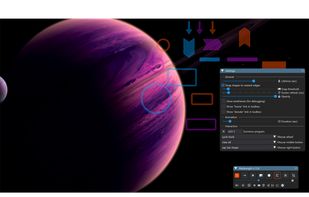
Markwright is a powerful yet lightweight (under 2 Mb .exe, around 6 Mb RAM) screen annotation tool for technical presenters and content creators, that’s modern, has zero dependencies, does not require registration, has no tracking or telemetry, works completely offline, and...

Cost / License
- Free
- Proprietary
Application typeApplication types
Platforms
- Windows

Features
Markwright News & Activities
Highlights All activities
Recent activities
 Srdjan Pavlovic added Markwright as alternative to MouseKit
- aloneguid updated Markwright
 Danilo Venom added Markwright as alternative to RePen
 TBDC added Markwright as alternative to Cursaura
 msasa added Markwright as alternative to FlowInk
 Danilo Venom added Markwright as alternative to CapyCursor
 turings added Markwright as alternative to ZoomShot
- niksavc liked Markwright
- aloneguid added Markwright
 aloneguid added Markwright as alternative to ZoomIt, Epic Pen, Screen Marker and Recorder and Draw on my screen


Markwright information
Developed by
 aloneguid
 Licensing
Proprietary and Free product.Alternatives
9 alternatives listedBadge
Get an embeddable badge for MarkwrightSupported Languages

No comments or reviews, maybe you want to be first?