Cursaura icon
Cursaura icon

Cursaura

Turn every screen share into a polished presentation. Cursaura adds beautiful cursor highlights, click effects, zoom, annotations, keystroke display, and focus tools directly on your screen — perfect for demos, tutorials, livestreams, online courses, and remote meetings.
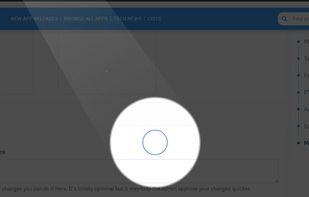
Halo

Cost / License

  • Freemium (Pay once)
  • Proprietary

Platforms

  • Windows
0likes
0comments
0articles

Features

  1.  No Tracking
  2.  Works Offline
  3.  Ad-free
  4.  Mouse Highlighting

Cursaura News & Activities

Highlights All activities

Recent activities

Cursaura information

  • Developed by

    Unknown
  • Licensing

    Proprietary and Freemium product.
  • Pricing

    One time purchase (perpetual license) that costs $8 + free version with limited functionality.
  • Alternatives

    31 alternatives listed
  • Supported Languages

    • English
    • French

AlternativeTo Categories

Office & ProductivityOS & Utilities
Cursaura was added to AlternativeTo by TBDC on and this page was last updated .
No comments or reviews, maybe you want to be first?

What is Cursaura?

Turn every screen share into a polished presentation. Cursaura adds beautiful cursor highlights, click effects, zoom, annotations, keystroke display, and focus tools directly on your screen — perfect for demos, tutorials, livestreams, online courses, and remote meetings. Lightweight, customizable, and always one shortcut away.

It’s a lightweight Windows app that helps make screen sharing clearer and more engaging. here is the list of the features:

🔦 Spotlight : a stunning halo that follows your cursor and lights up your focus area (like iOs messages spotlight, sooo satisfying) 🔍 Magnifier : a lens that magnifies any area under your cursor 🔎 Zoom In : zoom into a selected area of your screen ? Flash Select : flash-highlight a selection to draw attention instantly ?? Pen : draw directly on your screen to annotate on the fly 💥 Click Pulse : a visual ripple on every click so your audience never misses an action 🌟 Cursor Aura : a glowing effect around your cursor for extra visibility 🐍 Cursor Trail : a smooth trail that follows every move of your mouse ?? Key Display : show your keystrokes on screen in real time 📝 Text Note : drop floating notes anywhere on your screen 🖱? Mouse Display : show left/right click indicators visually 🎉 Tadaa : a celebration effect to highlight your key moments (fireworks on your screens haha)

All that, with satisfying style and animations.