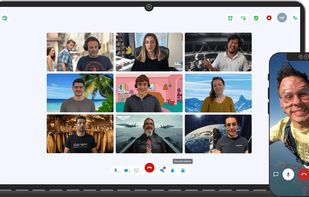
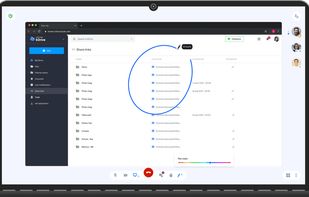
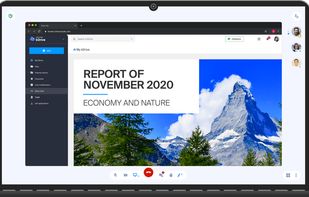
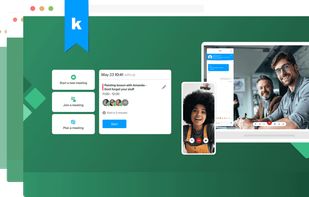
kMeet is an unlimited, free, Swiss solution for organising encrypted video-conferences.
Cost / License
- Free
- Open Source (GPL-3.0)
Application types
Platforms
- Mac
- Windows
- Linux
- Online
- Android
- iPhone
- Chrome OS
- Android Tablet
- iPad
- F-Droid



kMeet is an unlimited, free, Swiss solution for organising encrypted video-conferences.


This tool clearly highlights the cursor’s position, making its movement and clicks easily visible. It is particularly suitable for use in conferences, teaching, or video tutorial production, helping the audience follow your actions and ideas more easily, thereby attracting their...


Every screen content can be made available as a digital drawing area so that you can mark and highlight important things. Thus Pointofix is ideal for you as a teacher or IT trainer to support your lectures, training courses and presentations.

iMyFone MirrorTo is a screen mirroring app that comes up with the following features. 1) Cast your Android device screen to the Windows computer. 2) Control Android devices using your computer's keyboard and mouse. 3) 1080P HD screen recording.


Markwright is a powerful yet lightweight (under 2 Mb .exe, around 6 Mb RAM) screen annotation tool for technical presenters and content creators, that’s modern, has zero dependencies, does not require registration, has no tracking or telemetry, works completely offline, and...

A macOS menu bar app that helps you give better presentations, online classes, or video tutorials by letting you annotate any screen, highlight your cursor, and more.


Gromit-MPX is an on-screen annotation tool that works with any Unix desktop environment under X11 as well as Wayland.


Allows you to highlight the cursor using either the toolbar or hotkeys. Options include spotlight, highlight, drawing on the screen, magnifier or show keystrokes.


Distinct from Genius's original rap and music lyric annotations, Genius.it Web Annotator lets you add line-by-line annotations to any page on the Internet.


Crop and share specific screen areas, use dynamic spotlight and cursor halo to focus attention, draw annotations live, and switch to a whiteboard canvas for ideas in any meeting app.

DemoPro is a simple and unobtrusive screen annotation tool for the Mac ideal for live demonstrations. Just press a customizable hotkey to draw on the screen. Release it to continue your demonstration. DemoPro also includes a countdown timer.


Draw Over It gives presenters, trainers, and any professional an always-ready overlay for live markups. Open it with a hotkey, sketch directly on top of any app, and jump back to work without leaving a trace.


ScreenSage is a macOS screen recording and tutorial creation tool designed for high-quality video capture. It allows users to record their screen with smooth performance, add annotations, and edit directly within the app.


bananotate is a powerful application that allows you to edit and annotate your screen live. Zoom in, highlight, draw shapes, add text, capture your screen, create mock UI, and much more.