Gromit-MPX Alternatives

Gromit-MPX is described as 'On-screen annotation tool that works with any Unix desktop environment under X11 as well as Wayland' and is an app. There are more than 10 alternatives to Gromit-MPX for a variety of platforms, including Windows, Mac, Linux, Linux Mobile and Python apps. The best Gromit-MPX alternative is CapyCursor, which is free. Other great apps like Gromit-MPX are RePen, ZoomIt, Epic Pen and gInk.

Copy a direct link to this comment to your clipboard
Get a badge for your siteGromit-MPX alternatives page was last updated

Alternatives list

  1. CapyCursor icon
     7 likes

    Lightweight application offering real-time screen annotation, drawing, highlighting, spotlight, and zoom features with customizable tools, hotkey support, and easy cleanup. Ideal for teaching, business presentations, tutorials, and live demonstrations.

    59 CapyCursor alternatives

    Cost / License

    • Free
    • Proprietary

    Application type

    Alerts

    • Discontinued

    Platforms

    • Windows
     
  2. RePen icon
     3 likes

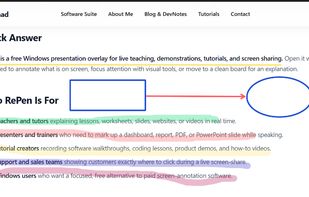
    Lightweight Windows annotation tool enabling live drawing, shapes, spotlights, magnification, and click-through overlays, with PDF/image export, portable mode, multi-board backgrounds, and no subscription or registration for seamless presentations.

    Cost / License

    • Free
    • Open Source (ISC)

    Application type

    Platforms

    • Windows
     
  3. ZoomIt icon
     30 likes

    ZoomIt is screen zoom and annotation tool for technical presentations that include application demonstrations. ZoomIt runs unobtrusively in the tray and activates with customizable hotkeys to zoom in on an area of the screen, move around while zoomed, and draw on the zoomed...

    43 ZoomIt alternatives

    Cost / License

    • Free
    • Proprietary

    Application type

    Platforms

    • Windows
    • PortableApps.com
     
  4. Epic Pen icon
     20 likes

    Turn your desktop into a workspace with Epic pen's intuitive drawing tools, enabling free-hand annotation over any app. Supports Windows platform with lightweight features, offline usability, screenshot capture, and comprehensive hotkey functionalities for seamless interaction.

    33 Epic Pen alternatives

    Cost / License

    • Freemium
    • Proprietary

    Application type

    Platforms

    • Windows
     
  5. ZoomShot icon
     Like

    A live screen effect layer for macOS that adds real-time zoom, cursor spotlight/highlight, and freehand drawing directly on your screen.

    Cost / License

    • Freemium
    • Proprietary

    Platforms

    • Mac
     
  6. This app allows you live drawing and taking notes over desktop applications. There are also tools for screen recording and making screenshots. It is great tool for creating presentations, tutorials, manuals, animations, video or streaming.

    Cost / License

    • Free
    • Proprietary

    Application type

    Platforms

    • Windows
     
  7. Crealesson icon
     5 likes

    Multiboard Draw On Screen, Marker, Mouse & Keyboard On Screen Display. All inclusive Kit for video tutors, Youtubers, Digital Video Teachers, Educators serving for Kindergartens, Universities.

    A must be app for digital teachers.

    Cost / License

    • Free Personal
    • Proprietary

    Platforms

    • Windows
     
  8. ScreenBrush icon
     2 likes

    Quick and useful way to demonstrate something on the screen by drawing.

    Cost / License

    • Freemium
    • Proprietary

    Platforms

    • Mac
     
  9. Pointofix icon
     2 likes

    Every screen content can be made available as a digital drawing area so that you can mark and highlight important things. Thus Pointofix is ideal for you as a teacher or IT trainer to support your lectures, training courses and presentations.

    22 Pointofix alternatives

    Cost / License

    • Free
    • Proprietary

    Platforms

    • Windows
     
  10. MarkerOn icon
     1 like

    MarkerOn is a lightweight, open-source desktop screen annotation app for demos, teaching, meetings, and recordings. Press a global hotkey to draw over any application, use nine annotation tools including a laser pointer, switch to click-through mode while keeping annotations...

    Cost / License

    • Free
    • Open Source (MIT)

    Platforms

    • Mac
    • Windows
     
  11. Wayscriber icon
     2 likes

    Live overlay for drawing, annotating, hiding text, and capturing screenshots on Linux. Can be used as whiteboard or blackboard. Highly customisable.

    Cost / License

    • Free
    • Open Source (MIT)

    Platforms

    • Linux
     
12 of 21 Gromit-MPX alternatives