


C
Clarus
Like
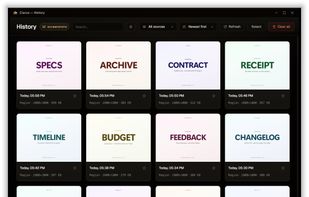
Screenshot and screen recording tool for Windows designed for fullscreen, area, or window captures, with audio recording, advanced annotation editor, and text-based search. Pro features add scrolling capture, text extraction, webcam, replays, and cloud sharing.

Cost / License
- Freemium (Pay once or Subscription)
- Proprietary
Application typeApplication types
Since
- Since 2026


Features
Highlights All activities
Clarus News & Activities
Recent activities
- Danilo Venom updated Clarus
- Clarus added Clarus
- Clarus added Clarus as alternative to Screentik - Screenshot Capture Tool, ScreenSnap Pro, ChillShot AI, Gadwin PrintScreen Professional and 25 more
Developed by
 Clarus LLC
Licensing
Proprietary and Freemium product.Pricing
One time purchase that costs $99, and / or subscription ranging between $3 and $6 per month + free version with limited functionality.Alternatives
29 alternatives listedBadge
Get an embeddable badge for ClarusSupported Languages



No comments or reviews, maybe you want to be first?