Go For It! is a simple and stylish productivity app, featuring a to-do list, merged with a timer that keeps your focus on the current task.

Workflowy is described as 'Provides infinite text-based nested lists, real-time collaboration, tagging, file uploads, kanban boards, offline access, and seamless sync across devices' and is a very popular todo list manager in the office & productivity category. There are more than 100 alternatives to Workflowy for a variety of platforms, including Web-based, iPhone, Android, Mac and Windows apps. The best Workflowy alternative is Dynalist, which is free. Other great apps like Workflowy are Logseq, Super Productivity, Notion and Notesnook.
Go For It! is a simple and stylish productivity app, featuring a to-do list, merged with a timer that keeps your focus on the current task.

Capture, organize, and work with ideas easily. Speare's intuitive and flexible side-by-side writing interface makes content creation a breeze.


Brings together tasks and lists from multiple providers with easy creation, editing, and deletion, all within a user-friendly app. Supports daily organization, basic note-taking, and Pomodoro timer functionality for efficient, minimal task management in one place.


Upwave is a visual productivity platform that helps modern businesses thrive. Organize, plan, track, collaborate and get things done.


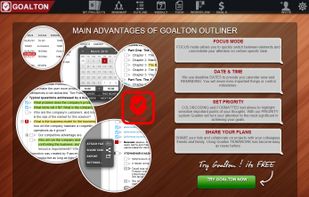
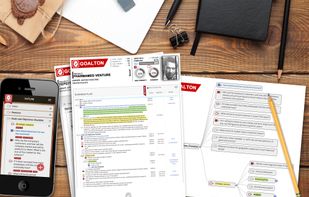
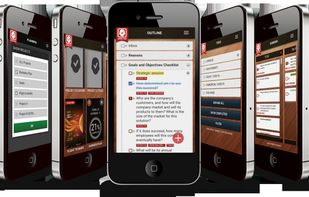
Task management, project management, to-do list, GTD, goal management, mind map, outliner, workflow, Gantt chart, projects, lists, brainstorming, meetings, school notes.


Jade Note is an MCP-native note app that turns your personal knowledge into editable, portable memory for AI assistants.


Organise your projects, connect with others, share your work and ideas and work together in real-time. Upload your progress and complete your goals effectively.


Write beautifully. Organize easily. Find everything. Fuss free writing. Saves notes as RTF files on user specified folder. Can search across all notes. No sign up/log in required. Portable application.

Once enabled, a new Tasks menu will appear in your Nextcloud apps menu. From there you can add and delete tasks, edit their title, description, start and due dates, reminder times, mark them as important, and add comments on them. Tasks can be shared between users.

Intend was designed to fix some of the major flaws that make other productivity tools uncomfortable to use. With Intend you start each day fresh and set intentions based on what feels energizing, important and feasible that day, in the context of what you care about big picture.


Cross-platform app for Mac, iPhone, iPad, and iPod Touch. Sync outlines between computers and devices with iCloud. Sync outlines with Evernote, Import and export outlines in OPML format.