


Dynalist
168 likes
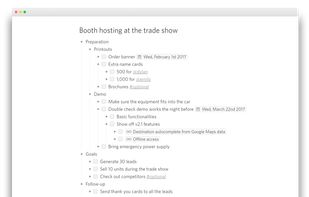
Dynalist is a web app that lets you break down and organize your thoughts in the format of lists.

Cost / License
- Freemium (Subscription)
- Proprietary
Application typeApplication types
Platforms
- Mac
- Windows
- Linux
- Online
- Android
- iPhone
- iPad


Features


Dynalist News & Activities
Highlights All activities
Recent News
No news, maybe you know any news worth sharing?
Share a News Tip
Recent activities
- Usnyn liked Dynalist
 Steve Riley added Dynalist as alternative to KillerNotes
 Simon R added Dynalist as alternative to Study Focus


Featured in Lists


The Best (and the rest) of Personal Knowledge Management Software [2022] [Updated 2023]
I spend a ridiculous amount of time searching for a PKM tool that fits my organizational needs. Everything falls short. I want to help others on their own quests by compiling this list. Tags on AlternativeTo are helpful, but I wanted a place to keep a curated list with my own findings that others can contribute to.
Where I can, I have tried to answer the following important questions for each app:
- Is it open source?
- Is it offline-capable?
- Can blocks/notes exist in multiple locations?
As well as providing rough overall ratings (Scale of 1 to 5) for the following metrics:
- Organization: How does the app allow you to structure information? Is it flexible? Is it logical?
- User experience (UX): Is it easy to use? Is the interface designed in a way that is not just logical, but natural for the everyday user?
- Privacy: To the best of my (limited) knowledge, does this tool protect your personal data AND is it designed so that you can ensure the safety of your data yourself rather than relying on the app developers (trust, but verify).
Please comment with additions/suggestions, collaboration makes things better.


Productivity - Note Taking and Notepad
Free, Free, Freemium and Commercial Windows, Web, Self Hosted and Chrome


Note Organizing
A list with 42 apps by BlueThrasher22 without a description.


What is Dynalist?
Dynalist Videos
Dynalist information
Developed by
 Dynalist Inc.
 Licensing
Proprietary and Freemium product.Pricing
Subscription ranging between $8 and $10 per month + free version with limited functionality.Rating
Average rating of 4.5Alternatives
120 alternatives listedBadge
Get an embeddable badge for DynalistSupported Languages
AlternativeTo Categories
Development, Backup & Sync, Office & Productivity, Business & Commerce, Online ServicesApple AppStore
- Updated
- 3.87 avg rating


Comments and Reviews
EDIT Many things have changed in the past month since using Dynalist, its actually Really Fast now almost on-par with workflowy, so any points I've made about it being slower than workflowy are kind of minute now
If I had to pick one software of the 400 or so I bookmarked here to be my favorite its this one
Its a great program for organizing information
How workflowy is better than it right now:
How dynalist is better than it right now
Other reasons why its better than workflowy
[Edited by Kagerjay, November 09]
[Edited by Kagerjay, November 09]
https://dynalist.io/download Free doesn't paste in images or web links.. I'd go with Workflowy instead. With Dynalist Pro, you can upload up to 1 GB of files to Dynalist every month.
Simple, efficient, versatile - just great! After trying out dozens of to-do and note-taking apps, this one serves me as an ultimate solution :)
Easy, intuitive, powerful. That's enough for me, gets the job done.
It’s fast, very fast.
I use Dynalist for outlining and creating to-do lists. I like being able to "zoom in" to particular task, which helps me focus on a particular thing I'm working on.
4.5 stars.
The biggest thing I don't like about Dynalist desktop app is that you can't launch multiple windows at once. Switching between documents can be difficult and distracting. This app would be perfect if you could launch multiple instances (windows) of it, so switching between documents would be faster and easier. Notion is much better in this regard - you can have as many windows open as you want.
I like Dynalist because it so minimalistic, distraction-free and very powerful tool on the same time.
You can focus on what really matter (not to selecting from hundred templates for document and customizing it's view later, like in Notion) and build your own structure of notes (flat with tags, tree-based or mix of them). Thanks to tags and backlinks, it's possible to implement Zettelkasten in Dynalist.