





Tolaria
37 likes
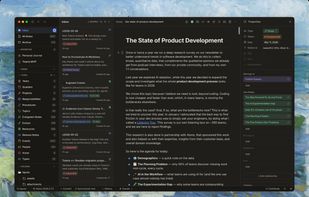
Desktop note app stores plain markdown files with YAML, supports offline-first use, integrated Git repositories for full history, native Claude AI and Codex CLI integration, open source, portable data, keyboard-driven interface, no proprietary lock-in.

Cost / License
- Free
- Open Source (AGPL-3.0)
Application type
 EU
EUPlatforms
- Mac
- Windows
- Linux


Features


Highlights All activities
Tolaria News & Activities
Recent News
No news, maybe you know any news worth sharing?
Share a News Tip
Recent activities
- tylerlikesps4 liked Tolaria
 VINAY-Chauhan added Tolaria as alternative to HeaderNotes
- BH31 thinks AI-Powered is a important feature of Tolaria
- BH31 thinks Support for Keyboard Shortcuts is a important feature of Tolaria
- BH31 thinks Model Context Protocol (MCP) Support is a important feature of Tolaria
- BH31 thinks Git integration is a important feature of Tolaria








Europe’s Open-Source Solutions: Your Guide to Transparent, Independent and GDPR-Aligned Software.
This guide is designed for anyone looking to take greater control of their digital life by choosing open-source solutions developed and maintained within Europe. It highlights projects that promote transparency, reduce reliance on non-European tech ecosystems, and align with Europe’s strong commitment to privacy and data protection. The goal is to support digital autonomy in Europe while uplifting the local developers and communities who build trustworthy, user-centric software.


Markdown note-taking applications
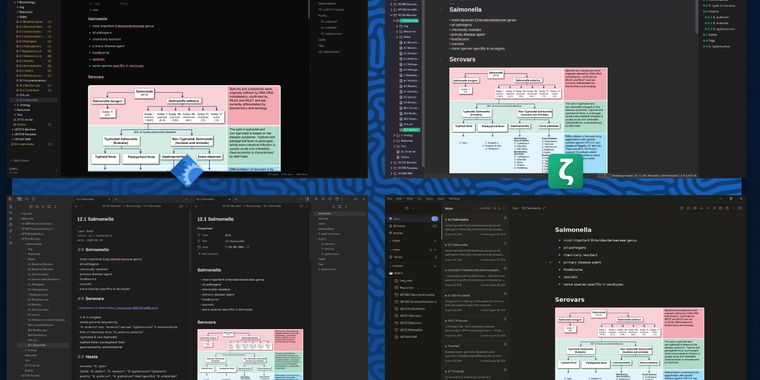
List of software I've tried out, using markdown notes in a university setting, with a focus on FOSS apps.
Requirements: Linux, image support, _TeX support, no account needed
Likes: no AI, Android syncing, FOSS, split view, callouts, simplicity, themes, plugins, .deb, OCR, handwriting conversion
Dislikes: not FOSS, AI , freemium, maximalists
Developed by
 Luca Rossi
 Licensing
Open Source (AGPL-3.0) and Free product.Written in
Rating
Average rating of 4.8Alternatives
53 alternatives listedBadge
Get an embeddable badge for TolariaSupported Languages

AlternativeTo Categories
AI Tools & Services, Office & ProductivityGitHub repository
- 20,029 Stars
- 1,379 Forks
- 46 Open Issues
- Updated


Comments and Reviews
Powerful markdown tools, might be a better open source alternative for obsidian. Looks like exactly what I need, I will try that for a little while
Tolaria is a clean and powerful tool for managing large markdown-based knowledge bases. Using plain files and Git versioning gives you full control over your documentation, while the offline-first approach and AI integration make it a great fit for developers and technical teams. It’s flexible, fast, and easy to incorporate into existing workflows.
This is a great idea. I have so many md files and it's so difficult to keep track of what each does.