• Photopea icon
  • Affinity Photo icon
  • Pixelmator icon
  • GIMP icon
  • Krita icon
  • +67

Create without Adobe (free n' paid) 2025

Darlene SonalderDarlene Sonalder72 appsUpdated
Copy a direct link to this comment to your clipboard

There is no doubt that Adobe Suite is great, even in some case it's probably the best. But you can be mad at Adobe for many reasons, expensive monthly subscribtion method, bad stability, useless features, paying for tools you don't use. Here is my list with the best way to ditch Adobe monopoly in my opinion. I tried to add Open Source alternatives too as some are really good.

I only covered Adobe softwares that I've used so I'm sorry if you don't find what you came for...

Replacing Photoshop

  1. Photopea icon
     Like

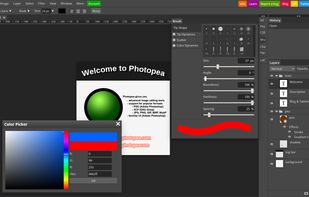
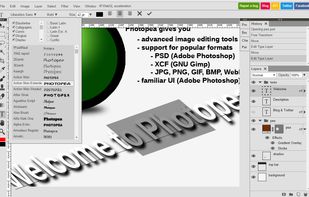
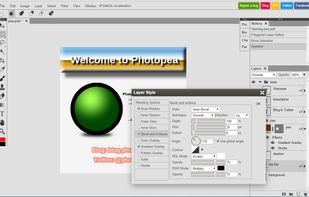
    Browser-based editing supports complex layers, masks, and adjustment tools, opens PSD, XCF, Sketch files, and exports in over 40 formats, all client-side for privacy.

    Cost / License

    • Freemium
    • Proprietary

    Application type

    Platforms

    • Online
    • Software as a Service (SaaS)
    Photopea screenshot 1
    Brush parameters.
    Editing text, many fonts available.
    +2
    Layer styles.
    Darlene SonalderDarlene Sonalder’s note

    Basically a freemium Adobe Photoshop icon Adobe Photoshop clone in your web browser !

    Worth mentioning : Pixlr icon Pixlr simpler

  2. Real-time raster graphics editor with non-destructive edits, unlimited layers, and workspace for RAW editing, supporting major colour spaces and formats.

    Cost / License

    • Paid
    • Proprietary

    Application type

    Platforms

    • Mac
    • Windows
    • iPad
    Affinity Photo screenshot 1
    Affinity Photo screenshot 1
    Affinity Photo screenshot 2
    +7
    Affinity Photo screenshot 3
    Darlene SonalderDarlene Sonalder’s note

    The Affinity Suite is my go to as a professionnal alternative suite to Adobe's one. Affinity Photo can replace Photoshop AND Lightroom simultaneously. Even tho I personnaly prefer Lightroom's workflow, I've manage the switch. You will need some re-learning as it's a bit different to Adobe photography softwares. Worth the attention as the license is not expensive at all.

  3. Image editing app featuring nondestructive, GPU-powered tools with machine learning enhancements for editing on macOS and iOS platforms.

    Cost / License

    • Paid
    • Proprietary

    Application type

    Platforms

    • Mac
    • iPhone
    • iPad
    Pixelmator screenshot 1
    Pixelmator screenshot 1
    Pixelmator screenshot 2
    +8
    Pixelmator screenshot 3
    Darlene SonalderDarlene Sonalder’s note

    If you're on macOS Pixelmator is a decent option with one time payment

  4. GIMP icon
     Like

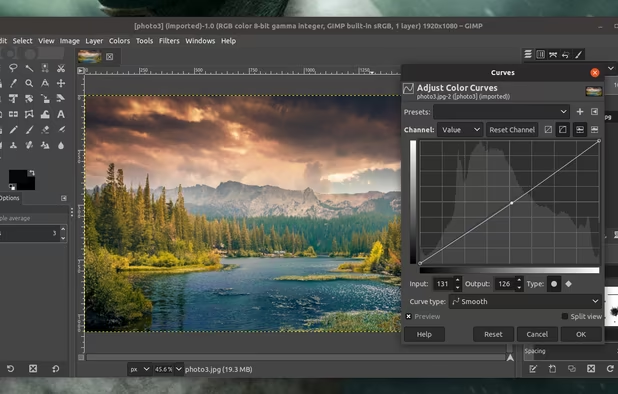
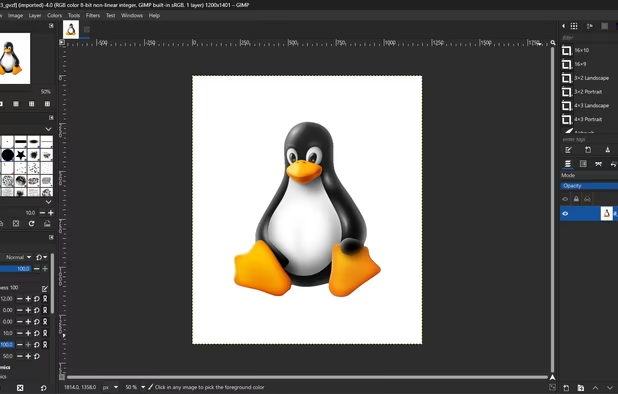
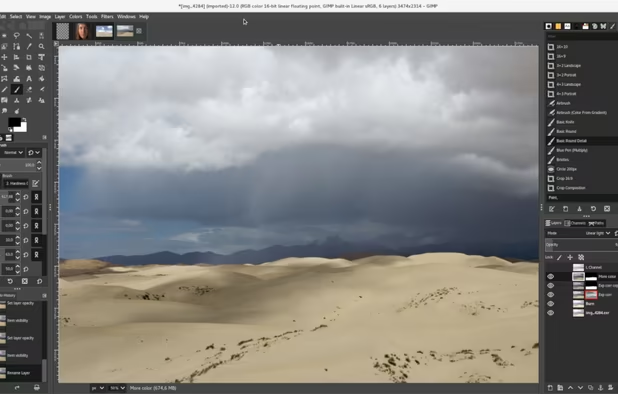
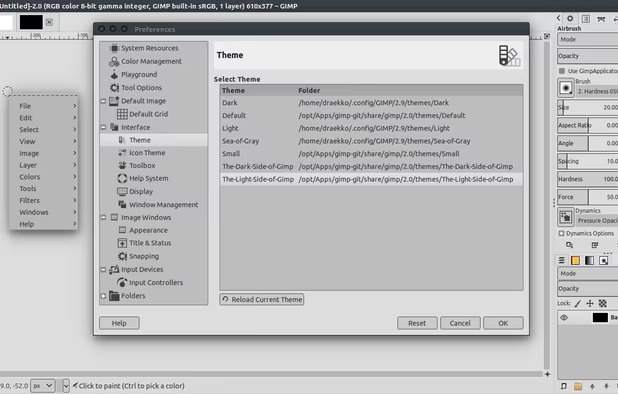
    Free open-source suite with advanced photo retouching, composition, batch processing, plugin extensibility, custom scripting, and wide file format compatibility.

    Cost / License

    • Free
    • Open Source

    Application type

    Platforms

    • Mac
    • Windows
    • Linux
    • BSD
    • Snapcraft
    • Flathub
    • PortableApps.com
    • Haiku
    • Flatpak
    • AmigaOS
    • AppImage
    GIMP screenshot 1
    GIMP 2.99.18 on Windows, non-default theme.
    GIMP screenshot 2
    +5
    GIMP screenshot 3
    Darlene SonalderDarlene Sonalder’s note

    If you want to go free and open source GIMP3 is the king ! In my opinion the UI is not as intuitive but you can install an open source plugin called PhotoGIMP icon PhotoGIMP that will change the interface of GIMP to looks more like Photoshop. Those combine gives you a really powerful free alternative to Photoshop.

Painting

If you use Photoshop for painting try theses

  1. Krita icon
     Like

    A free, open-source painting program for professional artists offering customizable UI, 9 brush engines, layer support, and color management.

    Cost / License

    • Free
    • Open Source

    Application type

    Platforms

    • Mac
    • Windows
    • Linux
    • Android Tablet
    • KDE Plasma
    • Epic Games Store
    • PortableApps.com
    • F-Droid
    • Steam
    • AppImage
    Krita screenshot 1
    Krita screenshot 1
    Krita screenshot 2
    +6
    Main Window
    Darlene SonalderDarlene Sonalder’s note

    If you use Photoshop as a painting app STOP, Krita is the way to go, free and open source you won't find better app.

  2. Procreate icon
     Like

    Multi-award winning app offers professional tools and flexibility for creative illustration on iPad and iPhone with features like layering and brushes.

    Cost / License

    • Paid
    • Proprietary

    Application type

    Platforms

    • iPhone
    • iPad
    Procreate screenshot 1
    Procreate screenshot 1
    Procreate screenshot 2
    +13
    Procreate screenshot 3
    Darlene SonalderDarlene Sonalder’s note

    If you're on iPad, Procreate seems to be the way to go

  3. Essential digital tool for comic and manga artists, offering specialized tools for shortcuts like panel layouts, inking, vector support, and 3D model import.

    Cost / License

    • Paid
    • Proprietary

    Application type

    Platforms

    • Mac
    • Windows
    • Android
    • iPhone
    • Chrome OS
    • Android Tablet
    • iPad
    • Samsung Galaxy Store
    Customizable workspace
    Simple UI mode
    Blank Canvas
    +9
    Tool editing dialog
    Darlene SonalderDarlene Sonalder’s note

    A professionnal solution for almost every device you can own and paint on !

Replacing Lightroom

  1. Conversion software for Mac and PC that automatically corrects optical flaws, extends dynamic range, and seamlessly removes digital noise from images.

    Cost / License

    • Paid
    • Proprietary

    Application type

    Platforms

    • Mac
    • Windows
    DxO PhotoLab screenshot 1
    DxO PhotoLab screenshot 1
    DxO PhotoLab screenshot 2
    +4
    DxO PhotoLab screenshot 3
    Darlene SonalderDarlene Sonalder’s note

    For a Lightroom alternative this one is probably the closest as a full package. Easy to use, clean almost modern interface, amazing processing and snappy. It's a one time paiement that is profitable in only 2 years if you compare it with the subscription of Adobe Lightroom. It's probably the best RAW editing software I've found.

  2. Capture One is a leading raw converter and workflow software which enables photographers to reduce the time and effort required to deliver astounding ready-to-use images with excellent color and detail.

    Cost / License

    • Paid
    • Proprietary

    Application type

    Platforms

    • Mac
    • Windows
    • iPhone
    • iPad
    Capture One screenshot 1
    Capture One screenshot 1
    Capture One screenshot 2
    +1
    Capture One screenshot 3
    Darlene SonalderDarlene Sonalder’s note

    A more expensive solution but well known with tons of ressources, tutorials, presets etc... available online

  3. ON1 Photo RAW is the lightning fast raw processor, photo editor and plug-in collection all in one app photographers have been asking for. Unlike the current class of raw-based photo editors requiring catalogs, bouncing between apps for editing, and a subscription ecosystem, ON1...

    Cost / License

    • Paid
    • Proprietary

    Application type

    Platforms

    • Mac
    • Windows
    ON1 Photo RAW screenshot 1
    ON1 Photo RAW screenshot 1
    ON1 Photo RAW screenshot 2
    +1
    ON1 Photo RAW screenshot 3
    Darlene SonalderDarlene Sonalder’s note

    You will need paid plugins to match Lightroom but still a great option.

  4. The new Exposure X7 combines professional grade photo adjustments, a huge library of gorgeous photo looks, and an efficient design that is a joy to use.

    Cost / License

    • Paid
    • Proprietary

    Application type

    Platforms

    • Mac
    • Windows
    Masking
    Darlene SonalderDarlene Sonalder’s note

    A cheaper option but well worth buying

  5. Mobile app featuring 30+ pro color tools, AI upscaling, RAW editing, smart object removal, batch processing, deep Photos integration, and film-inspired presets.

    Cost / License

    • Freemium
    • Proprietary

    Application type

    Platforms

    • Mac
    • iPhone
    • iPad
    Photomator screenshot 1
    Photomator screenshot 2
    Photomator screenshot 3
    Darlene SonalderDarlene Sonalder’s note

    A really great option for mac users with both subscription or one-time payment !

  6. darktable icon
     Like

    Open source non-destructive RAW photo editor and image database with lighttable and darkroom views, real-time editing, HDR and scientific image support.

    Cost / License

    • Free
    • Open Source

    Application type

    Platforms

    • Mac
    • Windows
    • Linux
    Darktable’s lighttable mode showing a collection
    Darktable’s darkroom mode with an image opened
    Darktable’s darkroom mode, sharpening an image
    +3
    Darktable’s darkroom mode, split toning an image
    Darlene SonalderDarlene Sonalder’s note

    GIMP is the open source alternative to Photoshop and Darktable the open source alternative to Lightroom. It's really powerful and complete but it does need a lot of relearn as the UI is not the more polished and intuitive. Still a great alternative and it's free so what are you waiting to download ? I would recommend this guide if you are used to use Lightroom https://mathiashueber.com/darktable-settings-for-lightroom-user/

    Worth mentioning RawTherapee icon RawTherapee as a FOSS alternative to Lightroom but Darktable is in my opinion more fun to use even if it's slightly not as powerful and feature rich than Raw Therapee.

    If you just want basic editing and just organized your pictures digiKam icon digiKam is a great option, you can also integrate it with darktable worflow and probably RAW Therapee too.

  7. ART icon
     Like

    ART, a free, open-source, cross-platform raw image processing program. ART is a derivative of the popular RawTherapee icon RawTherapee , trading a bit of customization and control over various processing parameters for a simpler and (hopefully) easier...

    Cost / License

    • Free
    • Open Source

    Application type

    Platforms

    • Mac
    • Windows
    • Linux
    ART screenshot 1
    ART screenshot 1
    Darlene SonalderDarlene Sonalder’s note

    A fork of the popular RawTherapee icon RawTherapee that trades control options for simplicity

  8. RapidRAW icon
     Like

    GPU-accelerated RAW photo editor with non-destructive workflow, AI-powered masking, advanced color and tonal tools, batch processing, and cross-platform support.

    Cost / License

    • Free
    • Open Source

    Application type

    Platforms

    • Mac
    • Windows
    • Linux
    • Flathub
    • Flatpak
    RapidRAW screenshot 1
    RapidRAW screenshot 1
    Darlene SonalderDarlene Sonalder’s note

    A lightweight free and open source RAW manipulation software worth trying.

    Worth mentioning : Ansel icon Ansel

  9. OM Workspace features a customizable screen layout and high-speed RAW preview, supporting various styles of photography workflows.

    Cost / License

    • Free
    • Proprietary

    Application type

    Platforms

    • Mac
    • Windows
    OM Workspace screenshot 1
    OM Workspace screenshot 1
    OM Workspace screenshot 2
    +1
    OM Workspace screenshot 3
    Darlene SonalderDarlene Sonalder’s note

    A free but really great option, probably the best bang for your bucks out there with a modern UI and a UX similar to Lightroom. You need to enter a OLYMPUS camera Serial Number to download the app but it's easy to find.

Replacing InDesign

  1. Advanced desktop publishing software with real-time collaboration, high-performance architecture, seamless Affinity suite integration, and custom typography.

    Cost / License

    • Paid
    • Proprietary

    Application type

    Platforms

    • Mac
    • Windows
    • iPad
    Affinity Publisher screenshot 1
    Affinity Publisher screenshot 1
    Affinity Publisher screenshot 2
    +9
    Affinity Publisher screenshot 3
    Darlene SonalderDarlene Sonalder’s note

    The Affinity Suite is my go to as a professionnal alternative suite to Adobe's one. Affinity Publisher is in my opinion the only good alternative to Adobe InDesign. You can't open .indd but .imdl (InDesign MarkUp) which is really good to transition from your old project to the new software you just acquired.

    QuarkXPress icon QuarkXPress looks good but I never tried it.

  2. Canva icon
     Like

    Versatile design tool integrating photo, video editing, and AI-powered features for creating graphics, logos, and social media content efficiently.

    Cost / License

    • Freemium
    • Proprietary

    Application type

    Platforms

    • Mac
    • Windows
    • Linux
    • Online
    • Android
    • iPhone
    • Android Tablet
    • iPad
    • Software as a Service (SaaS)
    Canva screenshot 1
    Canva screenshot 1
    Canva screenshot 2
    +5
    Canva screenshot 3
    Darlene SonalderDarlene Sonalder’s note

    Canva is a easy to use tool to replace many Adobe software. It is more oriented to template based creation and for semi professional or amator content creator. It is a freemium subscription based service.

    Worth mentioning : Polotno icon Polotno A really cool online open source tool that might suits basics usage.

  3. Scribus icon
     Like

    Open-source DTP tool with flexible layouts, typesetting, CMYK support, and interactive PDFs, ideal for creating newspapers and brochures.

    Cost / License

    • Free
    • Open Source

    Application type

    Platforms

    • Mac
    • Windows
    • Linux
    • BSD
    • Flathub
    • PortableApps.com
    • Oracle Solaris
    • Flatpak
    Scribus screenshot 1
    Scribus screenshot 1
    Scribus screenshot 2
    +2
    Scribus screenshot 3
    Darlene SonalderDarlene Sonalder’s note

    If you want to go free and open source Scribus unstable build on 1.7.X has a brand new UI with modern icons and layout. It can become a decent option even for new not-really-nerdy users. If you want/need stable build you can try Scribus 1.6.X but it have a really outdated UI. It can suites you if you do 2 flyers a year or a small book, but if you ever used InDesign go with Affinity Publisher.

Replacing Illustrator

  1. Fast, smooth vector graphic design software with curve precision, vibrant colors, live gradients, and dynamic drawing tools, ideal for professionals.

    Cost / License

    • Paid
    • Proprietary

    Application type

    Platforms

    • Mac
    • Windows
    • iPad
    Affinity Designer screenshot 1
    Affinity Designer screenshot 1
    Affinity Designer screenshot 2
    +7
    Affinity Designer screenshot 3
    Darlene SonalderDarlene Sonalder’s note

    The Affinity Suite is my go to as a professionnal alternative suite to Adobe's one. Affinity Designer is not perfect (yet), but in my use case completly replace Illustrator easily. It's intuitive and powerful. It can open .ai files with no to little issues.

  2. Vectr icon
     Like

    Free vector graphics editor with real-time collaboration, browser and desktop support, multi-format import/export, scalable designs, and intuitive tools.

    Cost / License

    • Freemium
    • Proprietary

    Application type

    Platforms

    • Online
    Vectr screenshot 1
    Vectr screenshot 1
    Vectr screenshot 2
    +3
    Vectr screenshot 3
    Darlene SonalderDarlene Sonalder’s note

    A 100% free web based alternative.

    For macOS icon macOS users check Linearity Curve icon Linearity Curve it's free, has a great UI and pretty powerful. As a paid alternative Pixelmator icon Pixelmator .

  3. Expressive Canvas makes creating eye-catching vector illustrations, pixel-perfect icons, and other digital assets more straightforward than ever before.

    Cost / License

    • Free
    • Proprietary

    Application type

    Platforms

    • Online
    Expressive Canvas (2023.0.1 BETA)
    Darlene SonalderDarlene Sonalder’s note

    I haven't tested this new tool yet but promising one-time payment sofware.

  4. Inkscape icon
     Like

    Open source vector graphics editor supporting SVG with features like custom brushes, pressure sensitivity, and layer management across multiple platforms.

    Cost / License

    • Free
    • Open Source

    Application type

    Platforms

    • Mac
    • Windows
    • Linux
    • BSD
    • Snapcraft
    • Flathub
    • PortableApps.com
    • Haiku
    Inkscape screenshot 1
    Inkscape screenshot 1
    Inkscape screenshot 2
    +8
    Inkscape screenshot 3
    Darlene SonalderDarlene Sonalder’s note

    If you want to go open source, Inkscape is your go to. Free and really powerful it will suite most of your needs. The UI is a bit outdated but it's still simple and intuitive. Give Inkscape a try :)

    Worth mentioning : Dotgrid icon Dotgrid that is more basic.

  5. Amadine icon
     Like

    Amadine, a macOS vector graphics tool, offers user-friendly precision for creative design with versatile tools and seamless workflow experience.

    Cost / License

    • Paid
    • Proprietary

    Application type

    Platforms

    • Mac
    • iPhone
    • iPad
    Amadine screenshot 1
    Amadine screenshot 1
    Amadine screenshot 2
    +5
    Amadine screenshot 3
    Darlene SonalderDarlene Sonalder’s note

    A really great option for mac users

  6. Graphite icon
     Like

    Free, open source vector graphics and animation tool with nondestructive editing, node-based design, layer compositing, and browser access in alpha.

    Cost / License

    • Free
    • Open Source

    Application type

    Platforms

    • Online
    Made using nondestructive boolean operations and procedural polka dot patterns
    Design for a magazine spread, a preview of the upcoming focus on desktop publishing
    All layer stacks are represented, under the hood, by a nondestructive node graph
    +2
    Mandelbrot fractal filled with a noise pattern, procedurally generated and infinitely scalable
    Darlene SonalderDarlene Sonalder’s note

    Another free and open source solution that is newer. It's still in early development (public alpha) but promising project.

  7. Automatically convert bitmap images to vectors with Vector Magic. Supports JPG, PNG, BMP, GIF, outputting SVG, EPS, PDF. No install needed.

    Cost / License

    • Paid
    • Proprietary

    Application type

    Platforms

    • Mac
    • Windows
    • Online
    Vector Magic screenshot 1
    Vector Magic screenshot 1
    Vector Magic screenshot 2
    +10
    Vector Magic screenshot 3
    Darlene SonalderDarlene Sonalder’s note

    A feature that Illustrator has is to vectorify bitmap images. This tool makes that too !

Replacing Premiere Pro

  1. Advanced video editing and color correction with integrated visual effects, motion graphics, and audio post-production tools, used by professionals.

    Cost / License

    • Freemium
    • Proprietary

    Application type

    Platforms

    • Mac
    • Windows
    • Linux
    • iPad
    Hollywood's #1 Post Solution
    All In One Solution for Post Production
    Edit
The world's fastest and
most advanced professional NLE.
    +9
    Cut
Designed for editors
to turn around work fast!
    Darlene SonalderDarlene Sonalder’s note

    DaVinci Resolve is the top recommandation as a professional colorist tool. But now it is a complete video editing software with awesome features. Also the free version is almost identical to the paid one, so there is no reason not to try it. It will need some relearning as it's not like Premiere Pro but you can choose at the insatllation to have a more Premierish UI.

    It even can replace Adobe After Effects icon Adobe After Effects with Blackmagic Design Fusion icon Blackmagic Design Fusion built-in and Adobe Audition icon Adobe Audition with DaVinci Resolve Fairlight icon DaVinci Resolve Fairlight also built-in.

  2. Final Cut Pro provides non-linear, non-destructive editing of any QuickTime-compatible video format including DV, HDV, P2 MXF (DVCProHD), XDCAM (via plug-in), and 2K film formats. It supports a number of simultaneously composited video tracks (limited mainly by video format and...

    Cost / License

    • Paid
    • Proprietary

    Application type

    Platforms

    • Mac
    • iPad
    Final Cut Pro screenshot 1
    Final Cut Pro screenshot 1
    Final Cut Pro screenshot 2
    +2
    Final Cut Pro screenshot 3
    Darlene SonalderDarlene Sonalder’s note

    Only for mac user Final Cut Pro X is a good and powerful alternative to Premier Pro that I think I don't have to mention here as it is really popular.

    For Windows users Corel VideoStudio icon Corel VideoStudio is a great Final Cut alternative as it's inspired by that Apple UI.

  3. Mastershot’s intuitive web-based video editor will have you churning out high quality videos in no time at all. And best of all, it's 100% Free

    Cost / License

    • Free
    • Proprietary

    Application type

    Platforms

    • Online
    Darlene SonalderDarlene Sonalder’s note

    A free online video editor, signing-up is required but no watermarks or paid feature

    Worth mentioning : Omniclip icon Omniclip Free and Open Source wide.video icon wide.video Freeware

  4. Shotcut icon
     Like

    Free, open-source video editing with multi-format timelines, frame accurate seeking, and robust capture support up to 4k for diverse projects.

    Cost / License

    • Free
    • Open Source

    Application type

    Platforms

    • Mac
    • Windows
    • Linux
    • AppImageHub
    • Snapcraft
    • Flathub
    • PortableApps.com
    • Flatpak
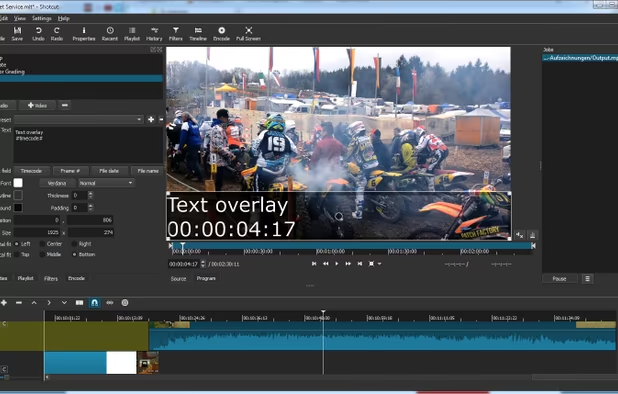
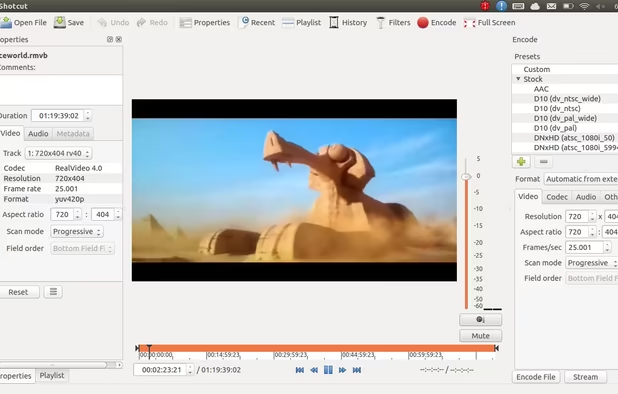
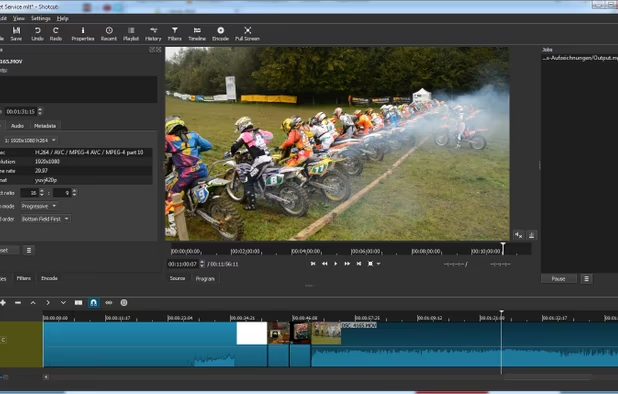
    Shotcut screenshot 1
    Text filter settings
    Shotcut on Ubuntu
    +2
    Shotcut on Windows
    Darlene SonalderDarlene Sonalder’s note

    For open source video editing Shotcut is my recommandation as it's powerful and quite simple to learn and use.

    Worth mentioning: Nugget Video Editor icon Nugget Video Editor

  5. Kdenlive icon
     Like

    Intuitive multi-track video editor with robust hardware-accelerated support; offers chroma key, color grading, and extensive audio/video format compatibility.

    Cost / License

    • Free
    • Open Source

    Application type

    Platforms

    • Mac
    • Windows
    • Linux
    • BSD
    • KDE Plasma
    • Snapcraft
    • Flathub
    • Flatpak
    Logging
    Editing
    Audio
    +2
    Effects
    Darlene SonalderDarlene Sonalder’s note

    A more feature packed foss video editor

    Worth mentioning : Olive Video Editor icon Olive Video Editor and Flowblade icon Flowblade

  6. Klap icon
     Like

    Klap is a web application that converts YouTube videos into short clips for social media platforms like TikTok, Reels, and Shorts. Users can upload a video, add captions, and share the clips on social media.

    Cost / License

    • Paid
    • Proprietary

    Application type

    Platforms

    • Online
    • Software as a Service (SaaS)
    Klap screenshot 1
    Klap screenshot 1
    Klap screenshot 2
    +1
    Klap screenshot 3
    Darlene SonalderDarlene Sonalder’s note

    This one is an AI tool to create (and edit) vertical shorts from long horizontal videos.

Replacing After Effects

  1. Fusion is the world’s most advanced compositing software for visual effects artists, broadcast and motion graphic designers and 3D animators.

    Cost / License

    • Freemium
    • Proprietary

    Application type

    Platforms

    • Mac
    • Windows
    • Linux
    Blackmagic Design Fusion screenshot 1
    Blackmagic Design Fusion screenshot 1
    Blackmagic Design Fusion screenshot 2
    +1
    Blackmagic Design Fusion screenshot 3
    Darlene SonalderDarlene Sonalder’s note

    I said that DaVinci Resolve was a complete video editing software with awesome features ? Fusion is one of them. It's really professional and powerful. But as it's not layer based like Adobe After Effects icon Adobe After Effects you will need to relearn for a node based used.

    Worth mentioning : NUKE icon NUKE

  2. Maxon Autograph is a digital compositing and motion graphics software used in the post-production industry of movie-making or motion-graphics design video making. It covers a wide range of functionnalities such as 2D animation, Keying, Tracking, 2D and 3D compositing, Audio...

    Cost / License

    • Freemium
    • Proprietary

    Application type

    Platforms

    • Mac
    • Windows
    Autograph 2023.11.2 running on macOS Monterey
    Darlene SonalderDarlene Sonalder’s note

    For VFX and 2D/3D motion graphics this freemium tool rocks !

  3. Natron icon
     Like

    Natron is an open source, cross platform nodal compositing application. It is built around industry standard open source tech such as OpenFX, OpenEXR, OpenColorIO and OpenImageIO. The feature set includes realtime playback/RAM cache, multi-threaded rendering, 2d tracking...

    Cost / License

    • Free
    • Open Source

    Application type

    Platforms

    • Mac
    • Windows
    • Linux
    • FreeBSD
    • Flathub
    Natron screenshot 1
    Natron screenshot 1
    Darlene SonalderDarlene Sonalder’s note

    Natron is a really powerful and open source Adobe After Effects icon Adobe After Effects alternative. Like Blackmagic Design Fusion icon Blackmagic Design Fusion is node-based so you'll need to learn how it works.

  4. Pikimov icon
     Like

    Pikimov is a free web based motion design and video editor.

    Cost / License

    • Free
    • Proprietary

    Application type

    Platforms

    • Online
    Pikimov composition editor
    Pikimov 3D composition
    Pikimov composition editor
    +4
    Pikimov 3D model
    Darlene SonalderDarlene Sonalder’s note

    Probably one of the most advanced Free AfterEffects alternative for Motion Design

    Worth mentioning : Jitter icon Jitter

  5. Friction icon
     Like

    Friction is a powerful and versatile motion graphics application that allows you to create vector and raster animations for web and video platforms with ease.

    Cost / License

    • Free
    • Open Source

    Application type

    Platforms

    • Mac
    • Windows
    • Linux
    Friction screenshot 1
    Friction screenshot 1
    Friction screenshot 2
    +4
    Friction screenshot 3
    Darlene SonalderDarlene Sonalder’s note

    The FOSS motion design app

Replacing Media Encoder

  1. HandBrake icon
     Like

    An open-source multithreaded video transcoder, HandBrake compresses and converts digital media, supporting MP4, MKV formats, and offers hardware-accelerated conversion.

    Cost / License

    • Free
    • Open Source

    Application type

    Platforms

    • Mac
    • Windows
    • Linux
    • BSD
    • Snapcraft
    • Flathub
    • Haiku
    • Flatpak
    HandBrake screenshot 1
    HandBrake screenshot 1
    HandBrake screenshot 2
    Darlene SonalderDarlene Sonalder’s note

    Handbrake is a must-have if you're in the video industry. It's free and open source.

Replacing Animate

  1. Tahoma2D icon
     Like

    Tahoma2D is a powerful program for 2D and stop motion animation. Tahoma 2D is based on OpenToonz.

    Cost / License

    • Free
    • Open Source

    Application type

    Platforms

    • Mac
    • Windows
    • Linux
    Interface Overview
    File Browser
    Flipbook
    +7
    Function Editor
    Darlene SonalderDarlene Sonalder’s note

    Based on OpenToonz icon OpenToonz

    For drawing animation check Pencil2D icon Pencil2D For Stop-Motion animation look at Boats Animator icon Boats Animator

  2. Animation app for iPad with over 300 textured brushes, frame-by-frame tools, multi-track timeline, keyframes, real-time rendering, video, audio, and effects.

    Cost / License

    • Paid
    • Proprietary

    Application type

    Platforms

    • iPad
    Procreate Dreams screenshot 1
    Procreate Dreams screenshot 1
    Procreate Dreams screenshot 2
    +1
    Procreate Dreams screenshot 3
    Darlene SonalderDarlene Sonalder’s note

    One time purchase for iPad only !

  3. Animate SVGs with advanced keyframe control, custom paths, text and shape tools, boolean operations, gradient editing, and export to multiple formats.

    Cost / License

    • Paid
    • Proprietary

    Application type

    Platforms

    • Mac
    • Windows
    Expressive Animator screenshot 1
    Expressive Animator - Walking character animation
    Expressive Animator - Text and Local Fonts
    +3
    Expressive Animator - demo animation
    Darlene SonalderDarlene Sonalder’s note

    I haven't tested this new one-time payment SVG animator tool but looks like a decent option.

Page 1 of 2

And that's it my list of Adobe free creating tools. Hope you find something interesting. Please like and share ^^ Also comment the one that you use !

Comments

RemovedUser
0

I want to add some alternatives: RawTherapee icon RawTherapee - Lightroom, Flowblade icon Flowblade - Premiere Pro, Wavacity icon Wavacity and AudioMass icon AudioMass - Audition.

1

Great list!

Addition of Clip Studio Paint as alternative for Photoshop for painting might be great. CSP itself is considered as industry standard software in webtoon or comic making, especially in Asia region. It has a lot of unique feature that Photoshop or Krita doesn't have.

KBCD™
0

Thanks 👍😊

1 reply
Darlene Sonalder
App tester and reviewer at Great App Testing Ltd.
Replying to @KBCD™

You're welcome 😊

Create without Adobe (free n' paid) 2025 | AlternativeTo