


Wavacity
7 likes
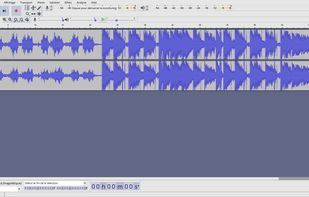
Wavacity is derived from the open source Audacity and modified to run in the web browser.

Platforms
- Online
Discontinued
The latest update to the project is from July 2023. A lot of features do not work on the website (generate, many effects etc.)https://github.com/ahilss/wavacity/commit/38ba56b96df2ba8265fcd471465c82842340da7d

Features
Wavacity News & Activities
Highlights All activities
Recent News
No news, maybe you know any news worth sharing?
Share a News Tip
Recent activities
- livemarks added Wavacity as alternative to LiveMarks: Record, Play, Mark
 audioexperience added Wavacity as alternative to AudioMultiCut
 red1farah added Wavacity as alternative to StudioWavePro
 alex-chuev added Wavacity as alternative to AudioCutter Online
 TheEmperorArt added Wavacity as alternative to VideoProc Vlogger


Wavacity information
Developed by
 Apollo Vibes, LLC
 Licensing
Open Source and Free product.Written in
Alternatives
55 alternatives listedBadge
Get an embeddable badge for WavacitySupported Languages

AlternativeTo Categories
Audio & Music, Social & CommunicationsGitHub repository
- 482 Stars
- 18 Forks
- 14 Open Issues
- Updated


Featured in Lists


ProgressiveWebApps to bypass AppStore's tyrany
Currently Mozilla Firefox based browser don't properly supports PWA.
You better use a chromium based browser such as Brave
Many PWAs will automatically prompt an install button when you visit the app in the web browser. If not, tap the button next to the address field and select "Add to Home screen", "Install app" or "Install" in the list of options that appears.
On iOS and iPadOS you will need to use Safari to add them to your HomeScreen.
For installing them, tap the button "share" in the browser. Scroll right among the options that appear and select "Add to Home Screen".
No comments or reviews, maybe you want to be first?