





AudioMultiCut
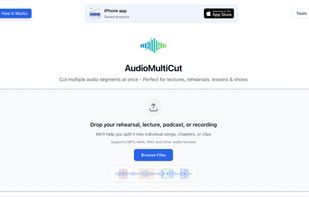
Free browser tool enables splitting audio into MP3 or WAV clips using silence detection, equal splitting, merging, volume normalization, and local Whisper AI for word-based editing, all with manual or automatic controls and no server uploads or registration required.

Cost / License
- Freemium (Subscription)
- Proprietary
Application type
 EU
EUPlatforms
- Online
- iPhone
- iPad


Features
AudioMultiCut News & Activities
Recent activities
I use AudioMultiCut a few times a month to prep long recordings for transcription. The transcription service I use doesn't handle lengthy MP3s well, so I upload the file, split it into 3-4 equal chunks or by time (eg, 25 minutes per chunk), download the parts and feed them into the transcriber one by one.
I have tried a lot of tools for this, and AudioMultiCut does it the best. It runs right in the browser, no account needed, and the splits come out clean every time.
The interface has a bit...
- zacky0 added Batch Editing as a feature to AudioMultiCut
- zacky0 added Lightweight as a feature to AudioMultiCut
- zacky0 added Lossless Audio as a feature to AudioMultiCut
- zacky0 liked AudioMultiCut
- audioexperience updated AudioMultiCut
- livemarks added AudioMultiCut as alternative to LiveMarks: Record, Play, Mark
- audioexperience added AudioMultiCut
- Danilo Venom updated AudioMultiCut
- audioexperience added Works Offline as a feature to AudioMultiCut


AudioMultiCut information
Developed by
 Lior Elgali
 Licensing
Proprietary and Freemium product.Pricing
Subscription that costs $2 per month + free version with limited functionality.Alternatives
55 alternatives listedBadge
Get an embeddable badge for AudioMultiCutSupported Languages


Comments and Reviews
I use AudioMultiCut a few times a month to prep long recordings for transcription. The transcription service I use doesn't handle lengthy MP3s well, so I upload the file, split it into 3-4 equal chunks or by time (eg, 25 minutes per chunk), download the parts and feed them into the transcriber one by one.
I have tried a lot of tools for this, and AudioMultiCut does it the best. It runs right in the browser, no account needed, and the splits come out clean every time.
The interface has a bit of a learning curve the first time (took me about 5-10 minutes), since there are a lot of features on screen at once.
But once you get the hang of it, it's quick and totally worth it. As a developer, I can tell a lot of thought has gone into this. Highly recommend it if you regularly need to chop up long audio.