


digiKam
368 likes
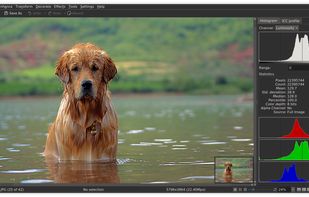
digiKam is an advanced digital photo management tool that simplifies importing and organizing photos into albums. It supports various formats including RAW, features tagging, metadata management, duplicate finder, photo editing, sharing, GPS data handling, and has cross-platform compatibility.

Cost / License
- Free
- Open Source (GPL-2.0)
Application typeApplication types
 EU
EUPlatforms
- Mac
- Windows
- Linux
- BSD
- KDE Plasma
- Flathub
- Qt


Features
digiKam News & Activities
Highlights All activities
Recent News
- Paul published news article about digiKam
- Paul published news article about digiKam
- Mauricio B. Holguin published news article about digiKam


Recent activities
 ArtSorter added digiKam as alternative to Art Sorter
 Kurtis Morin added digiKam as alternative to Pro Photo Sorter
 Dima22 added digiKam as alternative to Screenshot AI
 trashpanda62 added digiKam as alternative to Obscura Studio


Featured in Lists



Europe’s Open-Source Solutions: Your Guide to Transparent, Independent and GDPR-Aligned Software.
This guide is designed for anyone looking to take greater control of their digital life by choosing open-source solutions developed and maintained within Europe. It highlights projects that promote transparency, reduce reliance on non-European tech ecosystems, and align with Europe’s strong commitment to privacy and data protection. The goal is to support digital autonomy in Europe while uplifting the local developers and communities who build trustworthy, user-centric software.


Powerful Open Source Creative Softwares
Ever wondering about free great open source software to start your idea? Here's a list for you to get started.
Also mentions several rarely known and newer software as well!
Please note that almost none of these alternatives are 1-to-1 replacement with exact some features. Most of these software might have entirely different scope of project.
Notable event: Libre Graphics Meeting, annual meeting on Free/Libre and Open Source software for graphics.
https://www.libregraphicsmeeting.org
Cover image by David Revoy (CC-BY 4.0) https://www.davidrevoy.com/article1061/cmyk-support-in-inkscape-could-be-a-game-changer-for-professional-print-designers


Linux • Graphics
My personal list of graphics applications made or ported to linux (Incomplete)
What is digiKam?
digiKam information
Developed by
 KDE
KDE Licensing
Open Source (GPL-2.0) and Free product.Rating
Average rating of 4.4Alternatives
139 alternatives listedNews
10 news article related to digiKamBadge
Get an embeddable badge for digiKamSupported Languages


Comments and Reviews
Pretty good both in usability and interface. It has the same UI features and organisation ways that you can see in other very popular open source software (Blender, Krita, and so on...), many options in making your personal workflow and layout, pretty good performance and some extra sweets for those who is interesting in advance organisation features (face search, similar images and even more). I think you certainly should give this program a chance and make your very own opinion because UI is kinda unusual for a newcomers that never used Open Source software.
okay
There must be some advantages to this app but I simply can't find any in this muddled mass of windows that don't make much sense individually or collectively. Spent a day with it and then jettisoned it from my drive and washed my hands thoroughly. If this was my only alternative to LR, I'd gladly pay my annual fee to Adobe.
Is very interesting
I have been using Digikam as my main photo management software for years on both Linux and Windows. It has proven a reliable tool for the casual enthusiast. Handy features like tag labeling and photo upload integration work well.
Still has ways to go to be in the same league as Adobe and the big guys, but I appreciate that this is a community driven project and more than fulfills my needs.
Capabilities: plenty Support for modern formats: plenty Great metadata handling: absolutely
However. The user-experience has a (too) steep learning curve. Where (for example) XNview is extremely easy to use and has a very nice and customizable user interface, I found Digikam to be very difficult to use. (or even find simple features).
I do appreciate the work though and I may look into it in the future.
1.6gb space to install. From LeoAI: "You cannot move a tag directly on the image itself within digiKam. Tags are metadata associated with the image file and are managed within the software's interface, not overlaid onto the image display."
Wonky UI. Broken facial recognition and duplicate checker. Hardware acceleration does not work on Intel Arc GPUs. Overall waste of time.
I'd say that facial recognition is half-baked. At least it is improving in updates.