
PhotoFlare Lens icon

PhotoFlare Lens

Edit RAW photos non-destructively from over 700 cameras, with full tone and color controls, XMP sidecar support, real-time histogram, EXIF viewing, batch export, and advanced cull and review workflow on Windows, macOS, and Linux with no registration required.
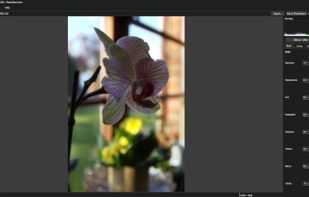
PhotoFlare Lens screenshot 1

Cost / License

  • Free
  • Proprietary

Application type

Platforms

  • Mac
  • Windows
  • Linux
1like
0comments
0articles

Features

Properties

  1.  Lightweight

Features

  1.  Live Preview
  2.  Colour Grading
  3.  Non Destructive Editing
  4.  Ad-free
  5.  Works Offline
  6.  No registration required
  7.  Dark Mode
  8.  Keyboard Navigation
  9.  Support RAW file formats
  10.  Support for Keyboard Shortcuts

PhotoFlare Lens News & Activities

Highlights All activities

Recent activities

PhotoFlare Lens information

  • Developed by

    GB flagphotoflare.io
  • Licensing

    Proprietary and Free product.
  • Alternatives

    39 alternatives listed
  • Supported Languages

    • English
PhotoFlare Lens was added to AlternativeTo by Paul on and this page was last updated .
No comments or reviews, maybe you want to be first?

What is PhotoFlare Lens?

PhotoFlare Lens opens RAW files from 700+ cameras, gives you a full non-destructive develop pipeline, and saves your edits to XMP sidecars - without ever touching the original file.

Free. Permanently. No account required.

A complete develop workflow, right in your editor. Everything you need to cull, review, and develop RAW photos - without launching a full image editor.

  • RAW Decoding via LibRaw: Supports 700+ camera models from Canon, Nikon, Sony, Fujifilm, Panasonic, and more. 16-bit pipeline throughout for maximum quality.
  • Non-Destructive Develop: Exposure, white balance, highlights, shadows, whites, blacks, and clarity - all parametric. Your RAW file is never modified.
  • Tone Curve Editor: Interactive RGB master curve plus individual R, G, B channel curves. Click and drag control points for precise tonal control.
  • Colour Grading: Per-range hue, saturation, and luminance controls for shadows, midtones, and highlights. Fine-tune the mood of any image.
  • Crop & Straighten: Parametric crop with aspect-ratio presets. Horizon straighten with auto-fill crop. Auto-straighten from image content.
  • XMP Sidecars: Develop settings save to industry-standard .xmp sidecar files. Interoperable with Lightroom and darktable for common fields.
  • Live Histogram: RGB overlay histogram updates in real time as you move sliders. Spot blown highlights and crushed shadows at a glance.
  • EXIF Panel: Camera, lens, shutter, aperture, ISO, focal length, date, and GPS - all surfaced from the file with no cloud lookup required.
  • Export to JPEG, PNG, TIFF: Render your developed image to any standard format with quality and resize controls. 16-bit TIFF export for maximum fidelity.
  • Keyboard-First Navigation: Arrow keys to move between images in a folder. Before/after toggle with . Zoom and pan without leaving the keyboard.
  • Standard Formats Too: Opens JPEG, PNG, TIFF, WebP, and BMP in addition to RAW. One app for your whole photo library.
  • Cross-Platform: Native builds for Windows, macOS, and Linux. Dark UI by default. Built on Qt 6 - fast and lightweight.
