


Flowblade
31 likes
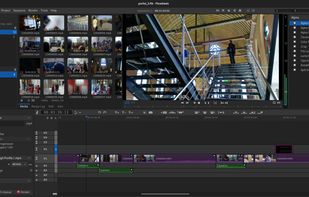
Flowblade is a multitrack non-linear video editor for Linux released under GPL 3 license.

Cost / License
- Free
- Open Source (GPL-3.0)
Application type
Platforms
- Linux
- Flathub


Features
Flowblade News & Activities
Highlights All activities
Recent News


Recent activities
- Adam Ziólko added Flowblade as alternative to GrepCut Studio
- MCQ333 liked Flowblade
 Paul added Flowblade as alternative to Palmier Pro
 Ryan Balazadeh added Flowblade as alternative to PrismPoster








Featured in Lists


Free tools (Software that can help you mostly in any field)
This is going to be a list of the free tools/software that can be used mostly in any field. it's based on websites recommendations, personal experience and YouTube videos. If there's any software that you like to be added here pls inform me so we can do it together. They won't be in the alphabetical order. Together we can do it. If you find any software in the list that's not free let me know


Linux • Graphics
My personal list of graphics applications made or ported to linux (Incomplete)




Software to help you launch your YouTube channel (Linux edition)
When creating a YouTube channel, one of the first things that you need to think about is your equipment. There are over 100 hours of video uploaded to YouTube every minute, and in order for you to stand out, you will need some equipment that will help you do that.
There are 3 different things that are crucial to have before uploading your first video: a microphone, a camera, and some video software.
In this post, we're going to talk about software that can help you launch your YouTube channel. This post will be oriented toward Linux, but a similar post for macOS and another one about Windows have already been published.
What is Flowblade?
Flowblade information
Developed by
UnknownLicensing
Open Source (GPL-3.0) and Free product.Written in
Alternatives
96 alternatives listedBadge
Get an embeddable badge for FlowbladeSupported Languages

AlternativeTo Category
Video & MoviesGitHub repository
- 3,090 Stars
- 207 Forks
- 56 Open Issues
- Updated


Comments and Reviews
Flowblade is not really good to cut sequences, or to assemble footages, but it's just awesome to color-grade a video or something like that, Flowblade's filters are very very nice.
I am not saying that this is it for FlowBlade... I can imagine that it will become a cool, usable editing tool... anytime in the near future...
but as for now, it has major deficiencies... such as rendering, to start with... and it make the application unusable...
rendering is THE KEY THING about video editing... rendering settings can vary greatly... I mean, when you render, you should be able to choose from MANY good options... cause you should be able to control how your work is being output, realized...
surprisingly enough, I found ZERO option at rendering... this is a no go ........................................................ PS: this is the second time I was checking out FlowBlade... if some MINIMUM requirements were met -- such as rendering in a decent manner, offering a good enough way to create titles -- I would love to try it again... or rather, for the first time...
I understand that it's one person developing it, and it is also obvious that while KDENLIVE is 260Mb, Flowblade is 4Mb only... but this shouldn't mean that the user has to put up with 3rd class... whatever the size, it has to function... decently...
I wish to see new developments, still... I would like to try it for real some day...
I was searching for a software to adjust my video's colors, because DaVinci Resolve did not worked, and many apps like that, and I found Flowblade : It was just what I was searching for !
After tried PiTiVi and OpenShot, which both had stop working after few renders, I found Flowblade and now I'm happy with is simple interface.