

LibreCuts icon
LibreCuts icon

LibreCuts

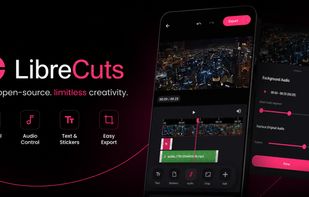
LibreCuts is a free, open-source video editor for Android that prioritizes simplicity and efficiency.
LibreCuts screenshot 1

Cost / License

  • Free
  • Open Source (MIT)

Application type

Platforms

  • Android
7likes
0articles
Save

Features

  1.  No Tracking
  2.  No registration required
  3.  Dark Mode
  4.  Ad-free
  5.  Works Offline
  6.  Hardware Accelerated
  7.  Transitions Effects
  8.  Support for 4K

LibreCuts News & Activities

Highlights All activities

Recent activities

LibreCuts information

AlternativeTo Categories

Video & Movies, System & Hardware

GitHub repository

  •  888 Stars
  •  97 Forks
  •  58 Open Issues
  •   Updated  
View on GitHub

Popular alternatives

View all
LibreCuts was added to AlternativeTo by Neon pop on and this page was last updated .

No comments or reviews, maybe you want to be first?

Official Links

What is LibreCuts?

🚀 Features Trim - Remove unwanted parts from the beginning or end of a video clip with a real-time timeline control. Overlays - Place text, images, GIFs, and video overlays on top of video clips to create engaging content. Subtitles (Captions) - Import custom .srt subtitle files with a dedicated toolbar slider for resizing and fully interactive touch-based positioning directly on the video preview. Layer Management - Easily reorder overlay layers to control what renders on top. Audio - Manage soundtracks effortlessly by importing custom music or audio tracks with a dedicated cancel functionality, up to 200% volume amplification, and the ability to mute original audio. Crop - Adjust the aspect ratio of a video with custom cropping support. Merge - Combine multiple video segments into a continuous sequence with drag-to-rearrange functionality. Transition - Apply transitions with animated visual previews in the toolbar. Speed - Change the speed of a video clip. Adjust & Filters - Modify video brightness, contrast, saturation, and apply color filters. Reverse - Reverse video playback. Timeline Organization - Enhanced editing with snapping functionality, overlay duplication, and freeze frame actions. Hardware Acceleration - Super-fast video exports using device hardware-accelerated h264_mediacodec encoding.