


Capture One
36 likes
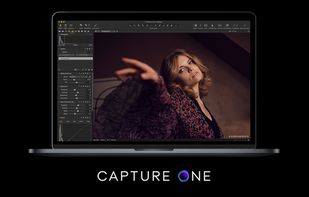
Capture One is a leading raw converter and workflow software which enables photographers to reduce the time and effort required to deliver astounding ready-to-use images with excellent color and detail.

Cost / License
- Subscription
- Proprietary
Application typeApplication types
 EU
EUPlatforms
- Mac
- Windows
- iPhone
- iPad


Features
Capture One News & Activities
Highlights All activities
Recent News
No news, maybe you know any news worth sharing?
Share a News Tip
Recent activities
 duecki added Capture One as alternative to CalibRaw
 JamPhotos added Capture One as alternative to JamPhotos
 PLASTICITYLab added Capture One as alternative to PhotoCHAT AI
 Ankit Gupta added Capture One as alternative to Tone Caliper
 Dima22 added Capture One as alternative to Screenshot AI
 trashpanda62 added Capture One as alternative to Obscura Studio
 alsermeno added Capture One as alternative to GalleryID
- bulldogs liked Capture One
 Ellin Yin added Capture One as alternative to Kumoo
 Paul added Capture One as alternative to PhotoFlare Lens


Featured in Lists


Create without Adobe (free n' paid) 2025
There is no doubt that Adobe Suite is great, even in some case it's probably the best. But you can be mad at Adobe for many reasons, expensive monthly subscribtion method, bad stability, useless features, paying for tools you don't use. Here is my list with the best way to ditch Adobe monopoly in my opinion.
I tried to add Open Source alternatives too as some are really good.
I only covered Adobe softwares that I've used so I'm sorry if you don't find what you came for...


Working in the creative industry but don't want to use Adobe products?
For quite a long time, I've been looking into entirely ditching Adobe Creative Cloud products because of the price (€60/month), the subscription model, the fact that you have to use their Creative Cloud in order to use their software and to sync anything, the way Adobe Photoshop, Adobe Illustrator, and Adobe InDesign are bloated, the fact that often you can't use the software if you don't have an Internet connection because Adobe must be able to check your license… and so on and so on.
For a long time, their software were amazing and above everything on the market, but now, Adobe software feel like old complicated bloated tools to me. And, so I took my courage with both hands, uninstalled all Adobe products on my computer, canceled my subscription and deleted my Behance and Adobe accounts.
I've since then replaced all Adobe software with the following ones:


macos apps
Here is a list of good macOS apps.
Free & Open Source: Audacity, Blender, Chromium, Docker, Drawio, Firefox, Homebrew, Jellyfin, KeePassXC, LibreOffice, LuLu, OBS, qBittorrent, UTM, VirtualBox, VLC, VSCode, Wireshark.
Free & Closed Source: Affinity Studio, Apple Dictionary, Discord, GarageBand, Sublime Text.
Pay and Closed Source: Anual payment ($2673) + One payment ($2327)
AutoCAD: $2,030
Audirvana Studio: $76
Adobe Photoshop/Lightroom: $240
Capture One: $327
Ableton: $600
Alfred: $45
Bartender: $28
Bitwig: $87
Final Cut Pro: $385
Cleanshot X: $29
Eagle: $30
Little Snitch: $65
Macfamilytree: $50
Parallels: $190
Photomator Pro: $80
Pixelmator Pro: $50
Procreate: $13
Sketch: $12
Transmit: $45
WiFi Explorer: $20

What is Capture One?
Capture One information
Developed by
 Phase One
 Licensing
Proprietary and Commercial product.Pricing
Subscription ranging between $18 and $24 per month.Rating
Average rating of 4Alternatives
67 alternatives listedBadge
Get an embeddable badge for Capture OneSupported Languages
AlternativeTo Categories
Photos & Graphics, File ManagementApple AppStore
- Updated
- 3.48 avg rating


Comments and Reviews
I moved to Capture One Pro from Lightroom after spending some time with the Capture One Express for Sony edition that came with my Sony A7 series. I moved to the full version after getting used to the interface. It's fast, faster than the newest Lightroom Classic CC, and the color tools are nothing short of amazing.
It can handle cataloging (complete with keywords and good searching capabilities) or session-based workflows. Or both at once, which is how I like to use it. It incorporates excellent round-tripping with Photoshop in native PSD.
Worth noting: the raw interpreter in Capture One has given me a much better base to work with than the Adobe Camera Raw (Photoshop and Lightroom) interpreter on full frame Sony and Nikon raw files. Absolutely get the trial version and see it for yourself, just prepare for a bit of a learning curve. Lightroom is dead simple to use (an advantage), Capture One is a little odd at first.
was good, is now bad
I am using Sony Alpha camera for many years and when I logged in to my Sony account I found I can download and use it for free. So I tested it, and in compare to other paid and free solutions for RAW it is amazing.
Faster than Lightroom Classic, free for Fujifilm and Sony (with limitations).