





Fotoreto
Like
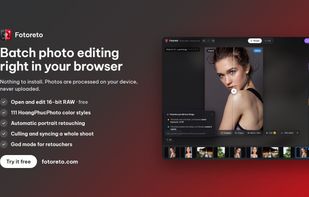
Browser-based batch photo editor: cull a whole shoot, retouch portraits automatically, apply color styles and edit 16-bit RAW. Photos are processed on your device, never uploaded.

Cost / License
- Freemium (Pay once or Subscription)
- Proprietary
Application typeApplication types
Since
- New


Features
Highlights All activities
Fotoreto News & Activities
Recent activities
- HoangPhucPhoto added Drawing Tablet Support as a feature to Fotoreto
- HoangPhucPhoto added Photo Editor as a feature to Fotoreto
- HoangPhucPhoto added Privacy focused as a feature to Fotoreto
- HoangPhucPhoto added Live Preview as a feature to Fotoreto
- HoangPhucPhoto added Pressure Sensitivity as a feature to Fotoreto
- HoangPhucPhoto added Support for Layers as a feature to Fotoreto
- HoangPhucPhoto added Lightweight as a feature to Fotoreto
- HoangPhucPhoto added No registration required as a feature to Fotoreto


Developed by
 Hoang Phuc Photo
Licensing
Proprietary and Freemium product.Pricing
One time purchase ranging between $20 and $80, and / or subscription ranging between $13 and $40 per year + free version with limited functionality.Alternatives
9 alternatives listedBadge
Get an embeddable badge for FotoretoSupported Languages


No comments or reviews, maybe you want to be first?