• Photopea icon
  • Affinity Photo icon
  • Pixelmator icon
  • GIMP icon
  • Krita icon
  • +67

Create without Adobe (free n' paid) 2025

Darlene SonalderDarlene Sonalder72 appsUpdated
Copy a direct link to this comment to your clipboard

There is no doubt that Adobe Suite is great, even in some case it's probably the best. But you can be mad at Adobe for many reasons, expensive monthly subscribtion method, bad stability, useless features, paying for tools you don't use. Here is my list with the best way to ditch Adobe monopoly in my opinion. I tried to add Open Source alternatives too as some are really good.

I only covered Adobe softwares that I've used so I'm sorry if you don't find what you came for...

  1. Moho icon
     Like

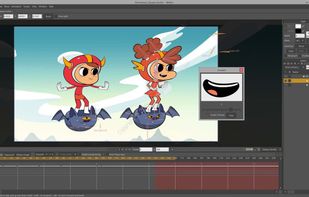
    Moho has everything you need to make amazing, professional animations. Used in the OSCAR nominated films, The Breadwinner and Song of the Sea, for Best Animated Feature Film.

    Cost / License

    • Paid
    • Proprietary

    Application type

    Platforms

    • Mac
    • Windows
    Moho screenshot 1
    Moho screenshot 1
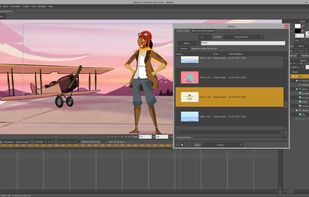
    Moho screenshot 2
    Darlene SonalderDarlene Sonalder’s note

    More for big studios

  2. Toon Boom Harmony Network is the industrial animation software for studios worldwide.

    Cost / License

    • Paid
    • Proprietary

    Application type

    Platforms

    • Mac
    • Windows
    • Linux
    Toon Boom Harmony screenshot 1
    Toon Boom Harmony screenshot 1
    Toon Boom Harmony screenshot 2
    Darlene SonalderDarlene Sonalder’s note

    More for big studios

  3. DragonBones has a skeletal animation design panel named "DragonBonesDesignPanel" and a 2D skeletal animation library based on ActionScript.

    Cost / License

    • Free
    • Open Source

    Application type

    Platforms

    • Mac
    • Windows
     Packaging and Export	
Pack images into a texture atlas, which results in more efficient rendering in your games. Export DragonBones and Egret MovieClip data with JSON data format.
     Skinning Animation
Skinning allow individual vertices in a mesh to be attached to different bones. When the bones move, the vertices move with them and the mesh is deformed automatically.
    Skeletal Operation
Bind bone for image. Easily let your character have more vivid actions and more smooth animations.
    Darlene SonalderDarlene Sonalder’s note

    A great bones-based animator tool for profesionnal use.

    Worth mentioning Spine icon Spine , Creature icon Creature and Animation Desk icon Animation Desk

  4. The Wick Editor is a free and open-source tool for creating games, animations, and everything in-between. It's designed to be the most accessible tool for creating multimedia projects on the web. Your creations can run on any device with a web browser - that means mobile too.

    Cost / License

    • Free
    • Open Source

    Application type

    Platforms

    • Mac
    • Windows
    • Linux
    • Online
    • Self-Hosted
    Wick Editor's Banner
    A picture of the editor with a demo!
    The front page of www.wickeditor.com
    +2
    The About page and a design image for a new editor layout.
    Darlene SonalderDarlene Sonalder’s note

    A really good free and open source Animation and Interaction tool to create animation and things like small video games or some interactive assets for a website.

  5. Free and open-source 2D animation software for vector and bitmap artwork, featuring tweening, bone rigging, timeline editing, and advanced layer types across all major platforms.

    Cost / License

    • Free
    • Open Source

    Application type

    Platforms

    • Mac
    • Windows
    • Linux
    • Flathub
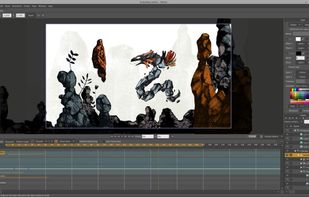
    Synfig Studio screenshot 1
    Synfig Studio screenshot 1
    Synfig Studio screenshot 2
    +2
    Synfig Studio screenshot 3
    Darlene SonalderDarlene Sonalder’s note

    A feature-rich open source animation tool with an old but pretty clean UI.

    Worth mentioning : enve icon enve

Replacing Audition

  1. Every track includes real time equalization and dynamics processing to sweeten and fine tune your mix. This is in addition to your six real time track effects, making Fairlight far more powerful than other digital audio workstation software!

    Cost / License

    • Free
    • Proprietary

    Application type

    Platforms

    • Mac
    • Windows
    • Linux
    DaVinci Resolve Fairlight screenshot 1
    DaVinci Resolve Fairlight screenshot 1
    DaVinci Resolve Fairlight screenshot 2
    +2
    DaVinci Resolve Fairlight screenshot 3
    Darlene SonalderDarlene Sonalder’s note

    I said that DaVinci Resolve was a complete video editing software with awesome features ? Fairlight is one of them it's a built in audio mixing tool and it is more advanced that the one in Premiere Pro.

    Worth mentioning WavePad icon WavePad and Ocenaudio icon Ocenaudio

  2. Tenacity icon
     Like

    Tenacity is an easy-to-use, privacy-friendly, FLOSS, cross-platform multi-track audio editor/recorder for Windows, macOS, Linux and other operating systems.

    Cost / License

    • Free
    • Open Source

    Application type

    Platforms

    • Mac
    • Windows
    • Linux
    • Flathub
    • Haiku
    • FreeBSD
    Dark mode
    Light mode
    Darlene SonalderDarlene Sonalder’s note

    An Audacity fork without telemetry

    Worth mentioning : Audacity icon Audacity

  3. Ardour icon
     Like

    Ardour is a hard disk recorder and digital audio workstation application. Record, edit, and mix on Linux, Mac OS X, and Windows.

    Cost / License

    • Paid
    • Open Source

    Application type

    Platforms

    • Mac
    • Windows
    • Linux
    • BSD
    Ardour 6
    Ardour with a custom theme
    main window + mixer
    +8
    MIDI tracks
    Darlene SonalderDarlene Sonalder’s note

    If you need more advanced mixing, Ardour icon Ardour will probably suites you more

  4. AudioMass icon
     Like

    AudioMass lets you record, or use your existing audio tracks, and modify them by trimming, cutting, pasting or applying a plethora of effects, from compression and paragraphic equalizers to reverb, delay and distortion fx.

    Cost / License

    • Free
    • Open Source

    Application type

    Platforms

    • Online
    • Self-Hosted
    AudioMass screenshot 1
    AudioMass screenshot 1
    AudioMass screenshot 2
    +1
    AudioMass screenshot 3
    Darlene SonalderDarlene Sonalder’s note

    A simple open source audio-recorder and editor in your browser

DAW Digital Audio Workstation

  1. Cakewalk icon
     Like

    Cakewalk, formerly SONAR, is a comprehensive audio software for music composition, audio recording, editing, mixing and mastering. It features a full suite of high quality audio and MIDI effects and instruments and composition tools ranging from drum sequencer and piano roll...

    Cost / License

    • Free Personal
    • Proprietary

    Application type

    Platforms

    • Windows
    Cakewalk screenshot 1
    Cakewalk screenshot 1
    Cakewalk screenshot 2
    +2
    Cakewalk screenshot 3
    Darlene SonalderDarlene Sonalder’s note

    The Free DAW for Windows

  2. Full-featured music studio offering sound library, virtual drummers, and instrument presets available on Mac and iOS. Ideal for all skill levels.

    Cost / License

    • Free
    • Proprietary

    Application type

    Platforms

    • Mac
    • iPhone
    • iPad
    iPad Version: Tracks
    iPad Version: Piano Roll Editor
    Mac Version: Guitar Amplifier
    +4
    Size comparison between iPhone, iPad, and Macbook
    Darlene SonalderDarlene Sonalder’s note

    The Free DAW for mac

  3. FL Studio icon
     Like

    Comprehensive DAW for digital audio tasks, featuring advanced composition, arrangement, and editing tools, tailored for music professionals.

    Cost / License

    • Paid
    • Proprietary

    Application type

    Platforms

    • Mac
    • Windows
    • Online
    • Android
    • iPhone
    • Android Tablet
    • HUAWEI AppGallery
    • iPad
    FL Studio screenshot 1
    FL Studio screenshot 1
    FL Studio screenshot 2
    +3
    FL Studio screenshot 3
    Darlene SonalderDarlene Sonalder’s note

    One of the most known DAW, more suited for hip-hop and electronic

  4. Logic Pro icon
     Like

    Professional DAW for songwriting, beat creation, editing, and mixing with sophisticated tools, creative plugins, full-featured mixer, and more.

    Cost / License

    • Paid
    • Proprietary

    Application type

    Platforms

    • Mac
    • iPad
    Logic Pro screenshot 1
    Logic Pro screenshot 1
    Logic Pro screenshot 2
    +7
    Logic Pro screenshot 3
    Darlene SonalderDarlene Sonalder’s note

    The paid version of GarageBand

  5. Software for creating musical ideas, turning them into songs, and performing them, featuring Arrangement and Session Views for fast music-making.

    Cost / License

    • Paid
    • Proprietary

    Application type

    Platforms

    • Mac
    • Windows
    Ableton Live screenshot 1
    Ableton Live screenshot 1
    Ableton Live screenshot 2
    +5
    Ableton Live 10
    Darlene SonalderDarlene Sonalder’s note

    A DAW best suited for live session with loops etc...

  6. REAPER icon
     Like

    Cross-platform DAW for multitrack audio and MIDI recording, editing, mixing, mastering, scriptable automation, plugin support, and customizable workflow.

    Cost / License

    • Paid
    • Proprietary

    Application type

    Platforms

    • Mac
    • Windows
    • Linux
    • Flathub
    • Flatpak
    Default theme
    Full screen in Linux with inline MIDI editor using REA Evolution theme
    Analog Default theme
    +3
    Dark_Side_Imperial theme
    Darlene SonalderDarlene Sonalder’s note

    The DAW for audio nerds or engieneer

  7. Pro Tools makes music creation fast and fluid, providing a complete set of tools to create, record, edit, and mix audio. Get inspired and start making music with a massive collection of plugins, instruments, and sounds.

    Cost / License

    • Paid
    • Proprietary

    Application type

    Platforms

    • Mac
    • Windows
    Avid Pro Tools screenshot 1
    Avid Pro Tools screenshot 1
    Avid Pro Tools screenshot 2
    +2
    Avid Pro Tools screenshot 3
    Darlene SonalderDarlene Sonalder’s note

    A great DAW for pro

  8. LMMS icon
     Like

    Free cross-platform DAW supporting VST plugins, MIDI, and lossless audio. Offers music loopers and sequencers with privacy, no ads, and offline capability.

    Cost / License

    • Free
    • Open Source

    Application type

    Platforms

    • Mac
    • Windows
    • Linux
    • BSD
    • Flathub
    • PortableApps.com
    • Haiku
    • Flatpak
    LMMS screenshot 1
    LMMS screenshot 1
    LMMS screenshot 2
    +2
    LMMS screenshot 3
    Darlene SonalderDarlene Sonalder’s note

    The FOSS solution

Replacing Adobe Xd

This one is easy

  1. Figma icon
     Like

    Web-based vector graphics editor with desktop apps, focusing on real-time collaboration and version control for UI/UX design.

    Cost / License

    • Freemium
    • Proprietary

    Application type

    Platforms

    • Mac
    • Windows
    • Online
    • Android
    • iPhone
    • Chrome OS
    • Android Tablet
    • iPad
    • Software as a Service (SaaS)
    ,
    ,
    Figma screenshot 2
    +4
    Figma screenshot 3
    Darlene SonalderDarlene Sonalder’s note

    Figma is in my opinion the more polished and feature rich UI design tool.

  2. Penpot icon
     Like

    Penpot is the open-source design platform for teams that design, build, and scale digital products.

    Cost / License

    • Freemium
    • Open Source

    Application type

    Platforms

    • Online
    • Self-Hosted
    Penpot is the open-source design platform for teams that build digital products at scale.
    Collaborative UI design platform ideal for teams that need to scale complex products with design and code.
    Penpot is the only tool that integrate native design tokens. A single source of truth to improve efficiency and collaboration between product design and development.
    +2
    Manage states, styles, and sizes in a simple, developer-friendly way—making your design system cleaner and easier to scale.
    Darlene SonalderDarlene Sonalder’s note

    Penpot is the first Open Source design and prototyping platform meant for cross-domain teams. Non dependent on operating systems, Penpot is web based and works with open web standards (SVG). For all and empowered by the community.

    Worth mentioning : Wireflow icon Wireflow Quant-UX icon Quant-UX

  3. Sketch icon
     Like

    Vector-based Mac tool for digital UI, web, and mobile design, offering prototyping, real-time collaboration, plugins, reusable libraries, cloud sharing, and device preview.

    Cost / License

    • Paid
    • Proprietary

    Application type

    Platforms

    • Mac
    • iPhone
    • iPad
    App icon design
    Working with colors
    Promo page
    +5
    Illustrating in Sketch
    Darlene SonalderDarlene Sonalder’s note

    The king before Adobe Xd enter the market, Sketch was the most used UI design tool. On mac you can also check Principle icon Principle that helps you easily create animated interactive UI !

    For Windows 10 icon Windows 10 users check Lunacy icon Lunacy it's free :)

  4. Creatie icon
     Like

    Creatie brings the power of AI to UI/UX design, to help you ideate, create, and build faster than ever. Creatie can be used to design everything UI/UX, including wireframes, prototypes, mockups. We use AI to help you generate layout ideas, enhance images, check for design style...

    Cost / License

    • Freemium
    • Proprietary

    Application type

    Platforms

    • Online
    • Software as a Service (SaaS)
    Creatie Thumbnail
    Creatie Design Auditor
    Creatie Image Enhancer
    +1
    Creatie Wizard
    Darlene SonalderDarlene Sonalder’s note

    A new kid in town, I haven't tested it yet but looks promising

Replacing Dreamweaver and Brackets

I still don't understand why people are using Dreamweaver...

  1. VSCodium icon
     Like

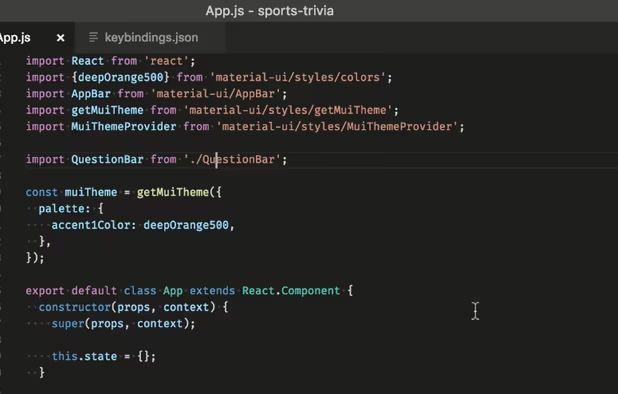
    This repository contains a build file to generate FLOSS release binaries of Microsoft's Visual Studio Code - Open Source ("Code - OSS") project, the open source core of the proprietary Visual Studio Code icon Visual Studio Code.

    Cost / License

    • Free
    • Open Source

    Application type

    Platforms

    • Mac
    • Windows
    • Linux
    • Flathub
    • Electron
    • Snapcraft
    • Homebrew
    • Chocolatey
    VSCodium screenshot 1
    Darlene SonalderDarlene Sonalder’s note

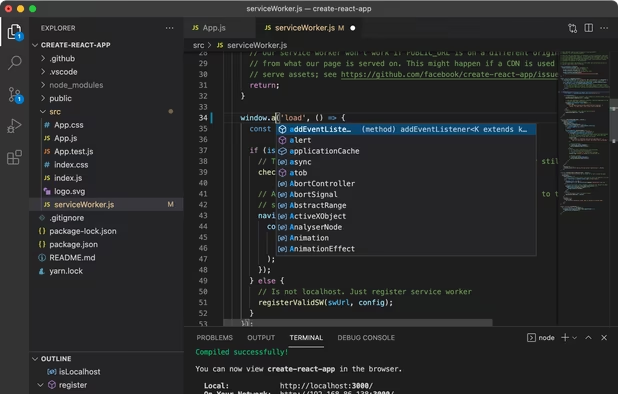
    VS Code without Microsoft spying on you

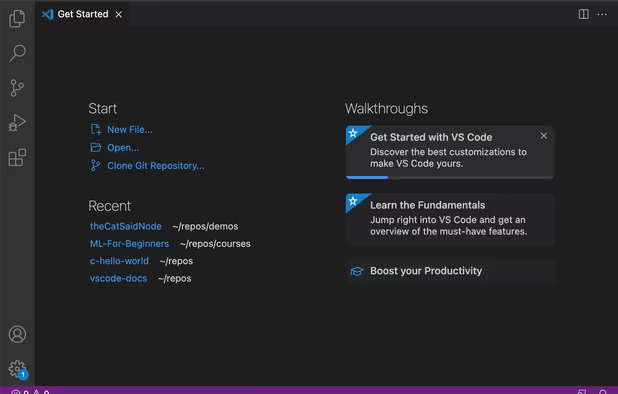
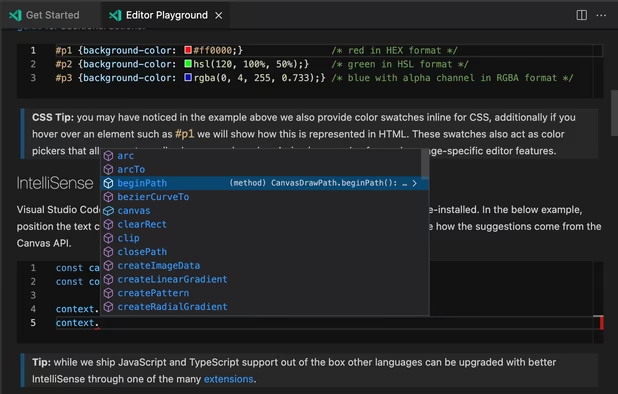
  2. Free, extensible code editor with Git integration, AI-driven IntelliCode, and 30,000+ extensions, supporting various languages like Python, Java.

    Cost / License

    • Free
    • Proprietary

    Application type

    Platforms

    • Mac
    • Windows
    • Linux
    • Online
    • Chrome OS
    • Snapcraft
    • Chocolatey
    Visual Studio Code screenshot 1
    Visual Studio Code screenshot 1
    Visual Studio Code screenshot 2
    +2
    Visual Studio Code screenshot 3
    Darlene SonalderDarlene Sonalder’s note

    Microsoft Visual Studio Code or just VS Code is a really nice free and open source coding environement. With a lot of great extensions to install. If you're not against using a Microsoft tool give it a try.

  3. Blazing fast, collaborative code editor with real-time multi-user support, built-in Vim mode, language-aware syntax trees, integrated terminal, and multi-buffers.

    Cost / License

    • Freemium
    • Open Source

    Application type

    Platforms

    • Mac
    • Windows
    • Linux
    • Flathub
    • Flatpak
    Zed Editor screenshot 1
    Zed Editor screenshot 1
    Zed Editor screenshot 2
    +6
    Zed Editor screenshot 3
    Darlene SonalderDarlene Sonalder’s note

    A new promising IDE

Replacing Substance

  1. Quixel Mixer is a software allowing to create and modify 3D textures.

    Cost / License

    • Free
    • Proprietary

    Platforms

    • Mac
    Quixel Mixer screenshot 1
    Quixel Mixer screenshot 1
    Quixel Mixer screenshot 2
    +1
    Quixel Mixer screenshot 3
    Darlene SonalderDarlene Sonalder’s note

    A well known alternative

  2. Material Maker is a free and open-source, procedural texture authoring tool based on Godot Engine icon Godot Engine. Its user interface is based on Godot's GraphEditor: textures are described as interconnected texture generators and operators.

    Cost / License

    • Free
    • Open Source

    Platforms

    • Mac
    • Windows
    • Linux
    • Godot Engine
    • itch.io
    • Chocolatey
    Material Maker screenshot 1
    Material Maker screenshot 1
    Material Maker screenshot 2
    +1
    Material Maker screenshot 3
    Darlene SonalderDarlene Sonalder’s note

    The FOSS option

Replacing Acrobat

  1. An efficient PDF viewer and editor with advanced features like direct content editing, OCR by ABBYY, form filling, annotation, and offline access.

    Cost / License

    • Freemium
    • Proprietary

    Application type

    Platforms

    • Windows
    • PortableApps.com
    • Wine
    Version 10 (2024)
    Viewing PDFs
    Commenting and Annotations
    +3
    Editing PDF files
    Darlene SonalderDarlene Sonalder’s note

    A well known alternative with one time payment

  2. PDFgear icon
     Like

    Read, edit, convert, merge, and sign PDF files across devices, for completely free and without signing up.

    Cost / License

    • Free
    • Proprietary

    Application type

    Platforms

    • Mac
    • Windows
    • Online
    • Android
    • iPhone
    • Android Tablet
    • iPad
    PDFgear screenshot 1
    Edit PDF
    Annotate PDF
    +2
    Convert PDF
    Darlene SonalderDarlene Sonalder’s note

    A free to use alternative with decent features and great interface

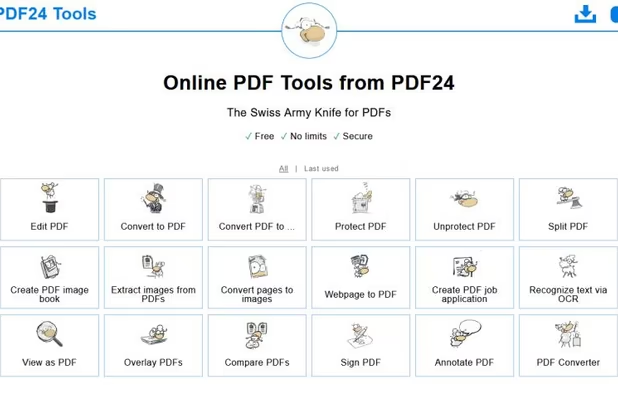
  3. The Swiss Army Knife for PDFs.

    Cost / License

    • Free
    • Proprietary

    Application type

    Platforms

    • Online
    Overview of all tools (July 2019)
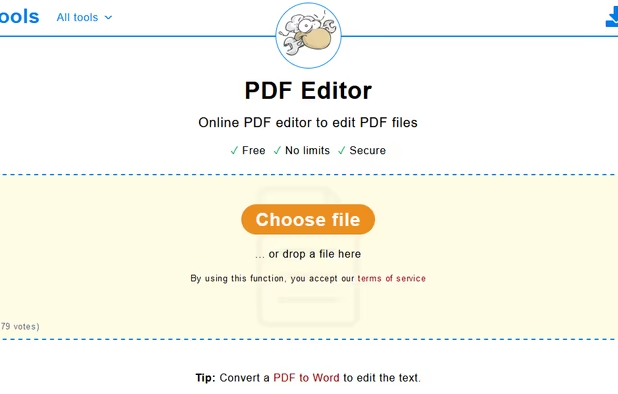
    PDF Editor file selection window
    Darlene SonalderDarlene Sonalder’s note

    A free to use alternative with tons of feature

    Worth mentioning : Stirling PDF icon Stirling PDF Freemium and Open Source

  4. PDFsam Basic is a free and open-source desktop application for splitting and merging PDF files. It runs entirely on your own computer, so your files are never uploaded anywhere and it works fully offline.

    Cost / License

    • Free
    • Open Source

    Application type

    Platforms

    • Mac
    • Windows
    • Linux
    Home screen
    Split tool
    Merge tool
    Darlene SonalderDarlene Sonalder’s note

    A foss solution

  5. A free, open-source viewer for Windows, supports PDFs, eBooks, Comics, with a simple, fast, and portable design prioritized for ease of use.

    Cost / License

    • Free
    • Open Source

    Application type

    Platforms

    • Windows
    SumatraPDF screenshot 1
    SumatraPDF screenshot 1
    SumatraPDF screenshot 2
    +3
    SumatraPDF screenshot 3
    Darlene SonalderDarlene Sonalder’s note

    Another FOSS solution for viewing and not editing

Page 2 of 2

And that's it my list of Adobe free creating tools. Hope you find something interesting. Please like and share ^^ Also comment the one that you use !

Comments

RemovedUser
0

I want to add some alternatives: RawTherapee icon RawTherapee - Lightroom, Flowblade icon Flowblade - Premiere Pro, Wavacity icon Wavacity and AudioMass icon AudioMass - Audition.

1

Great list!

Addition of Clip Studio Paint as alternative for Photoshop for painting might be great. CSP itself is considered as industry standard software in webtoon or comic making, especially in Asia region. It has a lot of unique feature that Photoshop or Krita doesn't have.

KBCD™
0

Thanks 👍😊

1 reply
Darlene Sonalder
App tester and reviewer at Great App Testing Ltd.
Replying to @KBCD™

You're welcome 😊