





Zed Editor
157 likes
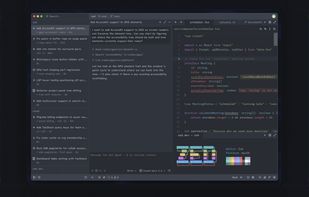
Blazing fast code editor offering real-time multi-user collaboration, language-aware syntax highlighting, integrated terminal, multi-buffers for tab-free editing, built-in Vim mode, searchable outline, AI coding assistance, advanced keyboard commands, and cross-platform support.

Cost / License
- Freemium (Subscription)
- Open Source
Application typeApplication types
Platforms
- Mac
- Windows
- Linux
- Flathub
- Flatpak


Features

Highlights All activities
Zed Editor News & Activities
Recent News
- Fla published news article about Zed Editor
- Fla published news article about Zed Editor
- Fla published news article about Zed Editor


Recent activities
 uryon added Zed Editor as alternative to Reado
- Dmitrii Gorshenin liked Zed Editor
- Alexander Menzel liked Zed Editor
- bangla liked Zed Editor
- humble-advisor liked Zed Editor
 Aerosol added Zed Editor as alternative to VSCodroid
 James Cupps added Zed Editor as alternative to Slate Text Editor
 Emanuel-Mazilu added Zed Editor as alternative to oxi
 alexwkleung added Zed Editor as alternative to Reika
- Klaus von Stein updated Zed Editor





Into the Cyberverse
The ultimate list of apps/services for better Security, Privacy & Anonymity; Defense against Surveillance.
What sets this list apart is its commitment to authenticity:
No Sponsorship: Choices are made without commercial bias.
No Affiliate Links: Purely user-benefit-focused.
No Brand Deals: Independent and unbiased evaluations.
Strict criteria ensure the tools prioritize user welfare and software quality:
Opensource Preference: Prioritizing transparent and community-driven software.
Cross-Platform Availability: Emphasizing tools usable across multiple systems.
Active Development and Security Updates: Selecting only actively maintained tools with regular security enhancements.
Proven Track Record: Requiring a history of reliability and positive feedback.


Create without Adobe (free n' paid) 2025
There is no doubt that Adobe Suite is great, even in some case it's probably the best. But you can be mad at Adobe for many reasons, expensive monthly subscribtion method, bad stability, useless features, paying for tools you don't use. Here is my list with the best way to ditch Adobe monopoly in my opinion.
I tried to add Open Source alternatives too as some are really good.
I only covered Adobe softwares that I've used so I'm sorry if you don't find what you came for...


The macOS setup for everyone (with freeware only)
THIS LIST HAS BEEN DELETED DUE TO A BUG, SO IT MISSES SOME HONORABLE MENTIONS !
This is the apps for macOS that I would recommend to anyone who just got a Mac !
Some are the default that Apple offers but I tried to offers you free alternative to escape Apple Wall Garden if you need or want to
The same list for
Windows 10 & Windows 11 :
Linux kernel (GUI apps only) :
Official Links
Install from the command line
winget install -e --id ZedIndustries.Zedbrew install --cask zedflatpak install flathub dev.zed.Zed


Developed by
 Zed Industries
 Licensing
Open Source and Freemium product.Pricing
Subscription that costs from $20 per month + free version with limited functionality.Written in
Rating
Average rating of 4.6Alternatives
127 alternatives listedNews
34 news article related to Zed EditorBadge
Get an embeddable badge for Zed EditorSupported Languages

AlternativeTo Categories
Development, Office & Productivity, OS & Utilities, Remote Work & Education, AI Tools & ServicesGitHub repository
- 91,622 Stars
- 11,021 Forks
- 3031 Open Issues
- Updated


Comments and Reviews
Super fast on my old Laptop and AI features are not really annoying, like in other IDEs.
It works fast, has a good vim-like mode, BUT it's a text editor without UTF-16 and other code pages. I did a mistake and associated all text files with ZED, and I cannot open files from Samsung phone. MacOS preinstalled TextEdit can open files with different encodings, it can Windows Notepad, as can VS code, Geany, etc, but can't do Zed
It's really fast!
Rust, loads instantly. I turn off all the AI features and make it completely offline as a Notepad++ replacement. Like NP++, no need to save - just close and reopen. No nagging.
I like zed for its super fast free text search over the codebase . I tried some other vs code wrappers but more than once they crashed or botched up my memory .
Great editor with great performance and AI integration.
It does not have all the features and extensions of VS Code but while it is closing the gap quickly I started to notice that maybe I could live without a specific ext while better configuring my editor.
Its fast and the AI features are optional and can be 100% turned of
Good bye VSCode/Chrome