


Figma
273 likes
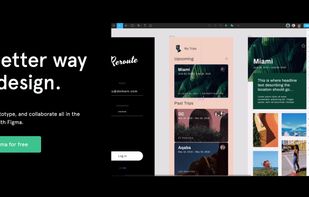
Figma is a web-based platform offering a robust set of tools for vector graphics editing and prototyping, along with offline desktop apps for seamless workflows. Designed specifically for UI and UX design, it emphasizes real-time collaboration, visual versioning, and vector networks to streamline the designer's work.

Cost / License
- Freemium (Subscription)
- Proprietary
Application typeApplication types
Platforms
- Mac
- Windows
- Online
- Android
- iPhone
- Chrome OS
- Android Tablet
- iPad
- Software as a Service (SaaS)


Features

Highlights All activities
Figma News & Activities
Recent News
- Fla published news article about Figma
- Fla published news article about LottieFiles
- Mauricio B. Holguin published news article about Figma


Recent activities


Create without Adobe (free n' paid) 2025
There is no doubt that Adobe Suite is great, even in some case it's probably the best. But you can be mad at Adobe for many reasons, expensive monthly subscribtion method, bad stability, useless features, paying for tools you don't use. Here is my list with the best way to ditch Adobe monopoly in my opinion.
I tried to add Open Source alternatives too as some are really good.
I only covered Adobe softwares that I've used so I'm sorry if you don't find what you came for...


Working in the creative industry but don't want to use Adobe products?
For quite a long time, I've been looking into entirely ditching Adobe Creative Cloud products because of the price (€60/month), the subscription model, the fact that you have to use their Creative Cloud in order to use their software and to sync anything, the way Adobe Photoshop, Adobe Illustrator, and Adobe InDesign are bloated, the fact that often you can't use the software if you don't have an Internet connection because Adobe must be able to check your license… and so on and so on.
For a long time, their software were amazing and above everything on the market, but now, Adobe software feel like old complicated bloated tools to me. And, so I took my courage with both hands, uninstalled all Adobe products on my computer, canceled my subscription and deleted my Behance and Adobe accounts.
I've since then replaced all Adobe software with the following ones:


The software I'll install on my laptop once I ditch macOS for Linux
Spoiler: I've switched to Linux for my main computer, and here's what I'm currently using.
Official Links


Install from the command line
winget install -e --id Figma.Figmabrew install --cask figma


Developed by
 Figma
Figma Licensing
Proprietary and Freemium product.Pricing
Subscription ranging between $12 and $15 per month + free version with limited functionality.Rating
Average rating of 4.4Alternatives
140 alternatives listedNews
60 news article related to FigmaBadge
Get an embeddable badge for FigmaSupported Languages
AlternativeTo Categories
Photos & Graphics, Backup & Sync, Office & Productivity, Business & Commerce, Remote Work & Education, DevelopmentApple AppStore
- Updated
- 4.62 avg rating




Comments and Reviews
Extremely intuitive app, great to do high fidelity prototypes without the features overkill of an Adobe app.
De-facto industry standard, but the pricing is classic monopoly abuse. It deliberately pushes you to the $190/seat plan by removing essential functions and/or making available things harder.
Update: Figma's billing practices is borderline scam. I was literally charged 3 times for 1 month of 1 Professional seat. The support is silent OF COURSE.
Easy to use in the browser for quick UI mockups before coding. Sharing designs with others via a link is very convenient. Free plan is enough for small projects.
Figma solved the problem that made design-to-dev painful: the gap between what the designer made and what the developer received. The inspect panel gives exact values, and browser-based access means no file-version confusion.
For solo developers doing their own UI work, the free tier is enough. Components, auto-layout, and frames handle 90% of what a side project or portfolio needs.
The collaborative features (multiple cursors, comments on designs) are genuinely useful even for two-person teams. Real-time updates, no file exports needed.
Top of the top) I like it, using every day for work tasks
I like it! The best app for design
Figma is pretty good for UI and UX. with a large community it's easy to find templates and inspiration.