




Procreate Dreams
8 likes
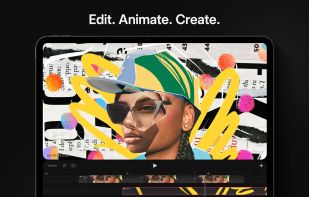
Animation app for iPad offering over 300 textured brushes, frame-by-frame tools, multi-track timeline, keyframes, real-time rendering, video and audio editing, layer-based animation, 16K resolution, import in various formats, and advanced export options.

Cost / License
- Pay once
- Proprietary
Application type
Platforms
- iPad


Features
Highlights All activities
Procreate Dreams News & Activities
Recent News
- Mauricio B. Holguin published news article about AlternativeTo
- Mauricio B. Holguin published news article about Procreate Dreams
- Mauricio B. Holguin published news article about Procreate Dreams


Recent activities
 cel added Procreate Dreams as alternative to Umoupen
 doodraw added Procreate Dreams as alternative to Doodraw
 Darlene Sonalder added Procreate Dreams as alternative to Super Mouth Paint 2000
- Nam Pham liked Procreate Dreams
- Fla updated Procreate Dreams
- Dev_03 liked Procreate Dreams
- official-lil-homie liked Procreate Dreams
 cel added Procreate Dreams as alternative to Candlestick


Create without Adobe (free n' paid) 2025
There is no doubt that Adobe Suite is great, even in some case it's probably the best. But you can be mad at Adobe for many reasons, expensive monthly subscribtion method, bad stability, useless features, paying for tools you don't use. Here is my list with the best way to ditch Adobe monopoly in my opinion.
I tried to add Open Source alternatives too as some are really good.
I only covered Adobe softwares that I've used so I'm sorry if you don't find what you came for...
Developed by
 Savage Interactive
 Licensing
Proprietary and Commercial product.Pricing
One time purchase (perpetual license) ranging between $18 and $20.Alternatives
13 alternatives listedNews
4 news article related to Procreate DreamsBadge
Get an embeddable badge for Procreate DreamsSupported Languages


No comments or reviews, maybe you want to be first?