


Basically a freemium  Adobe Photoshop clone in your web browser !
Worth mentioning :  Pixlr simpler
Cost / License
- Freemium
- Proprietary
Application types
Platforms
- Online
- Software as a Service (SaaS)


+2


There is no doubt that Adobe Suite is great, even in some case it's probably the best. But you can be mad at Adobe for many reasons, expensive monthly subscribtion method, bad stability, useless features, paying for tools you don't use. Here is my list with the best way to ditch Adobe monopoly in my opinion. I tried to add Open Source alternatives too as some are really good.
I only covered Adobe softwares that I've used so I'm sorry if you don't find what you came for...
Basically a freemium Adobe Photoshop clone in your web browser !
Worth mentioning : Pixlr simpler

The Affinity Suite is my go to as a professionnal alternative suite to Adobe's one. Affinity Photo can replace Photoshop AND Lightroom simultaneously. Even tho I personnaly prefer Lightroom's workflow, I've manage the switch. You will need some re-learning as it's a bit different to Adobe photography softwares. Worth the attention as the license is not expensive at all.


If you want to go free and open source GIMP3 is the king ! In my opinion the UI is not as intuitive but you can install an open source plugin called  PhotoGIMP that will change the interface of GIMP to looks more like Photoshop. Those combine gives you a really powerful free alternative to Photoshop.




If you use Photoshop for painting try theses

If you use Photoshop as a painting app STOP, Krita is the way to go, free and open source you won't find better app.


For a Lightroom alternative this one is probably the closest as a full package. Easy to use, clean almost modern interface, amazing processing and snappy. It's a one time paiement that is profitable in only 2 years if you compare it with the subscription of Adobe Lightroom. It's probably the best RAW editing software I've found.


A free but really great option, probably the best bang for your bucks out there with a modern UI and a UX similar to Lightroom. You need to enter a OLYMPUS camera Serial Number to download the app but it's easy to find.


A more expensive solution but well known with tons of ressources, tutorials, presets etc... available online


GIMP is the open source alternative to Photoshop and Darktable the open source alternative to Lightroom. It's really powerful and complete but it does need a lot of relearn as the UI is not the more polished and intuitive. Still a great alternative and it's free so what are you waiting to download ? I would recommend this guide if you are used to use Lightroom https://mathiashueber.com/darktable-settings-for-lightroom-user/
Worth mentioning  RawTherapee as a FOSS alternative to Lightroom but Darktable is in my opinion more fun to use even if it's slightly not as powerful and feature rich than Raw Therapee.
If you just want basic editing and just organized your pictures  digiKam is a great option, you can also integrate it with darktable worflow and probably RAW Therapee too.


The Affinity Suite is my go to as a professionnal alternative suite to Adobe's one. Affinity Publisher is in my opinion the only good alternative to Adobe InDesign. You can't open .indd but .imdl (InDesign MarkUp) which is really good to transition from your old project to the new software you just acquired.
 QuarkXPress looks good but I never tried it.


Canva is a easy to use tool to replace many Adobe software. It is more oriented to template based creation and for semi professional or amator content creator. It is a freemium subscription based service.
Worth mentioning :  Polotno A really cool online open source tool that might suits basics usage.


If you want to go free and open source Scribus unstable build on 1.7.X has a brand new UI with modern icons and layout. It can become a decent option even for new not-really-nerdy users. If you want/need stable build you can try Scribus 1.6.X but it have a really outdated UI. It can suites you if you do 2 flyers a year or a small book, but if you ever used InDesign go with Affinity Publisher.


The Affinity Suite is my go to as a professionnal alternative suite to Adobe's one. Affinity Designer is not perfect (yet), but in my use case completly replace Illustrator easily. It's intuitive and powerful. It can open .ai files with no to little issues.


A 100% free web based alternative.
For  macOS users check
  Linearity Curve it's free, has a great UI and pretty powerful.
As a paid alternative
Linearity Curve it's free, has a great UI and pretty powerful.
As a paid alternative  Pixelmator .


Another free and open source solution that is newer. It's still in early development (public alpha) but promising project.


A feature that Illustrator has is to vectorify bitmap images. This tool makes that too !


DaVinci Resolve is the top recommandation as a professional colorist tool. But now it is a complete video editing software with awesome features. Also the free version is almost identical to the paid one, so there is no reason not to try it. It will need some relearning as it's not like Premiere Pro but you can choose at the insatllation to have a more Premierish UI.
It even can replace  Adobe After Effects with
  Blackmagic Design Fusion built-in and
  Adobe Audition with
  DaVinci Resolve Fairlight also built-in.


Only for mac user Final Cut Pro X is a good and powerful alternative to Premier Pro that I think I don't have to mention here as it is really popular.
For Windows users  Corel VideoStudio is a great Final Cut alternative as it's inspired by that Apple UI.


A free online video editor, signing-up is required but no watermarks or paid feature
Worth mentioning :
 Omniclip Free and Open Source
 wide.video Freeware

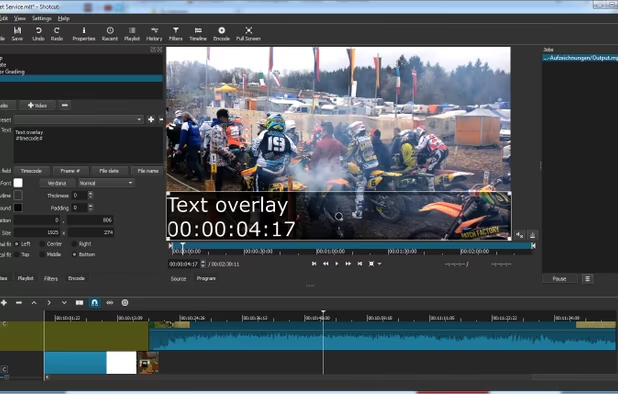
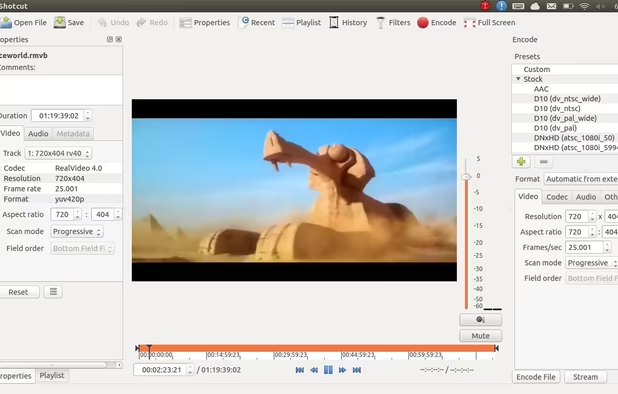
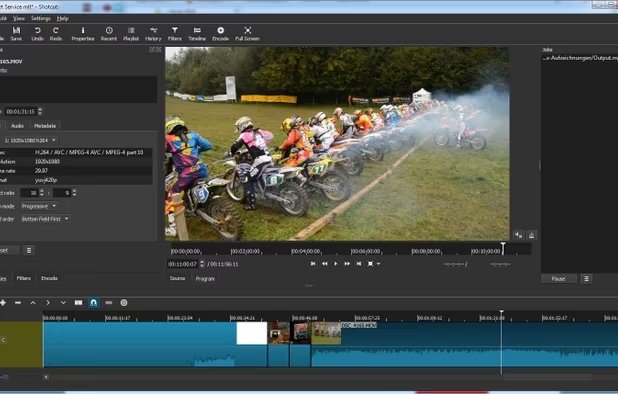
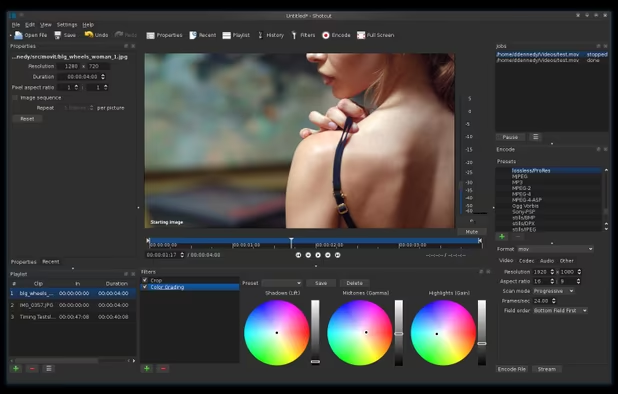
For open source video editing Shotcut is my recommandation as it's powerful and quite simple to learn and use.
Worth mentioning:  Nugget Video Editor


I said that DaVinci Resolve was a complete video editing software with awesome features ? Fusion is one of them. It's really professional and powerful. But as it's not layer based like Adobe After Effects you will need to relearn for a node based used.
Worth mentioning :  NUKE
NUKE


Natron is a really powerful and open source Adobe After Effects alternative. Like Blackmagic Design Fusion Natron is node-based so you'll need to learn how it works.


Based on  OpenToonz
For drawing animation check  Pencil2D
For Stop-Motion animation look at
Pencil2D
For Stop-Motion animation look at  Boats Animator


And that's it my list of Adobe free creating tools. Hope you find something interesting. Please like and share ^^ Also comment the one that you use !


Comments
I want to add some alternatives: RawTherapee - Lightroom,
 Flowblade - Premiere Pro,
 Wavacity and
  AudioMass - Audition.
Great list!
Addition of Clip Studio Paint as alternative for Photoshop for painting might be great. CSP itself is considered as industry standard software in webtoon or comic making, especially in Asia region. It has a lot of unique feature that Photoshop or Krita doesn't have.
Thanks 👍😊
You're welcome 😊