What's on my PC?

This is what I install on a new computer. Strong preference towards free and open source software. Hand picked.

amenthes
amenthesList by amenthes, last updated 
Copy a direct link to this comment to your clipboard
  1. First things first

    The very first things I need on every PC.

  2. My browser of choice. Here I set up FFSync and Privacy Badger. Goes on your PC first, because MS Edge is just there for downloading a decent browser.

    Cost / License

    • Free
    • Open Source

    Platforms

    • Mac
    • Windows
    • Linux
    • Android
    • iPhone
    • Android Tablet
    • BSD
    • iPad
    • AppImageHub
    • Snapcraft
    • Flathub
    • Samsung Galaxy Store
    • PortableApps.com
    • Haiku
    • Flatpak
    • Homebrew
    • Chocolatey
    • Gecko
    Firefox Desktop (Light Theme)
    Firefox Desktop (Dark Theme)
    Firefox iOS (Light Theme)
    +7
    Firefox iOS (Dark Theme)
  3. KeePassXC icon
     Like

    KeePass was my password manager for years, and KeePassXC is a good reimplementation of it. I'm mostly choosing this one because I also use it on linux. Otherwise I'd probably use the original KeePass on windows. This goes on the machine next, because it holds not only passwords but also software keys! Yes, the rest of the list is mostly FLOSS software, so this is much less of an issue nowadays.

    Cost / License

    • Free
    • Open Source

    Platforms

    • Mac
    • Windows
    • Linux
    • AppImageHub
    • Snapcraft
    • Microsoft Edge
    • Google Chrome
    • Flathub
    • PortableApps.com
    • Flatpak
    • Homebrew
    • Chocolatey
    • Mozilla Firefox
    Welcome Screen
    Unlock Database
    New Database Wizard
    +13
    New Database Wizard
  4. Nextcloud icon
     Like

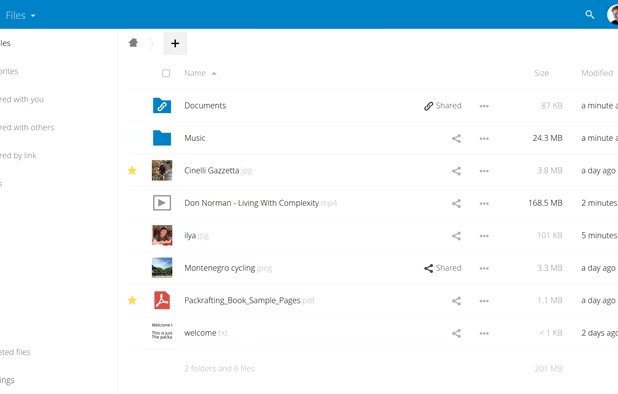
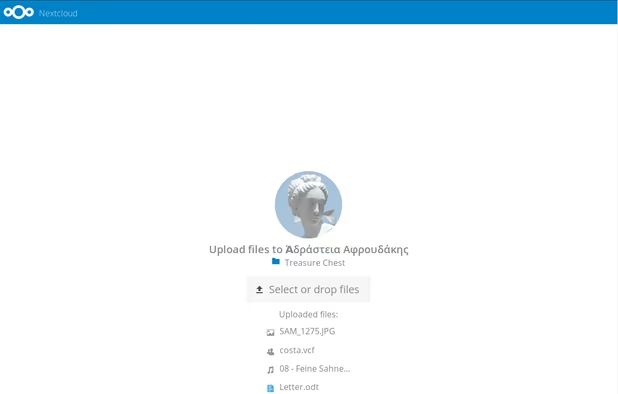
    The desktop sync client for nextcloud, which is where many of my files are stored.

    Cost / License

    • Free
    • Open Source

    Platforms

    • Mac
    • Windows
    • Linux
    • Online
    • Android
    • iPhone
    • Android Tablet
    • iPad
    • Self-Hosted
    • Snapcraft
    • F-Droid
    • Raspberry Pi
    • Cloudron
    • Docker Hub
    Simple and powerful file sync & share
    Simple upload even for people who don’t have Nextcloud
    Great Android & iOS apps to sync your files.
    +3
    Very easy theming
  5. Looking at stuff *quickly*

    Quickly is key, here.

    All of these are my default media handlers. All of them start up extremely quickly.

  6. nomacs icon
     Like

    Quickly starting image viewer with basic editing functionality (resize, crop, etc.) This has replaced IrfanView for me, because it is open source and also because of its support for SVG and transparency.

    Cost / License

    • Free
    • Open Source

    Application types

    Platforms

    • Mac
    • Windows
    • Linux
    • FreeBSD
    • Flathub
    nomacs screenshot 1
    nomacs screenshot 1
    nomacs screenshot 2
    +1
    nomacs screenshot 3
  7. Simple and quick PDF viewer. Especially useful is navigating across files with Ctrl+Shift+Left (or right). Also handles ebooks, but I don't use it much for that.

    Cost / License

    • Free
    • Open Source

    Application types

    Platforms

    • Windows
    SumatraPDF screenshot 1
    SumatraPDF screenshot 1
    SumatraPDF screenshot 2
    +3
    SumatraPDF screenshot 3
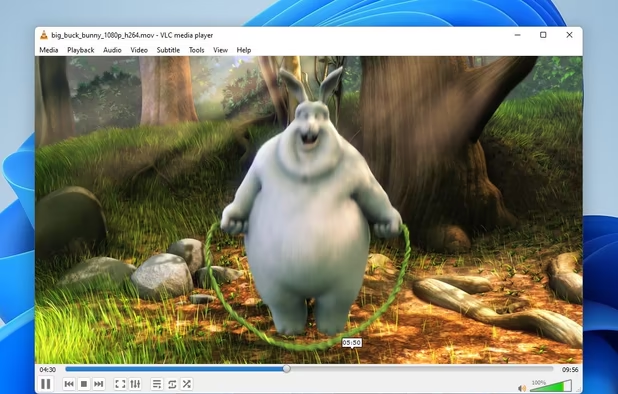
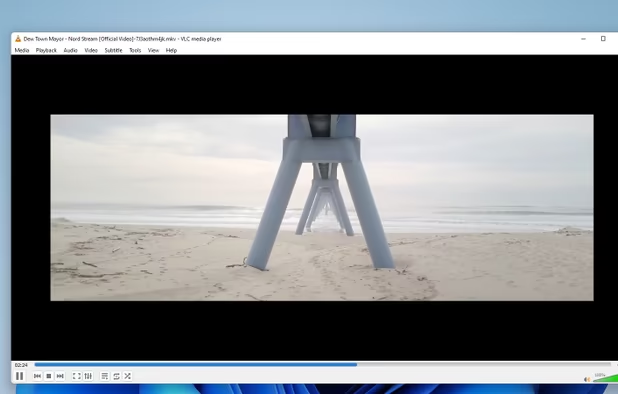
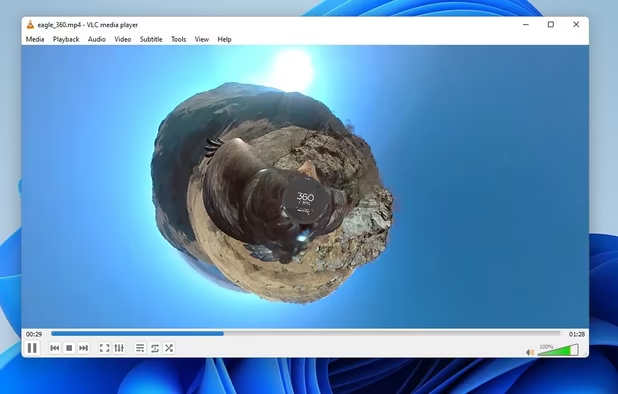
  8. Handles pretty much any video and audio format that you throw at it.

    Cost / License

    • Free
    • Open Source

    Application types

    Platforms

    • Mac
    • Windows
    • Linux
    • Android
    • iPhone
    • Android Tablet
    • BSD
    • iPad
    • AppImageHub
    • Apple Watch
    • Snapcraft
    • Google Chrome
    • Apple TV
    • Flathub
    • PortableApps.com
    • F-Droid
    • Kindle Fire
    • Haiku
    • Android TV
    • Homebrew
    • Chocolatey
    VLC Media Player screenshot 1
    VLC Media Player screenshot 1
    VLC Media Player screenshot 2
    +4
    VLC Media Player screenshot 3
  9. Dealing with Text and Terminals

    Yes, this has its own category. Yes, I use all of them, depending on what I do.

  10. VSCodium icon
     Like

    When I'm working on a project. This is almost VS Code, but only the MIT parts. A short while ago this would have been atom editor, but now I'm using this as well. Like everyone else.

    Cost / License

    • Free
    • Open Source

    Application types

    Platforms

    • Mac
    • Windows
    • Linux
    • Flathub
    • Electron
    • Snapcraft
    • Homebrew
    • Chocolatey
    VSCodium screenshot 1
  11. Notepad++ icon
     Like

    Opens quickly. This is my default handler for all text-based file formats (so it could also go in the "looking at stuff quickly" category). It highlights all formats that I usuallly encounter. Has a few neat tricks to work with text files and handles very large files as well.

    Cost / License

    • Free
    • Open Source

    Application types

    Platforms

    • Windows
    • PortableApps.com
    Notepad++ screenshot 1
    Notepad++ screenshot 1
    Notepad++ screenshot 2
    +10
    TextFX plugin menu
  12. I don't really know why I keep it around, but I simply like it.

    Cost / License

    • Freemium
    • Proprietary

    Application types

    Platforms

    • Mac
    • Windows
    • Linux
    Sublime Text screenshot 1
    Sublime Text screenshot 1
    Sublime Text screenshot 2
    +2
    Sublime Text screenshot 3
  13. Joplin icon
     Like

    Open source note-taking app with Markdown support, to-do integration, and synchronization with cloud services like Dropbox and OneDrive.

    Cost / License

    • Freemium
    • Open Source

    Platforms

    • Mac
    • Windows
    • Linux
    • Android
    • iPhone
    • Android Tablet
    • iPad
    • Self-Hosted
    • AppImageHub
    • Snapcraft
    • Google Chrome
    • Flathub
    • PortableApps.com
    • F-Droid
    • Cloudron
    • Homebrew
    • Chocolatey
    • Termux
    • Mozilla Firefox
    • Online
    Desktop and mobile apps
    Example
    Cli version!
    +3
    Table inside table with KaTeX Math notations.
(Live-editing with Vim)
  14. KDiff3 icon
     Like

    Nice GUI diff tool that lets you do a 2- or 3-way-comparison graphically.

    Cost / License

    • Free
    • Open Source

    Platforms

    • Mac
    • Windows
    • Linux
    • Flathub
    • KDE Plasma
    KDiff3 screenshot 1
  15. Cmder icon
     Like

    Tabbed terminal for windows, also includes the usual unix tools (ls, find and so on) which is nice to have. Defaults could be better, but you can configure it quite extensively.

    Cost / License

    • Free
    • Open Source

    Application types

    Platforms

    • Windows
    • clink
    • ConEmu
    • Windows Command Prompt
    • PowerShell
    Cmder screenshot 1
    Vim
    Split View
  16. Alacritty icon
     Like

    This is fairly new on this list, but it certainly beats pure

    Cost / License

    • Free
    • Open Source

    Application type

    Platforms

    • Mac
    • Windows
    • Linux
    • BSD
    Alacritty screenshot 1
    Alacritty screenshot 1
  17. PuTTY icon
     Like

    Windows now includes OpenSSH by default, but PuTTY can also connect to serial ports.

    Cost / License

    • Free
    • Open Source

    Platforms

    • Windows
    • Linux
    • BSD
    • PortableApps.com
    • ReactOS
    PuTTY screenshot 1
    Tunnels interface
    PuTTY screenshot 2
  18. Dealing with files

    computering is a ton of managing files. So here are some of the tools I use.

  19. Git icon
     Like

    How else would you keep track of your projects?

    Cost / License

    • Free
    • Open Source

    Application type

    Platforms

    • Mac
    • Windows
    • Linux
    • Android
    • iPhone
    • Chrome OS
    • Android Tablet
    • BSD
    • Linux Mobile
    • Haiku
  20. 7-Zip icon
     Like

    HANDLE ALL THE COMPRESSED FILE FORMATS. (could also go in "looking at stuff QUICKLY")

    Cost / License

    • Free
    • Open Source

    Platforms

    • Mac
    • Windows
    • Linux
    • BSD
    • PortableApps.com
    • ReactOS
    Main Window
    Add to Archive
    Options
  21. This backs up all my files to a different drive. It can do much more, but that's all I need.

    Cost / License

    • Freemium
    • Open Source

    Platforms

    • Mac
    • Windows
    • Linux
    • Flathub
    • PortableApps.com
    • Chocolatey
    Windows
    macOS
    openSUSE Linux
    +7
    Expressive progress dialogs
  22. FileZilla icon
     Like

    If I ever need to move files to or from a server via FTP or SFTP, FileZilla is usually the easiest way for me.

    Cost / License

    • Freemium
    • Open Source

    Application types

    Platforms

    • Mac
    • Windows
    • Linux
    • BSD
    • PortableApps.com
    • ReactOS
    • Haiku
    FileZilla screenshot 1
    FileZilla screenshot 1
  23. Communication

  24. I have set Thunderbird up in a way that I like. I think it's good software. It's not fancy, but it works very well for me.

    Cost / License

    • Free
    • Open Source

    Application types

    Platforms

    • Mac
    • Windows
    • Linux
    • Android
    • BSD
    • AppImageHub
    • Snapcraft
    • Flathub
    • PortableApps.com
    • F-Droid
    • Haiku
    • Homebrew
    • Chocolatey
    Thunderbird screenshot 1
    Thunderbird screenshot 1
    Thunderbird screenshot 2
    +8
    Thunderbird screenshot 3
  25. Creating things

  26. I spend much time in Calc and Impress, and they work well for all the things I throw at them. No need to use MS Office, in my opinion.

    Cost / License

    • Free
    • Open Source

    Platforms

    • Mac
    • Windows
    • Linux
    • Android
    • BSD
    • Snapcraft
    • Flathub
    • PortableApps.com
    • F-Droid
    • Flatpak
    LibreOffice Writer on Linux
    LibreOffice Calc on Linux
    Main menu (old version)
    +8
    LibreOffice Writer on Windows 7
  27. Krita icon
     Like

    If you're using GIMP and hate it, try Krita instead. It's actually usable software.

    Cost / License

    • Free
    • Open Source

    Application type

    Platforms

    • Mac
    • Windows
    • Linux
    • Android Tablet
    • KDE Plasma
    • Epic Games Store
    • PortableApps.com
    • Steam
    • F-Droid
    Main Window
    Startup page with news
    Brush editor
    +3
    Gamut Mask editor
  28. Inkscape icon
     Like

    Basic vector drawing software. I have to admit that I do not particularly like it, but I also found no real FLOSS alternative, yet.

    Cost / License

    • Free
    • Open Source

    Platforms

    • Mac
    • Windows
    • Linux
    • BSD
    • Snapcraft
    • Flathub
    • PortableApps.com
    • Haiku
    Inkscape screenshot 1
    Inkscape screenshot 1
    Inkscape screenshot 2
    +8
    Inkscape screenshot 3
  29. FreeCAD icon
     Like

    Constructing things for manufacturing, I mostly use this to prepare 3d-printed structural parts in projects.

    Cost / License

    • Free
    • Open Source

    Application types

    Platforms

    • Mac
    • Windows
    • Linux
    • BSD
    • Snapcraft
    • Flathub
    • PortableApps.com
    • Flatpak
    FreeCAD screenshot 1
    FreeCAD screenshot 1
    FreeCAD screenshot 2
    +5
    FreeCAD screenshot 3
  30. Blender icon
     Like

    3d modeling and rendering software. I don't think this needs any further introduction.

    Cost / License

    • Free
    • Open Source

    Application types

    Platforms

    • Mac
    • Windows
    • Linux
    • BSD
    • Flathub
    • PortableApps.com
    • Haiku
    • Steam
    • Flatpak
    • Snapcraft
    Splash Artwork for Blender 4.3
    Cycles Render Engine
    Modeling, Sculpt, UV
    +9
    VFX
  31. digiKam icon
     Like

    I used to manage my photos with Lightroom 6, but the recent trend towards renting software prevented me from updating that any further. DigiKam can do most things I did with lightroom quite well. It also does some things much better, like tagging people in photos.

    Cost / License

    • Free
    • Open Source

    Application types

    Platforms

    • Mac
    • Windows
    • Linux
    • BSD
    • KDE Plasma
    • Flathub
    • Qt
    Image editor
    Light table
    Import from camera
    +10
    Tagging
  32. HandBrake icon
     Like

    Essentially a gui for ffmpeg, for when I really don't want to bother with the CLI for a given task.

    Cost / License

    • Free
    • Open Source

    Platforms

    • Mac
    • Windows
    • Linux
    • BSD
    • Snapcraft
    • Flathub
    • Flatpak
    • Haiku
    HandBrake screenshot 1
    HandBrake screenshot 1
    HandBrake screenshot 2
  33. Various Tools

  34. I want winamp back. And the original winamp team. And that Llama. Until then, MediaMonkey has a great library functionality.

    Cost / License

    • Freemium
    • Proprietary

    Application types

    Platforms

    • Windows
    • Android
    MediaMonkey screenshot 1
    MediaMonkey screenshot 1
    MediaMonkey screenshot 2
    +2
    MediaMonkey screenshot 3
  35. I really want to switch to an open source music program that's available across platforms. Currently, MediaMonkey is still my go-to player, but Strawberry is probably what I will be using in the future.

    Cost / License

    • Free
    • Open Source

    Application types

    Platforms

    • Windows
    • Linux
    • BSD
    • Haiku
    Strawberry screenshot 1
    Strawberry screenshot 1
    Strawberry screenshot 2
  36. ManicTime icon
     Like

    I keep track of all the things I do on my computer. This can be completely offline and local.

    Cost / License

    • Paid
    • Proprietary

    Platforms

    • Mac
    • Windows
    • Linux
    • Android
    Tag for a Time Period
    Tools and Settings
    Day Time-Report
    +1
    Features: Free & Professional Version
  37. Simple tasks like taking out the foreign languages from PDF manuals or rotating scanned pages can be easily done with this.

    Cost / License

    • Free
    • Open Source

    Application types

    Platforms

    • Windows
    • Linux
    • Flathub
    • Snapcraft
    Export selection only. Export each selected page to a file. Export all pages to files.
    Edit properties
    Edit properties. Ubuntu.
    +4
    Crop selected pages
  38. Barrier icon
     Like

    If you have more than one computer on your desk, use Barrier to share mouse and keyboard among them. Fork of Synergy, which is run into the ground by the people maintaining it and which is also becoming less and less free and open source software. So, just switch and be happy!

    Cost / License

    • Free
    • Open Source

    Platforms

    • Mac
    • Windows
    • Linux
    • FreeBSD
    • OpenBSD
    Barrier screenshot 1
    Barrier screenshot 1
    Barrier screenshot 2
    +1
    Barrier screenshot 3
  39. GnuCash icon
     Like

    Not exactly a recommendation. I use it, but mostly because I have nothing else. If you want to have a particularly bad time, try setting up HBCI/FinTS.

    Cost / License

    • Free
    • Open Source

    Platforms

    • Mac
    • Windows
    • Linux
    • BSD
    • PortableApps.com
    • Flathub
    Account Tree Display
    Account Tree Display
    Account Register Display
    +9
    Report Window
  40. As a developer dealing with APIs here and there, I commonly need an easy way to experiment with those APIs. ARC is a good way to do that.

    Cost / License

    • Free
    • Open Source

    Application types

    Platforms

    • Mac
    • Windows
    • Linux
    • Chrome OS
    • AppImageHub
    • Google Chrome
    • Chromium
    Advanced REST Client screenshot 1
    Advanced REST Client screenshot 1
    Advanced REST Client screenshot 2
  41. Quick way to see the temperature of any interesting piece of hardware in your computer. Or if you really can't remember what mainboard you chose. Recently this seems to have been discontinued. Right now it still supports everything I need, but I might switch to LibreHardwareMonitor in the future.

    Cost / License

    • Free
    • Open Source

    Platforms

    • Windows
    • Mono
    On Windows 7
    On Debian Linux 6.0 using the Mono Framework.
Page 1 of 2
No comments so far, maybe you want to be first?
Gu