


Wireshark
992 likes
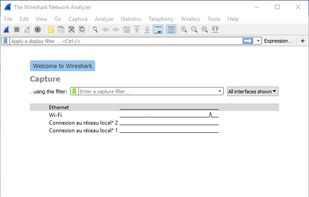
Wireshark is a premier network protocol analyzer used globally in industries and education, offering multi-platform support, deep protocol inspection, powerful display filters, and VoIP analysis. It allows both live capture and offline analysis, supporting various networks and protocols.

Cost / License
- Free
- Open Source (GPL-2.0)
Application typeApplication types
Platforms
- Mac
- Windows
- Linux
- BSD
- Snapcraft
- Arch Linux
- Flathub
- Fedora
- FreeBSD
- Homebrew
- Chocolatey

Features
Highlights All activities
Wireshark News & Activities
Recent News
- Mauricio B. Holguin published news article about Wireshark
- Paul published news article about Wireshark
- Paul published news article about Wireshark


Recent activities
 secman added Wireshark as alternative to Cloak Proxy
- humble-advisor liked Wireshark
- freshscansentry liked Wireshark
- escolhas liked Wireshark
- Mayank Tripathi liked Wireshark
- gdaz8lhqgo liked Wireshark
 aiXis Studio added Wireshark as alternative to Snitch Network Visualizer
- Yannick Boog liked Wireshark
- Abdullah-3468 liked Wireshark


Open/Free soft must have
Must have


My Windows Setup
These are all the software I use on my windows machine. I am privacy freak. So, I mostly use open source software. Checkout "My Firefox setup" list for firefox extensions.


A Software Engineer Work Essentials
An up to date list of what I need in order to do my job.
Official Links
Install from the command line
winget install -e --id WiresharkFoundation.Wiresharkbrew install --cask wireshark-appbrew install wiresharkflatpak install flathub org.wireshark.Wireshark
Developed by
 Wireshark Foundation
 Licensing
Open Source (GPL-2.0) and Free product.Rating
Average rating of 4.4Alternatives
67 alternatives listedNews
3 news article related to WiresharkBadge
Get an embeddable badge for WiresharkSupported Languages


Comments and Reviews
Very feature complete tool. Negatives are its complexity for simple tasks and the frustration to get it running sometimes.
Something is really dodgy about last release of wireshark 3.4.0, the DMG is damaged (broken!)
Excellent tool with recently added improvements, useful for learning and understanding networking.
Not super easy to use, but perfect for troubleshooting network connectivity issues
Wireshark is class when it comes to monitoring your network for weird activity. I use this so I know what my computer is actually connecting to. Does require some knowledge to use it though
I like it because it has so many features...
Allows you to figure out who and which software is using your network. Helps detect intruders and software that spies on you.