


Alacritty
74 likes
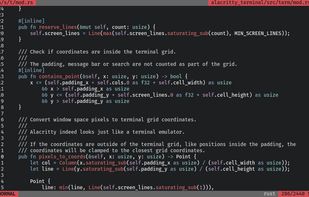
Alacritty is a blazing fast, GPU accelerated terminal emulator. It’s written in Rust and uses OpenGL for rendering to be the fastest terminal emulator available. Alacritty is available on GitHub in source form.

Cost / License
- Free
- Open Source (Apache-2.0)
Application type
Platforms
- Mac
- Windows
- Linux
- BSD
- Linux Mobile


Features
Alacritty News & Activities
Highlights All activities
Recent News
- Fla published news article about Alacritty
- Fla published news article about Alacritty
- Paul published news article about Alacritty


Recent activities
 Ioannis-Makris added Alacritty as alternative to vnm_terminal
 Bobby Coleman added Alacritty as alternative to Oxide Terminal
- benji127 liked Alacritty
- Croco Loki liked Alacritty


Featured in Lists


AI Slopfree Software Catalog
A more optimistic homage to the slopware catalog https://alternativeto.net/lists/44427/slopware/, this list is designed to showcase projects, both FOSS and proprietary, which reject contributions from Generative AI LLM slop machines. The most pessimistic thing about this list is how short it is and how so many commonly used software solutions and websites are not included.
I have to give it up to the following sites for providing references:
https://codeberg.org/brib/slopfree-software-index
https://github.com/melissawm/open-source-ai-contribution-policies
There are a lot more projects on this list which I didn't include because they aren't on AlternativeTo (yet). I'll be adding more entries to this site (and removing those who fold to the AI overlords) on a regular basis. I'm including references, which are all first-hand declarations from the development teams for each entry to ensure items aren't included based on hearsay or conjecture.
Updated 10-2-2026


What's on my PC?
This is what I install on a new computer. Strong preference towards free and open source software. Hand picked.



phant's software list
my software list, mostly open-source.I have used the vast majority of the software listed there myself for a long time.
This software list open-source/free/freemium apps for Windows 10/11 that I would recommend.This also includes tools for CS/EE background developer.
This list is designed to highlight excellent software in a particular area, so you don’t need to install all the software on the list. You should only consider installing the software I’ve selected when you have a need that falls under a specific section of the list.
What is Alacritty?
Alacritty information
Developed by
 Joe Wilm
 Licensing
Open Source (Apache-2.0) and Free product.Written in
Rating
Average rating of 4.2Alternatives
109 alternatives listedNews
3 news article related to AlacrittyBadge
Get an embeddable badge for AlacrittySupported Languages

AlternativeTo Category
OS & UtilitiesGitHub repository
- 65,880 Stars
- 3,630 Forks
- 342 Open Issues
- Updated


Comments and Reviews
Sadly no support for ligatures :(
For now it's my favorite terminal emulator. It's fast, lightweight, and customizable.
Very fast. Well thought out configuration system that uses TOML.
Nice and lightweight (not another bloody electron app), but doesn't do tabs for some reason. Also configuring it means editing a yaml file, which is great if that's your bag, but it's a little tedious if I just want to tweak something. With tabs and a settings dialog this would be a killer app.
Still missing some essntial functionality in my book, such as tabs. Using a screen multiplexer or tiled window manager is not always an option.
I don't notice much of a difference between Alacritty and XTerm in terms of performance (however the difference between Konsole and the likes is huge).
It's superb for tmux usage, since it does not have keyboard shortcuts taken or even the top menu taking screen space (alt button is free too). I would still like a menu on right click or something though out since configurations will be mainly done by modifying text files instead of a GUI like in other terminal emulators.
Fast, customizable, simple, light