





Waffle Terminal
1 like
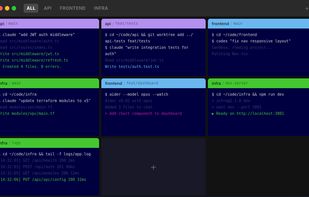
Automatically tiles and organizes all terminal sessions in one native macOS window, scaling layouts from fullscreen to grid, grouping sessions by project with color-coding, enabling instant filtering, supporting any CLI tool, and requiring zero configuration.

Cost / License
- Free
- Proprietary
Application type
Platforms
- Mac

Features
Waffle Terminal News & Activities
Highlights All activities
Recent News
No news, maybe you know any news worth sharing?
Share a News Tip
Recent activities
 Ioannis-Makris added Waffle Terminal as alternative to vnm_terminal
 Bobby Coleman added Waffle Terminal as alternative to Oxide Terminal
 Paul added Waffle Terminal as alternative to Yorishiro
 abnerlee added Waffle Terminal as alternative to Otty
 Paul added Waffle Terminal as alternative to cterm
 Paul added Waffle Terminal as alternative to Ghostel
 Paul added Waffle Terminal as alternative to Herdr
 Paul added Waffle Terminal as alternative to boo
 Paul added Waffle Terminal as alternative to RMUX
 Paul added Waffle Terminal as alternative to Ratty


Waffle Terminal information
Developed by
 Oliver Palmer
 Licensing
Proprietary and Free product.Alternatives
64 alternatives listedBadge
Get an embeddable badge for Waffle TerminalSupported Languages


No comments or reviews, maybe you want to be first?