
Muxy icon
Muxy icon

Muxy

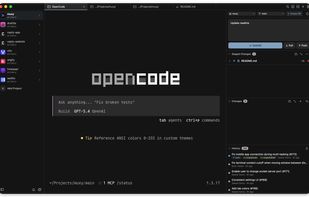
Muxy is a lightweight, memory-efficient terminal app for macOS, built with SwiftUI and libghostty. It offers a project-based workflow to organize terminals by project with persistent workspace state, vertical tabs with drag-and-drop reordering, pinning, and renaming, as well as...
Muxy screenshot 1

Cost / License

  • Free
  • Open Source (MIT)

Application type

Platforms

  • Mac
0likes
0comments
0articles

Features

Properties

  1.  Lightweight
  2.  Support for Themes

Features

  1.  No Tracking
  2.  Dark Mode
  3.  No registration required

Muxy News & Activities

Highlights All activities

Recent activities

  • POX updated Muxy
  • scorpion7slayer updated Muxy
  • POX updated Muxy
  • scorpion7slayer added Muxy
  • App icon
    scorpion7slayer added Muxy as alternative to Ghostty, Tabby, Termux and Windows Terminal + 47 similar activities

Muxy information

  • Developed by

    DE flagmuxy-app
  • Licensing

    Open Source (MIT) and Free product.
  • Written in

  • Alternatives

    51 alternatives listed
  • Supported Languages

    • English

AlternativeTo Categories

AI Tools & ServicesOS & Utilities

GitHub repository

  •  801 Stars
  •  77 Forks
  •  16 Open Issues
  •   Updated  
View on GitHub

Popular alternatives

View all
Muxy was added to AlternativeTo by scorpion7slayer on and this page was last updated .
No comments or reviews, maybe you want to be first?

What is Muxy?

Muxy is a lightweight, memory-efficient terminal app for macOS, built with SwiftUI and libghostty. It offers a project-based workflow to organize terminals by project with persistent workspace state, vertical tabs with drag-and-drop reordering, pinning, and renaming, as well as horizontal and vertical split panes with keyboard navigation.

Key features include a built-in VCS panel with Git status, diffs (unified and split), commit history, branch picker, and PR creation via gh, plus Git worktree management. A file tree browser, project-wide "find in files" search, quick open, and a command palette let you stay keyboard-first.

Muxy also ships a native lightweight text editor with syntax highlighting, Markdown preview, and live AI usage tracking for tools like Claude Code, Codex, Cursor, Copilot, Amp, and more. A rich input panel supports multi-line messages with image attachments, and mobile companion apps (iOS & Android) let you control your Mac terminals remotely. With 200+ Ghostty themes, 40+ configurable shortcuts, workspace persistence, in-terminal search, drag-and-drop tab management, and auto-updates via Sparkle, Muxy is a full-featured developer terminal for macOS 14+.

Official Links

