
Saggar icon
Saggar icon

Saggar

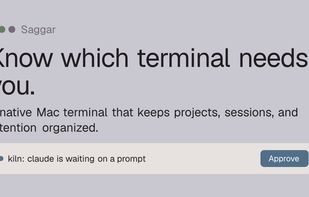
A native Mac terminal that keeps projects, sessions, and attention organized. Saggar tracks what is working, waiting, finished, and failed, then brings the sessions that need you to the front.
Saggar screenshot 1

Cost / License

  • Free
  • Proprietary

Platforms

  • Mac
  • Homebrew
  • Online
0likes
0comments
0articles

Features

Properties

  1.  Support for Themes

Features

  1.  Works Offline
  2.  No registration required
  3.  Dark Mode
  4.  Ad-free
  5.  Shell integration
  6.  Apple Silicon support

Saggar News & Activities

Highlights All activities

Recent activities

Saggar information

  • Developed by

    GB flagMarginal Utility
  • Licensing

    Proprietary and Free product.
  • Alternatives

    14 alternatives listed
  • Supported Languages

    • English

AlternativeTo Categories

OS & UtilitiesSystem & Hardware

Popular alternatives

View all
Saggar was added to AlternativeTo by Paul on and this page was last updated .
No comments or reviews, maybe you want to be first?

What is Saggar?

Know which terminal needs you.

A native Mac terminal that keeps projects, sessions, and attention organized.

Run shells, dev servers, tests, and coding agents across several projects while Saggar tracks what is working, waiting, finished, and failed. Sessions that need a decision stay visible without pulling you away from the terminal you are using. Pair the Companion to check in and respond from your phone while you are away.

Keep several agents moving

One agent is editing, another is running tests, and a third is waiting at a permission prompt. A fourth finished ten minutes ago. Ordinary terminals show four tabs, but not which one needs you.

Saggar keeps each status visible, moves active work out of the way, and collects sessions that need a decision into one queue.

The supervision loop

  • Start work across projects: Run agents, shells, dev servers, and tests across every codebase. Each session stays attached to its project, branch, and worktree.
  • Leave working agents alone: Sessions classify themselves as needs you, working, idle, finished, or failed. Working sessions stay out of the way. Prompts, failures, and finished work remain visible.
  • Handle what needs you: Waiting prompts and finished work form one ordered queue. Answer from the attention card, or press ?J to move through it by priority.
  • Step away without losing the thread: Pair the Companion to see what your sessions are doing while you are out. Inspect a terminal, answer its prompt, interrupt a runaway, or type into it.

Saggar Videos
