Xenmaster's Top 40 FOSS Desktop Applications for Linux

I'm a big fan of Linux and have been using it consistently as my desktop daily driver since 2012. In that time, I've used a lot of software and these are the picks I come back to consistently. I don't live in the terminal with a tiling window manager, but also don't fear the command line.

There are lots of opinions and lists for terminal-centric Linux operators, hard core developers, and free software enthusiasts, but I haven't seen many for casual users just looking to do boring stuff. This is my humble list which includes practical applications, system tools to keep things running, and details on terminal specific software I use.

I'm not going to list Linux distros here because no matter what I am using because nearly all of these can be found in Fedora, Debian, and Arch derived distros (which is most beginner-friendly distros).

Alex Ruiz
Alex RuizList by Alex Ruiz, last updated 
Copy a direct link to this comment to your clipboard
  1. Desktop Applications

    When I am using desktop Linux, I use the desktop environment and prefer a stacking/floating window setup to a tiling one.

    I don't do fancy gaming and prefer using my computer to perform simple tasks. I have many more applications installed, but these get the most use:

  2. Xfce icon
     Like

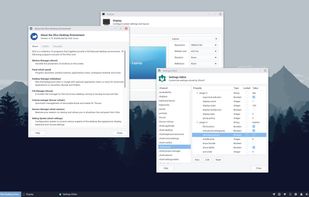
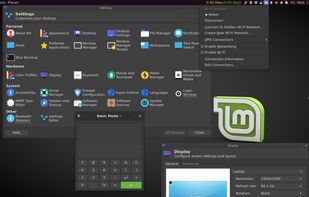
    My default go to for a desktop environment. Lightweight and yet has great features and built in utilities. Also has excellent dark mode options.

    Cost / License

    • Free
    • Open Source

    Platforms

    • Linux
    • BSD
    Xfce 4.14
    Xfce screenshot 1
    Xfce screenshot 2
  3. Mousepad icon
     Like

    Default XFCE text editor. I used to use Gedit, but now prefer Mousepad since it doesn't require additional installation and works really well with markdown, spell-check and other add-ons.

    Cost / License

    • Free
    • Open Source

    Application types

    Platforms

    • Linux
    • BSD
    • Flathub
    • Xfce
    Mousepad screenshot 1
    Mousepad screenshot 1
  4. Thunar icon
     Like

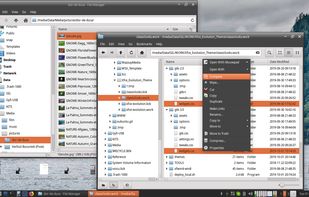
    Default file manager for XFCE. Does what it says on the tin without complaints.

    Cost / License

    • Free
    • Open Source

    Platforms

    • Mac
    • Linux
    • BSD
    • Xfce
    • MacPorts
    • XQuartz
    Thunar screenshot 1
    Thunar screenshot 1
    Thunar screenshot 2
  5. VeraCrypt icon
     Like

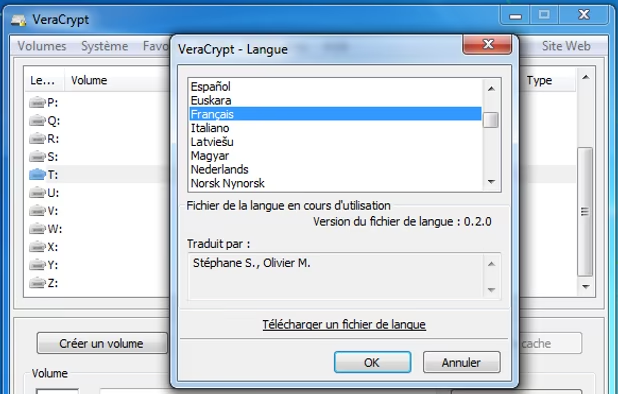
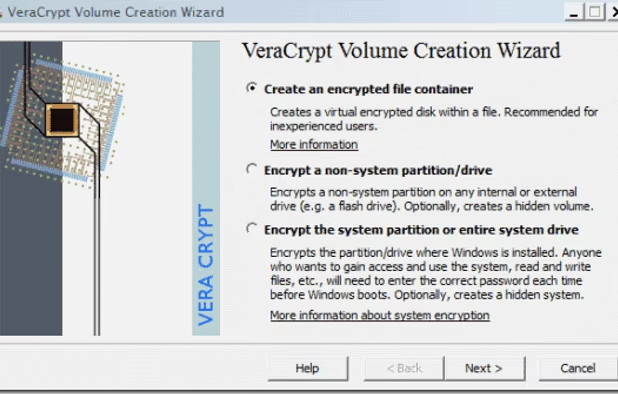
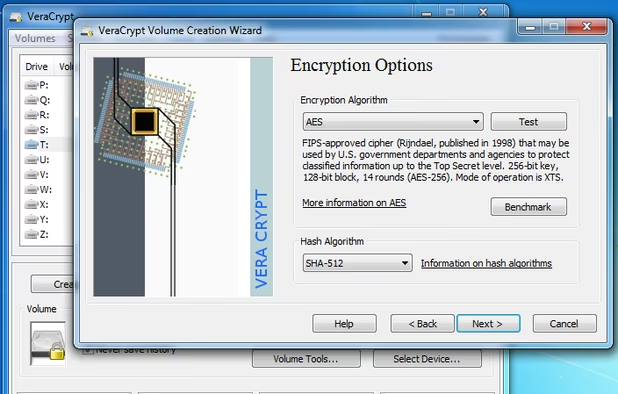
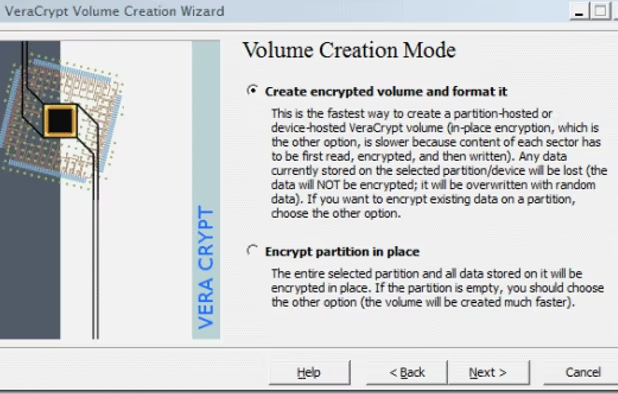
    All my external hard drives and flash USB drives are encrypted so VeraCrypt is a must!

    Cost / License

    • Free
    • Open Source

    Application type

    Platforms

    • Mac
    • Windows
    • Linux
    • BSD
    • PortableApps.com
    • Homebrew
    • Chocolatey
    Langage
    VeraCrypt screenshot 1
    Encrypted volume wizard. Step 1.
    +8
    Encrypted volume wizard. Step 3.
  6. Viewnior icon
     Like

    Very simple image viewer. Nothing fancy and doesn't need to be! I use this for viewing images I download off the internet and which I take with my digital camera.

    Cost / License

    • Free
    • Open Source

    Application type

    Platforms

    • Linux
    • Xfce
    Viewnior screenshot 1
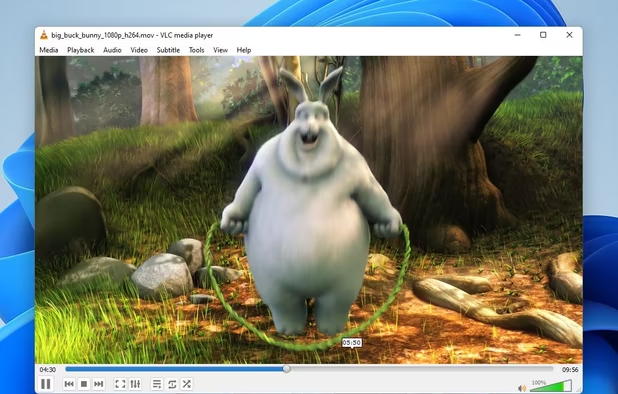
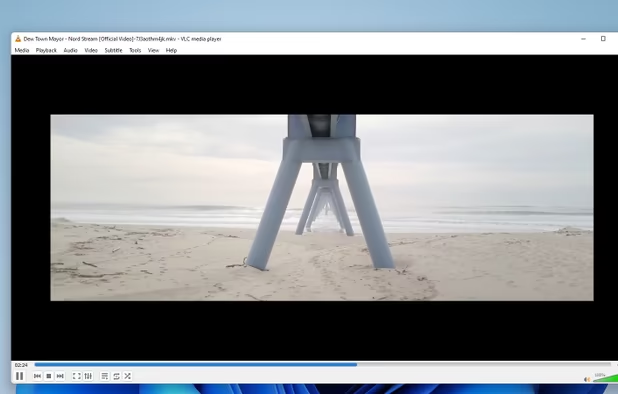
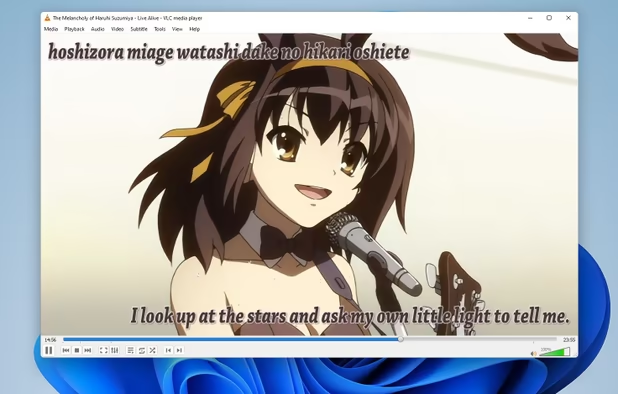
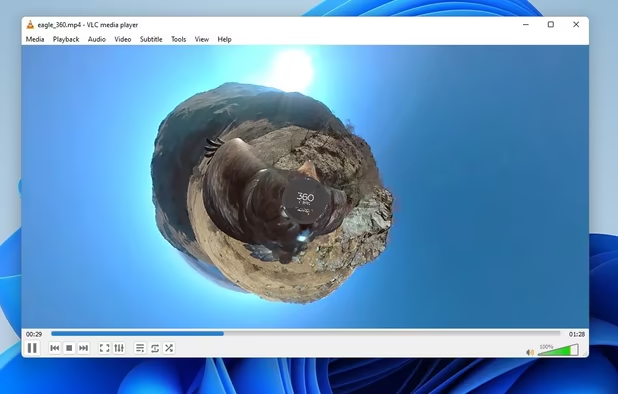
  7. With the right plugins installed, this beast will play any video file! I use for playing videos I download off the internet or capture with my video camera. Doesn't play nice with dark mode in XFCE though? :(

    Cost / License

    • Free
    • Open Source

    Application types

    Platforms

    • Mac
    • Windows
    • Linux
    • Windows Mobile
    • Android
    • iPhone
    • Android Tablet
    • BSD
    • HUAWEI AppGallery
    • iPad
    • AppImageHub
    • Apple Watch
    • Snapcraft
    • Google Chrome
    • Apple TV
    • Flathub
    • PortableApps.com
    • F-Droid
    • Kindle Fire
    • Haiku
    • Android TV
    • Homebrew
    • Chocolatey
    • Xbox
    VLC Media Player screenshot 1
    VLC Media Player screenshot 1
    VLC Media Player screenshot 2
    +4
    VLC Media Player screenshot 3
  8. Evince icon
     Like

    Great little PDF file reader. Doesn't have all the fancy bells and whistles of Adobe Reader and doesn't need them.

    Cost / License

    • Free
    • Open Source

    Application types

    Platforms

    • Linux
    • Flathub
    • PortableApps.com
    • GNOME
    Evince screenshot 1
    Evince screenshot 1
    Evince screenshot 2
    +3
    Evince screenshot 3
  9. I do financial planning and make fun lists in Libreoffice Calc. It's not as powerful as Microsoft Excel, but for most simple tasks, it gets the job done.

    Cost / License

    • Free
    • Open Source

    Platforms

    • Mac
    • Windows
    • Linux
    • BSD
    • PortableApps.com
    • ReactOS
    • Flathub
    LibreOffice - Calc screenshot 1
    LibreOffice - Calc screenshot 1
    LibreOffice - Calc screenshot 2
  10. draw.io icon
     Like

    I do a lot of fun diagrams, including programming logic, network topology, and other maps, and find drawio to be a great tool. Saves files in XML format. Only major downside is that it's an electron app so it's heavy.

    Cost / License

    • Free
    • Open Source

    Platforms

    • Mac
    • Windows
    • Linux
    • Online
    • Chrome OS
    • Notion
    • Self-Hosted
    • Nextcloud
    • Microsoft SharePoint
    • Flathub
    • Microsoft OneDrive
    • PortableApps.com
    • Google Drive
    • Google Docs
    • Microsoft Teams
    • Google Slides
    • Flatpak
    • Google Sheets
    Use the diagram editor in dark mode. Go to app.diagrams.net/?splash=0&ui=dark
    Windows Desktop App
    Whiteboarding example
    +9
    draw.io screenshot 3
  11. PyCharm icon
     Like

    I am practicing python programming and this is a great, all bits included IDE for python. While it may be heavy for some, I prefer a fully stacked integrated development environment with batteries included all built by one trusted party compared to building one from a text editor like vscode using third party extensions I don't trust. One of the few times I think more is better!

    Cost / License

    • Freemium
    • Open Source

    Application types

    Platforms

    • Mac
    • Windows
    • Linux
    • BSD
    PyCharm screenshot 1
    PyCharm screenshot 1
  12. My favorite hierarchical note-taker for fancy notes. Includes support for tables, rich text, and formatting for tons of programming languages (it can even run python scripts!). Also has options to save notes in encrypted format. All files are saved in open XML and SQLite files.

    Cost / License

    • Free
    • Open Source

    Platforms

    • Mac
    • Windows
    • Linux
    • Flathub
    • PortableApps.com
    • Flatpak
    CherryTree screenshot 1
    CherryTree screenshot 1
    CherryTree screenshot 2
    +3
    CherryTree screenshot 3
  13. File and Disk Tools

    I use these utilities less frequently, but see a lot of use when I am re-installing operating systems, doing backup or file management processes, or managing disks.

  14. Catfish icon
     Like

    Useful for doing file searches, including content search. Only downside is it can't peek into Cherrytree or Libreoffice files. :(

    Cost / License

    • Free
    • Open Source

    Application type

    Platforms

    • Linux
    • BSD
    • GTK
    • Xfce
    Catfish screenshot 1
    Catfish screenshot 1
  15. Basic file compression tool. Used for opening and creating .zip and other archive files.

    Cost / License

    • Free
    • Open Source

    Platforms

    • Linux
    • Flathub
    • GNOME
    • Linux Mobile
    File Roller screenshot 1
  16. When I need to do a quick search to find out why a disk is full, I reach for baobab.

    Cost / License

    • Free
    • Open Source

    Application type

    Platforms

    • Mac
    • Linux
    • BSD
    • Flathub
    • FreeBSD
    • GNOME
    • Homebrew
    Baobab Disk Usage Analyzer screenshot 1
    Baobab on Xubuntu
    Full scan, rings chart
    +1
    Full scan, treemap chart
  17. GParted icon
     Like

    Graphical front end for the parted disk utility. Useful when I am messing around with disks for installing and uninstalling partitions.

    Cost / License

    • Free
    • Open Source

    Platforms

    • Linux
    GParted screenshot 1
    GParted screenshot 1
    GParted Live boot menu.
    +2
    GParted screenshot 3
  18. Graphical interface for smartctl hard disk diagnostic tools. Great for checking disk health.

    Cost / License

    • Free
    • Open Source

    Platforms

    • Mac
    • Windows
    • Linux
    • BSD
    Main window - All drives pass the health self-check
    Main window - One of the drives is failing
    Drive information window - General information
    +7
    Drive information window - A failing drive, attribute list
  19. grsync icon
     Like

    A graphical user interface for the rsync command-line tool. Used for all my backup operations.

    Cost / License

    • Free
    • Open Source

    Application type

    Platforms

    • Windows
    • Linux
    • Xfce
    How it looks when it's using your system GTK libraries
    Official screenshot, taken when GTK looked like that
  20. Flatseal icon
     Like

    Graphical interface for managing flatpak permissions. Important for doing basic things with a sandboxed flatpak, like saving a file to a local usb disk from a flatpakked browser or saving an image file from a flatpakked image editor.

    Cost / License

    • Free
    • Open Source

    Platforms

    • Linux
    • Flathub
    • Flatpak
    Dark theme. And allow access to "Other files" or folders.
    Flatseal screenshot 1
    Flatseal screenshot 2
    +1
    Flatseal screenshot 3
  21. Goobox icon
     Like

    A tool I use for ripping CDs I own. Many of my old disks are old and starting to degrade and skip, so having digital copies is a great backup.

    Cost / License

    • Free
    • Open Source

    Application types

    Platforms

    • Linux
    The main window while playing a CD
    The extract dialog
    The CD properties dialog allows to search metadata by title
    +4
    You can choose a cover from the Internet
  22. Terminal Tools

    I spend time in the terminal mostly to do admin work. Here are some common tools I use for these jobs.

  23. xterm icon
     Like

    Default terminal for XFCE. You won't get the bells and whistles that come with fancy terminal emulators like Alacritty or Ghostty, but works reliably well for most tasks.

    Cost / License

    • Free
    • Open Source

    Application types

    Platforms

    • Mac
    • Linux
    • BSD
    xterm screenshot 1
  24. Bash is the go to standard for the terminal because it's tried and true. Why mess with success?

    Cost / License

    • Free
    • Open Source

    Application types

    Platforms

    • Linux
    • BSD
    • Linux Mobile
    • Mac
    Bash using the ls command
  25. 90% of the work I do in the terminal is using the core utilities. I can ls and cd with the best of them and destroy disks (dd) like nobody's business.

    Cost / License

    • Free
    • Open Source

    Platforms

    • Linux
  26. GNU nano icon
     Like

    I used vi/vim as my go-to text editor for 15 years until I found nano and switched to it immediately. A true terminal text editor for the 21st century (what is Emacs?)

    Cost / License

    • Free
    • Open Source

    Application types

    Platforms

    • Mac
    • Windows
    • Linux
    • BSD
    • Haiku
    GNU nano screenshot 1
    GNU nano screenshot 1
    Color syntax
    +1
    GNU nano screenshot 3
  27. ranger icon
     Like

    I'm looking into trying lf, but right now, ranger works well for me, especially with its built-in file launcher.

    Cost / License

    • Free
    • Open Source

    Application types

    Platforms

    • Mac
    • Linux
    • BSD
    • Cygwin
    ranger screenshot 1
    ranger screenshot 1
    ranger screenshot 2
    +1
    ranger screenshot 3
  28. OpenSSH icon
     Like

    How I make connections with outside systems. PuTTY is also a good tool, but I don't use it with Linux.

    Cost / License

    • Free
    • Open Source

    Application type

    Platforms

    • Mac
    • Windows
    • Linux
    • iPhone
    • BSD
    • Cygwin
    • Haiku
    • Linux Mobile
  29.  Like

    I use this to get basic details about the computer I am using.

    Cost / License

    • Free
    • Open Source

    Platforms

    • Linux
    inxi screenshot 1
  30. Flatpak icon
     Like

    I use Flatpaks sometimes to install applications which are not available for my distribution. I only install verified Flatpaks if my computer is online.

    Cost / License

    • Free
    • Open Source

    Platforms

    • Linux
    Flatpak screenshot 1
    Flatpak screenshot 1
    Flathub.org is the Flatpak home of hundreds of apps which can be easily installed on any Linux distribution
  31. Same as above for arch based distros. Pamac is also available, but I prefer using the terminal for managing software.

    Cost / License

    • Free
    • Open Source

    Application type

    Platforms

    • Linux
    • Arch Linux
  32. Online Tools

    I mainly use Firefox derived browsers to do all my browsing, switching browsers depending on what I am doing. I don't use Arkenfox and prefer Firefox clones with decent defaults. I accept there is an update risk between Firefox base and these browsers, but I find that less risky than using an add-on that demands I read an entire wiki to use it properly.

  33. Signal icon
     Like

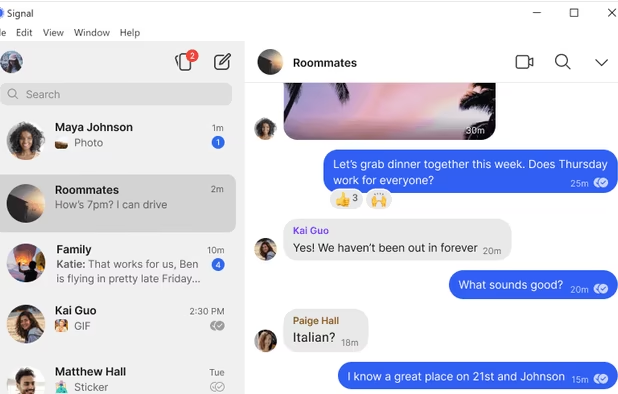
    Not really a browser, but one of the most important online tools I use. My default messenger on my phone, now linked to my desktop.

    Cost / License

    • Free
    • Open Source

    Platforms

    • Mac
    • Windows
    • Linux
    • Android
    • iPhone
    • iPad
    • Snapcraft
    • Android Auto
    • Flathub
    • Ubuntu
    • Debian
    Signal screenshot 1
    Signal screenshot 1
    Signal screenshot 2
    +6
    Signal screenshot 3
  34. Great browser specifically designed to be generic to avoid unique fingerprinting. I use it for casual clear-net browsing. I use it as is out of the box and it works very well. Includes a default ad-blocker and forgets sessions on close.

    Cost / License

    • Free
    • Open Source

    Application types

    Platforms

    • Mac
    • Windows
    • Linux
    • Flathub
    • Flatpak
    Mullvad Browser screenshot 1
    Mullvad Browser screenshot 1
    Mullvad Browser screenshot 2
    +1
    Mullvad Browser screenshot 3
  35. LibreWolf icon
     Like

    Similar to Mullvad browser, I use this browser for logging into accounts for online shopping, paying bills, online banking, etc. I use Firefox containers to keep these accounts separate from each other and block access to non-bookmarked sites using Blocksite and no-script to shut off third party scripts.

    Cost / License

    • Free
    • Open Source

    Application type

    Platforms

    • Mac
    • Windows
    • Linux
    • AppImageHub
    • Linux Mint
    • Arch Linux
    • Gentoo
    • Flathub
    • Fedora
    • Ubuntu
    • Debian
    • Homebrew
    • Chocolatey
    • OpenBSD
    Homeage
    Settings
  36. Brave icon
     Like

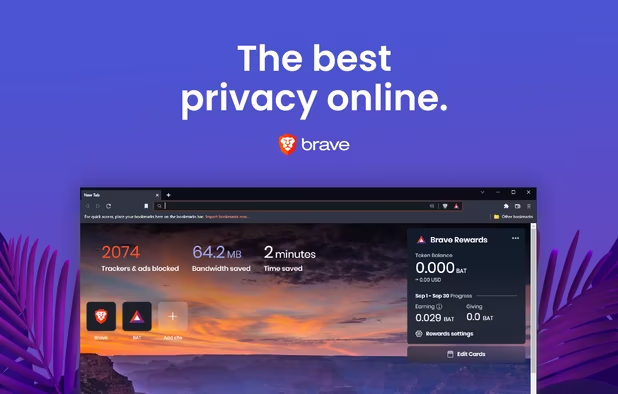
    Used exclusively for Youtube videos since its ad-blocking shields are second to none.

    Cost / License

    • Free
    • Open Source

    Application types

    Platforms

    • Mac
    • Windows
    • Linux
    • Android
    • iPhone
    • Android Tablet
    • iPad
    • Snapcraft
    • Flathub
    • Samsung Galaxy Store
    • Homebrew
    • Chocolatey
    • Epic Games Store
    • F-Droid
    Brave screenshot 1
    Brave screenshot 1
    Brave screenshot 2
    +7
    Brave screenshot 3
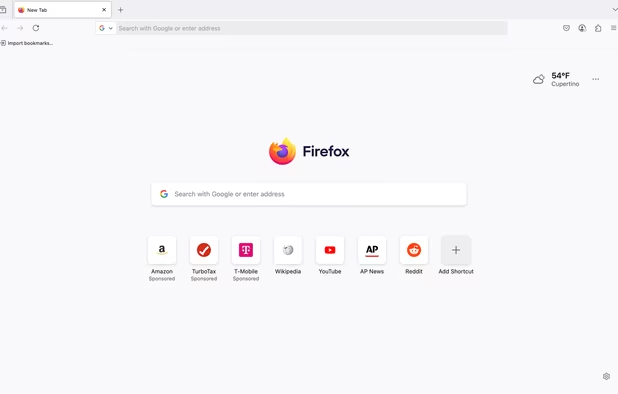
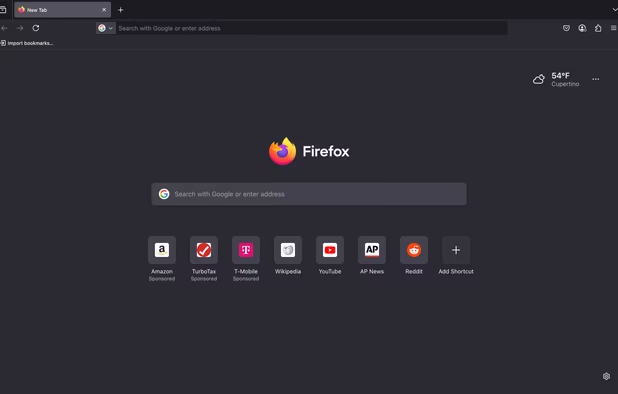
  37. Useful when the customization to all of the above browsers breaks a site and there's no other choice.

    Cost / License

    • Free
    • Open Source

    Application type

    Platforms

    • Mac
    • Windows
    • Linux
    • Android
    • iPhone
    • Android Tablet
    • BSD
    • HUAWEI AppGallery
    • iPad
    • AppImageHub
    • Snapcraft
    • Flathub
    • Samsung Galaxy Store
    • PortableApps.com
    • Haiku
    • Flatpak
    • Homebrew
    • Chocolatey
    • Gecko
    • Linux Mobile
    More protection from the start
    Firefox Desktop (Light Theme)
    Firefox Desktop (Dark Theme)
    +8
    Firefox iOS (Light Theme)
  38. Browser Addons

    I don't like using browser add-ons since they have privileged access to the browser and can be compromised by a supply chain attack. When I do use them, I prefer sticking with privacy focused add-ons which are well known and open source. I don't use any of these in Brave since default functionality in Brave is good enough to block ads and I only use it for one site.

  39. I use this in every browser except Firefox. Great ad-blocker with minimal customization needed.

    Cost / License

    • Free
    • Open Source

    Application types

    Platforms

    • Microsoft Edge
    • Google Chrome
    • Thunderbird
    • Opera
    • Node.JS
    • Mozilla Firefox
    uBlock Origin screenshot 1
    uBlock Origin screenshot 1
    uBlock Origin screenshot 2
    +3
    uBlock Origin screenshot 3
  40. NoScript icon
     Like

    Used in Librewolf to block third party scripts.

    Cost / License

    • Free
    • Open Source

    Application types

    Platforms

    • Mac
    • Windows
    • Linux
    • BSD
    • Google Chrome
    • SeaMonkey
    • Mozilla Firefox
    Diablog of blocked scripts
    NoScript Anwhere (Firefox Mobile version).
  41. I use this in white-list mode to block the entire internet in Librewolf except for specific sites to avoid casual browsing on tabs where important business is conducted.

    Cost / License

    • Free
    • Open Source

    Platforms

    • Google Chrome
    • Firefox
    • Microsoft Edge
    • Opera
    Block Site screenshot 1
    Block Site screenshot 1
    Block Site screenshot 2
  42. Probably the riskiest add-on I use since it is not privacy focused - it's just easy on the eyes.

    Cost / License

    • Free
    • Open Source

    Application type

    Platforms

    • iPhone
    • iPad
    • Microsoft Edge
    • Google Chrome
    • Safari
    • Thunderbird
    • Mozilla Firefox
    Dark Reader screenshot 1
    Dark Reader screenshot 1
    Dark Reader screenshot 2
    +1
    Dark Reader screenshot 3

What tools do you prefer when casually using Linux? Anything new you think I should add or something lame I should remove? Let me know in the comments below! :D

No comments so far, maybe you want to be first?
Gu